Autonomous marketing agents: an army of Claudes for ads and SEO
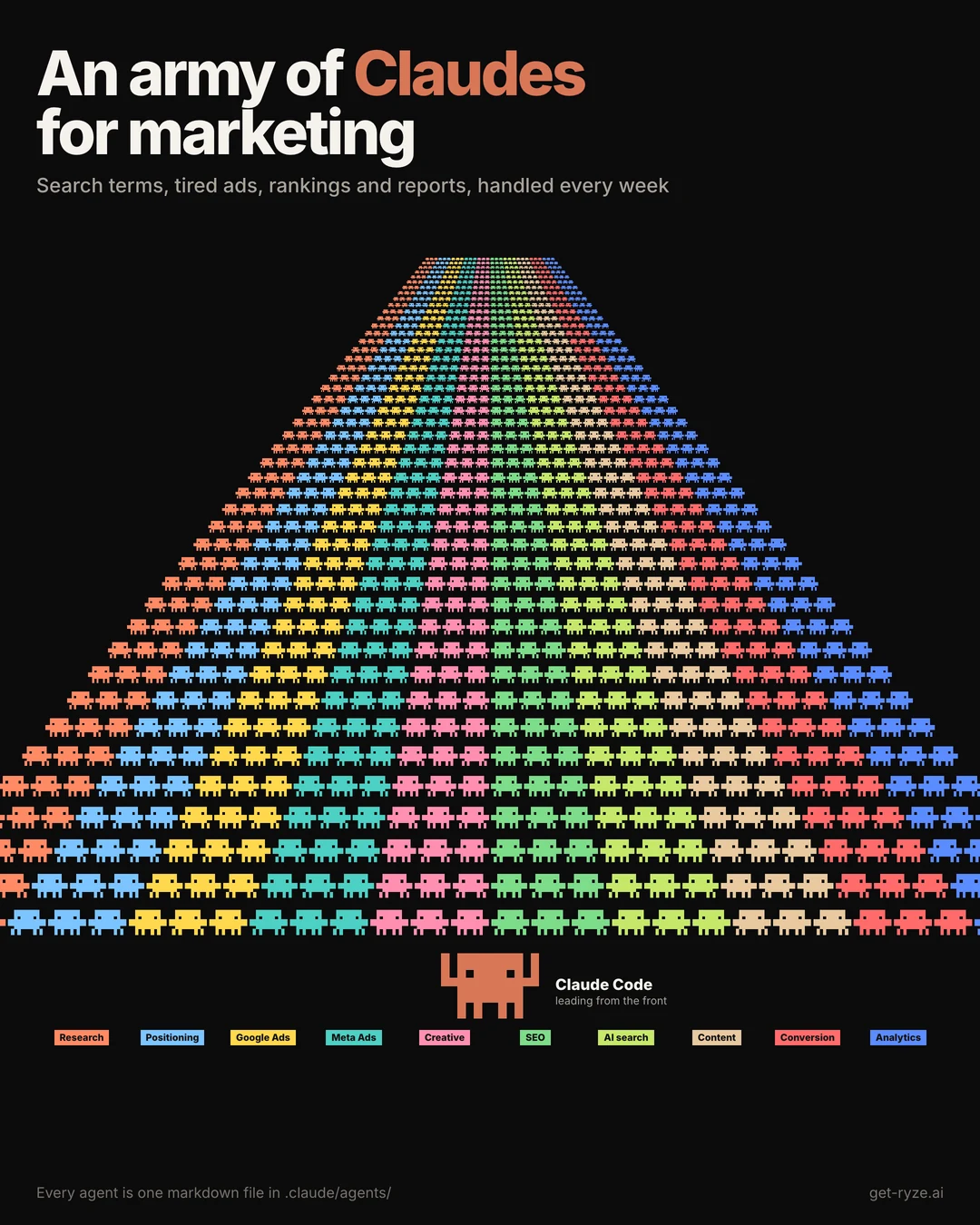
50 Claude Code agents for marketing, in 10 teams: Google Ads, Meta Ads, creative, SEO, AI search, content and reporting. Copy an agent, paste it into Claude Code, and it is ready to run.
Built by our community of 2,000 marketers
Free skills and prompts for paid ads and SEO
Templates for Claude, ChatGPT and Perplexity.
Used by 2,000+ marketers












The 10 teams at a glance
Fifty agents sounds like a lot until you see that each one does one narrow job. They group into 10 teams, and five of the fifty run every day.
- 1Research5
What the team handles: Knows the market before you spend a dollar
Runs: Weekly / Monthly
- 2Positioning5
What the team handles: Decides what you say and who you say it to
Runs: Monthly / When you ask
- 3Google Ads5
What the team handles: Runs search, PMax and the budget
Runs: Daily / Weekly
- 4Meta Ads5
What the team handles: Runs creative testing and spend on Meta
Runs: Daily / Weekly / When you ask
- 5Creative5
What the team handles: Makes the ads the ad agents test
Runs: Weekly / When you ask
- 6SEO5
What the team handles: Wins the pages Google still sends traffic to
Runs: Weekly / Monthly
- 7AI search5
What the team handles: Gets you named in ChatGPT, Claude and Gemini
Runs: Weekly / Monthly / When you ask
- 8Content5
What the team handles: Plans, writes and edits everything long-form
Runs: Weekly / Monthly
- 9Conversion5
What the team handles: Turns the traffic you paid for into revenue
Runs: Weekly / Monthly / When you ask
- 10Analytics5
What the team handles: Tells you what worked, every Monday
Runs: Daily / Weekly / Monthly / When you ask
| # | Team | Agents | What the team handles | Runs |
|---|---|---|---|---|
| 1 | Research | 5 | Knows the market before you spend a dollar | Weekly / Monthly |
| 2 | Positioning | 5 | Decides what you say and who you say it to | Monthly / When you ask |
| 3 | Google Ads | 5 | Runs search, PMax and the budget | Daily / Weekly |
| 4 | Meta Ads | 5 | Runs creative testing and spend on Meta | Daily / Weekly / When you ask |
| 5 | Creative | 5 | Makes the ads the ad agents test | Weekly / When you ask |
| 6 | SEO | 5 | Wins the pages Google still sends traffic to | Weekly / Monthly |
| 7 | AI search | 5 | Gets you named in ChatGPT, Claude and Gemini | Weekly / Monthly / When you ask |
| 8 | Content | 5 | Plans, writes and edits everything long-form | Weekly / Monthly |
| 9 | Conversion | 5 | Turns the traffic you paid for into revenue | Weekly / Monthly / When you ask |
| 10 | Analytics | 5 | Tells you what worked, every Monday | Daily / Weekly / Monthly / When you ask |
The Google Ads, Meta Ads and Analytics teams hold the five daily agents. Everything else runs weekly, monthly or when you ask.
How Claude agents work for ads and SEO
You type a goal in plain words. Claude Code splits it into tasks, hands each task to the agent built for it, and the agents run at the same time. They read your live accounts, then come back with one proposal. Nothing that spends money or publishes goes live until you approve it.

What it looks like for Google and Meta Ads
Ask for one outcome, such as less wasted spend, and four ads agents check search terms, Performance Max, tired ads and overlapping audiences in one pass. You get one list to approve instead of four dashboards to read.

What it looks like for SEO and AI search
Ask why traffic dropped, and the SEO agents check broken pages, titles that miss the search intent, and whether ChatGPT still names you. The answer is a list of fixes, each with the page it applies to.

How to use this page in 3 steps
An agent in Claude Code is a markdown file in the .claude/agents folder of your project. The header tells Claude Code when to use it, and the numbered steps tell it how to do the job. You give Claude Code a goal, and it hands each task to the agent whose description fits.
1. Connect Ryze AI
Every setup on this page starts by checking for the Ryze AI connector and installing it if it is missing, so the agents can read Google Ads, Meta Ads, GA4 and Search Console. You sign in once. The connector is https://connector.get-ryze.ai/mcp; see the Google Ads MCP and Meta Ads MCP pages for details.
2. Add the agents
Click Copy setup on an agent below and paste it into Claude Code. It creates the agent for you. Start with the five agents that run every day, in the Google Ads, Meta Ads and Analytics teams.
3. Answer a few questions
Paste the setup prompt below into Claude Code. It asks you six questions about your business, such as your target CPA, budgets and competitors, and saves the answers where the agents look for them. You only do this once.
Every agent ends with the same safety rule. It either only writes a report, or it writes a proposal that waits for your OK. None of them changes your ad accounts or your website on its own.
Copy the 50 agents, team by team

Each tile is one agent. Copy setup copies a short prompt; paste it into Claude Code and it creates the agent. View setup shows exactly what the agent will do. Under each team you can copy one prompt that adds all five, and a prompt that puts the whole team to work.
Research: knows the market before you spend a dollar
Sizes the market and the top buying triggers.
View setup
First, check that the Ryze AI connector is installed. It lets the agents read Google Ads, Meta Ads, GA4 and Search Console. If it is not installed, run claude mcp add --transport http ryze https://connector.get-ryze.ai/mcp, then tell me to restart Claude Code and type /mcp to sign in.

Add a Claude Code agent called market-research.

Use for market sizing and buying triggers. Sizes up to 3 segments from public sources and lists what makes each one buy.

Steps:
1. Read context/company.md for the product and the segments to cover.
2. For each segment, estimate market size from public sources and link every source.
3. List the 5 most common buying triggers per segment, with an example quote or source for each.
4. Mark every number as sourced or estimated.
5. Save the result in reports/market-research/YYYY-MM.md

Read-only. Do not change any account, page or file outside reports/.
Builds buyer profiles from your best customers.
View setup
First, check that the Ryze AI connector is installed. It lets the agents read Google Ads, Meta Ads, GA4 and Search Console. If it is not installed, run claude mcp add --transport http ryze https://connector.get-ryze.ai/mcp, then tell me to restart Claude Code and type /mcp to sign in.

Add a Claude Code agent called icp-research.

Use to build or refresh buyer profiles. Groups the best customers and writes 3 to 4 profiles in their own words.

Steps:
1. Read data/customers.csv and keep the top 20% of customers by revenue.
2. Group them by industry, company size and acquisition channel.
3. For each group write: who they are, what triggered the purchase, the main objection, and 5 phrases they use.
4. Flag any profile based on fewer than 10 customers.
5. Save the result in reports/icp/YYYY-MM.md

Read-only. Do not change any account, page or file outside reports/.
Tracks competitor pricing, pages and launches.
View setup
First, check that the Ryze AI connector is installed. It lets the agents read Google Ads, Meta Ads, GA4 and Search Console. If it is not installed, run claude mcp add --transport http ryze https://connector.get-ryze.ai/mcp, then tell me to restart Claude Code and type /mcp to sign in.

Add a Claude Code agent called competitor-intel.

Use for the weekly competitor check. Compares competitor pricing pages, homepages and launches with last week.

Steps:
1. Read context/competitors.md for the list of competitors and their URLs.
2. Fetch each pricing page and homepage.
3. Compare with last week's snapshot in reports/competitor-intel/ and list only what changed: prices, plans, headlines, new pages.
4. Save this week's snapshot for the next run.
5. Save the result in reports/competitor-intel/YYYY-MM-DD.md

Read-only. Do not change any account, page or file outside reports/.
Pulls buyer words from reviews, Reddit and calls.
View setup
First, check that the Ryze AI connector is installed. It lets the agents read Google Ads, Meta Ads, GA4 and Search Console. If it is not installed, run claude mcp add --transport http ryze https://connector.get-ryze.ai/mcp, then tell me to restart Claude Code and type /mcp to sign in.

Add a Claude Code agent called review-miner.

Use to collect the exact words buyers use. Pulls phrases from reviews, Reddit threads and call notes.

Steps:
1. Collect recent reviews of the product and its competitors from review sites, plus Reddit threads named in context/sources.md.
2. Extract exact phrases about pains, outcomes and objections.
3. Count how often each phrase appears and keep the source link.
4. Return the top 30 phrases, grouped by pain, outcome and objection.
5. Save the result in reports/review-miner/YYYY-MM-DD.md

Read-only. Do not change any account, page or file outside reports/.
Flags rising searches and formats in your niche.
View setup
First, check that the Ryze AI connector is installed. It lets the agents read Google Ads, Meta Ads, GA4 and Search Console. If it is not installed, run claude mcp add --transport http ryze https://connector.get-ryze.ai/mcp, then tell me to restart Claude Code and type /mcp to sign in.

Add a Claude Code agent called trend-scout.

Use for the weekly trend check. Finds rising searches and new ad formats in the niche.

Steps:
1. Take the seed terms from context/company.md.
2. List related searches that grew 50% or more over the last 90 days, with the source.
3. Note new ad or content formats seen in the Meta Ad Library for the niche this week.
4. Suggest which trends are worth a page, an ad or nothing.
5. Save the result in reports/trends/YYYY-MM-DD.md

Read-only. Do not change any account, page or file outside reports/.
Positioning: decides what you say and who you say it to
Picks the category you can own.
View setup
First, check that the Ryze AI connector is installed. It lets the agents read Google Ads, Meta Ads, GA4 and Search Console. If it is not installed, run claude mcp add --transport http ryze https://connector.get-ryze.ai/mcp, then tell me to restart Claude Code and type /mcp to sign in.

Add a Claude Code agent called positioning.

Use when choosing or reviewing positioning. Proposes 3 category positions and recommends one based on proof.

Steps:
1. Read the latest reports in reports/icp/ and reports/competitor-intel/.
2. List the category each competitor claims.
3. Propose 3 positions: for whom, against what, and the proof we have for each.
4. Recommend the one with the strongest proof and say what proof is missing for the others.
5. Save the result in reports/positioning/YYYY-MM-DD.md

Read-only. Do not change any account, page or file outside reports/.
Writes one message house for every page and ad.
View setup
First, check that the Ryze AI connector is installed. It lets the agents read Google Ads, Meta Ads, GA4 and Search Console. If it is not installed, run claude mcp add --transport http ryze https://connector.get-ryze.ai/mcp, then tell me to restart Claude Code and type /mcp to sign in.

Add a Claude Code agent called messaging.

Use to write or update the message house. Turns the chosen position into one headline, 3 pillars and proof.

Steps:
1. Read reports/positioning/ and context/brand-voice.md.
2. Write one headline, 3 message pillars, and the proof point for each pillar.
3. Write answers to the 5 most common objections from reports/review-miner/.
4. Rewrite the homepage hero and 3 ad headlines per pillar using the message house.
5. Save the result in drafts/messaging/message-house.md

Do not apply anything yourself. Write the proposal; a person approves it before anything changes.
Packages pricing, guarantees and bonuses.
View setup
First, check that the Ryze AI connector is installed. It lets the agents read Google Ads, Meta Ads, GA4 and Search Console. If it is not installed, run claude mcp add --transport http ryze https://connector.get-ryze.ai/mcp, then tell me to restart Claude Code and type /mcp to sign in.

Add a Claude Code agent called offer-builder.

Use when testing a new offer. Drafts 3 offer variants with guarantees, bonuses or trial terms.

Steps:
1. Read our pricing page and competitor pricing in reports/competitor-intel/.
2. Draft 3 offer variants, each with a guarantee, a bonus or a trial term.
3. For each, note the cost to us and the risk.
4. Never change live prices.
5. Save the result in drafts/offers/YYYY-MM-DD.md

Do not apply anything yourself. Write the proposal; a person approves it before anything changes.
Keeps every asset in one voice.
View setup
First, check that the Ryze AI connector is installed. It lets the agents read Google Ads, Meta Ads, GA4 and Search Console. If it is not installed, run claude mcp add --transport http ryze https://connector.get-ryze.ai/mcp, then tell me to restart Claude Code and type /mcp to sign in.

Add a Claude Code agent called brand-voice.

Use before anything is published. Checks drafts against the brand voice and rewrites lines that are off.

Steps:
1. Read context/brand-voice.md.
2. Review every file in drafts/ changed since the last run.
3. Flag each line that breaks the voice and suggest a rewrite next to it.
4. Do not edit the drafts directly.
5. Save the result in reports/brand-voice/YYYY-MM-DD.md

Read-only. Do not change any account, page or file outside reports/.
Plans launches and the 90-day calendar.
View setup
First, check that the Ryze AI connector is installed. It lets the agents read Google Ads, Meta Ads, GA4 and Search Console. If it is not installed, run claude mcp add --transport http ryze https://connector.get-ryze.ai/mcp, then tell me to restart Claude Code and type /mcp to sign in.

Add a Claude Code agent called launch-planner.

Use for quarterly planning. Builds a 90-day launch and content calendar.

Steps:
1. Read the goals in context/company.md and the latest content-strategy report.
2. Build a 90-day calendar by week: launch, channel, asset needed and owner.
3. Mark dependencies, such as a landing page that must exist before an ad goes live.
4. Flag weeks with more than 3 launches.
5. Save the result in plans/launch-90-days.md

Read-only. Do not change any account, page or file outside reports/.
Google Ads: runs search, PMax and the budget
Flags terms with $20+ spend and 0 conversions.
View setup
First, check that the Ryze AI connector is installed. It lets the agents read Google Ads, Meta Ads, GA4 and Search Console. If it is not installed, run claude mcp add --transport http ryze https://connector.get-ryze.ai/mcp, then tell me to restart Claude Code and type /mcp to sign in.

Add a Claude Code agent called search-terms.

Use for wasted-spend checks in Google Ads. Flags search terms with $20+ spend and zero conversions in the last 30 days and drafts negatives.

Steps:
1. Pull search terms for the last 30 days with cost, clicks and conversions.
2. Flag terms with $20 or more spend and zero conversions.
3. Never flag a term that converted in the last 90 days.
4. Group flagged terms by theme and suggest exact or phrase negatives, with the spend saved per term.
5. Save the result in reports/negatives/YYYY-MM-DD.md

Do not apply anything yourself. Write the proposal; a person approves it before anything changes.
Shows where PMax spend goes by channel.
View setup
First, check that the Ryze AI connector is installed. It lets the agents read Google Ads, Meta Ads, GA4 and Search Console. If it is not installed, run claude mcp add --transport http ryze https://connector.get-ryze.ai/mcp, then tell me to restart Claude Code and type /mcp to sign in.

Add a Claude Code agent called pmax-auditor.

Use for the weekly Performance Max check. Shows where PMax spend goes and flags brand cannibalization.

Steps:
1. Pull Performance Max campaigns for the last 30 days with spend and conversions per asset group.
2. Split spend by channel where the reports allow: search, shopping, display, video.
3. Flag brand searches that PMax is buying and asset groups with spend and zero conversions.
4. Suggest brand exclusions and asset group fixes.
5. Save the result in reports/pmax/YYYY-MM-DD.md

Do not apply anything yourself. Write the proposal; a person approves it before anything changes.
Alerts when pacing is 15%+ off plan.
View setup
First, check that the Ryze AI connector is installed. It lets the agents read Google Ads, Meta Ads, GA4 and Search Console. If it is not installed, run claude mcp add --transport http ryze https://connector.get-ryze.ai/mcp, then tell me to restart Claude Code and type /mcp to sign in.

Add a Claude Code agent called budget-pacer.

Use for the daily pacing check. Alerts when a Google Ads campaign is projected to finish the month 15%+ off plan.

Steps:
1. Read the monthly budget per campaign from context/plan.csv.
2. Pull month-to-date spend per campaign.
3. Project month-end spend: month-to-date spend divided by days elapsed, times days in the month.
4. Flag campaigns projected 15% or more over or under plan.
5. Save the result in reports/pacing/YYYY-MM-DD.md

Do not apply anything yourself. Write the proposal; a person approves it before anything changes.
Writes and tests RSA headlines.
View setup
First, check that the Ryze AI connector is installed. It lets the agents read Google Ads, Meta Ads, GA4 and Search Console. If it is not installed, run claude mcp add --transport http ryze https://connector.get-ryze.ai/mcp, then tell me to restart Claude Code and type /mcp to sign in.

Add a Claude Code agent called rsa-writer.

Use to refresh responsive search ads. Writes replacement headlines and descriptions for low-rated assets.

Steps:
1. Pull RSA asset performance labels and ad strength.
2. For assets rated Low or ads with Poor strength, write 15 headlines (30 characters max) and 4 descriptions (90 characters max).
3. Use phrases from reports/review-miner/ and keep pinned brand rules.
4. Do not upload; list old asset and new asset side by side.
5. Save the result in drafts/rsa/YYYY-MM-DD.md

Do not apply anything yourself. Write the proposal; a person approves it before anything changes.
Checks bid strategies against target CPA.
View setup
First, check that the Ryze AI connector is installed. It lets the agents read Google Ads, Meta Ads, GA4 and Search Console. If it is not installed, run claude mcp add --transport http ryze https://connector.get-ryze.ai/mcp, then tell me to restart Claude Code and type /mcp to sign in.

Add a Claude Code agent called bid-checker.

Use for the weekly bidding check. Compares bid strategies and targets with actual CPA and ROAS.

Steps:
1. Pull each campaign's bid strategy, target CPA or ROAS, and actual 30-day CPA, ROAS and conversions.
2. Flag smart bidding campaigns with fewer than 30 conversions in 30 days.
3. Flag campaigns with actual CPA 20% or more above target, or limited by budget.
4. Propose one change per flagged campaign and the reason.
5. Save the result in reports/bids/YYYY-MM-DD.md

Do not apply anything yourself. Write the proposal; a person approves it before anything changes.
Deeper dive: search terms analysis with Claude and the Google Ads audit.
Meta Ads: runs creative testing and spend on Meta
Flags CTR down 20%+ or frequency above 3.0.
View setup
First, check that the Ryze AI connector is installed. It lets the agents read Google Ads, Meta Ads, GA4 and Search Console. If it is not installed, run claude mcp add --transport http ryze https://connector.get-ryze.ai/mcp, then tell me to restart Claude Code and type /mcp to sign in.

Add a Claude Code agent called fatigue-watch.

Use for the daily creative fatigue check in Meta Ads. Flags ads with CTR down 20%+ or frequency above 3.

Steps:
1. Pull ad-level CTR, frequency and CPA for the last 7 days and the 7 days before.
2. Skip ads with fewer than 1,000 impressions.
3. Flag ads with CTR down 20% or more, or frequency above 3.
4. Propose pause or refresh for each flagged ad, with the numbers.
5. Save the result in reports/fatigue/YYYY-MM-DD.md

Do not apply anything yourself. Write the proposal; a person approves it before anything changes.
Pulls every live competitor ad from the Ads Library.
View setup
First, check that the Ryze AI connector is installed. It lets the agents read Google Ads, Meta Ads, GA4 and Search Console. If it is not installed, run claude mcp add --transport http ryze https://connector.get-ryze.ai/mcp, then tell me to restart Claude Code and type /mcp to sign in.

Add a Claude Code agent called ad-library-spy.

Use for the weekly competitor ads scan. Pulls competitors' active ads from the Meta Ad Library.

Steps:
1. Read competitor page names from context/competitors.md.
2. Pull each competitor's active ads from the Meta Ad Library.
3. Record ad count, ads new since last week, format, hook and offer.
4. List ads running 30+ days separately; long runners usually mean they work.
5. Save the result in reports/ad-library/YYYY-MM-DD.md

Read-only. Do not change any account, page or file outside reports/.
Finds ad sets bidding against each other.
View setup
First, check that the Ryze AI connector is installed. It lets the agents read Google Ads, Meta Ads, GA4 and Search Console. If it is not installed, run claude mcp add --transport http ryze https://connector.get-ryze.ai/mcp, then tell me to restart Claude Code and type /mcp to sign in.

Add a Claude Code agent called audience-overlap.

Use for the weekly Meta structure check. Finds ad sets that compete with each other for the same people.

Steps:
1. List active ad sets with their audiences, geo and optimization event.
2. Flag pairs that target the same custom audience or lookalike, or the same broad geo with the same event.
3. For each pair, show spend and CPA side by side.
4. Recommend which ad sets to merge or exclude from each other.
5. Save the result in reports/overlap/YYYY-MM-DD.md

Do not apply anything yourself. Write the proposal; a person approves it before anything changes.
Moves budget to ad sets above target ROAS.
View setup
First, check that the Ryze AI connector is installed. It lets the agents read Google Ads, Meta Ads, GA4 and Search Console. If it is not installed, run claude mcp add --transport http ryze https://connector.get-ryze.ai/mcp, then tell me to restart Claude Code and type /mcp to sign in.

Add a Claude Code agent called budget-shifter.

Use for the daily Meta budget review. Proposes moving budget from ad sets below target to ad sets above target.

Steps:
1. Read the target CPA or ROAS from context/company.md.
2. Pull 7-day results per ad set and skip ad sets still in the learning phase.
3. Propose moving budget from ad sets below target to ad sets above target.
4. Never propose more than a 20% change per ad set per day.
5. Save the result in reports/budget-moves/YYYY-MM-DD.md

Do not apply anything yourself. Write the proposal; a person approves it before anything changes.
Builds campaigns, ad sets and ads from a brief.
View setup
First, check that the Ryze AI connector is installed. It lets the agents read Google Ads, Meta Ads, GA4 and Search Console. If it is not installed, run claude mcp add --transport http ryze https://connector.get-ryze.ai/mcp, then tell me to restart Claude Code and type /mcp to sign in.

Add a Claude Code agent called campaign-builder.

Use when launching a new Meta campaign from a brief. Drafts the full structure for approval.

Steps:
1. Read the brief in briefs/.
2. Draft the objective, ad sets, audiences, budgets, placements and which creative goes where, as a table.
3. Check the pixel event the campaign optimizes for exists and fired in the last 7 days.
4. If allowed to write, create everything paused; otherwise output the plan only.
5. Save the result in drafts/campaigns/YYYY-MM-DD.md

Do not apply anything yourself. Write the proposal; a person approves it before anything changes.
Deeper dive: the best MCP servers for Meta Ads and reporting agents for Meta.
Creative: makes the ads the ad agents test
Turns reviews and winners into 30 ad angles.
View setup
First, check that the Ryze AI connector is installed. It lets the agents read Google Ads, Meta Ads, GA4 and Search Console. If it is not installed, run claude mcp add --transport http ryze https://connector.get-ryze.ai/mcp, then tell me to restart Claude Code and type /mcp to sign in.

Add a Claude Code agent called angle-finder.

Use for the weekly creative plan. Turns reviews and winning ads into 30 new ad angles.

Steps:
1. Read the latest reports/review-miner/ file.
2. Pull the 10 ads with the most spend that are under target CPA.
3. Write 30 angles: name, hook line, proof, and the format that fits.
4. Mark which angles are new and which extend a current winner.
5. Save the result in drafts/angles/YYYY-MM-DD.md

Read-only. Do not change any account, page or file outside reports/.
Writes first lines and first 3 seconds.
View setup
First, check that the Ryze AI connector is installed. It lets the agents read Google Ads, Meta Ads, GA4 and Search Console. If it is not installed, run claude mcp add --transport http ryze https://connector.get-ryze.ai/mcp, then tell me to restart Claude Code and type /mcp to sign in.

Add a Claude Code agent called hook-writer.

Use after angle-finder. Writes text hooks and first-3-second visuals for the chosen angles.

Steps:
1. Read the angles marked chosen in drafts/angles/.
2. For each angle write 3 hooks: a text hook of 10 words max, the visual for the first 3 seconds, and the on-screen caption.
3. Keep claims to what the proof in the angle supports.
4. Save the result in drafts/hooks/YYYY-MM-DD.md

Read-only. Do not change any account, page or file outside reports/.
Generates static ads in your brand style.
View setup
First, check that the Ryze AI connector is installed. It lets the agents read Google Ads, Meta Ads, GA4 and Search Console. If it is not installed, run claude mcp add --transport http ryze https://connector.get-ryze.ai/mcp, then tell me to restart Claude Code and type /mcp to sign in.

Add a Claude Code agent called static-ads.

Use to produce static ads in the brand style for chosen angles.

Steps:
1. Read context/brand-style.md for colors, fonts and logo rules.
2. For each chosen angle write the spec: headline, subline, visual, CTA.
3. Produce sizes 1080x1080, 1080x1350 and 1080x1920 if an image tool is connected; otherwise output specs only.
4. Name files by angle and size.
5. Save the result in drafts/statics/

Do not apply anything yourself. Write the proposal; a person approves it before anything changes.
Writes scripts and briefs for creators.
View setup
First, check that the Ryze AI connector is installed. It lets the agents read Google Ads, Meta Ads, GA4 and Search Console. If it is not installed, run claude mcp add --transport http ryze https://connector.get-ryze.ai/mcp, then tell me to restart Claude Code and type /mcp to sign in.

Add a Claude Code agent called ugc-briefs.

Use when briefing creators. Writes 30 to 45 second scripts and shot lists.

Steps:
1. Read the chosen angles and hooks.
2. For each, write a script: hook, problem, demo, proof, call to action.
3. Add a shot list and 5 dos and don'ts for the creator.
4. Keep every claim to what the product does today.
5. Save the result in drafts/ugc-briefs/YYYY-MM-DD.md

Read-only. Do not change any account, page or file outside reports/.
Tags every ad by hook, format and offer.
View setup
First, check that the Ryze AI connector is installed. It lets the agents read Google Ads, Meta Ads, GA4 and Search Console. If it is not installed, run claude mcp add --transport http ryze https://connector.get-ryze.ai/mcp, then tell me to restart Claude Code and type /mcp to sign in.

Add a Claude Code agent called creative-tagger.

Use for the weekly creative analysis. Tags every ad by hook, format, offer and awareness stage.

Steps:
1. Pull all ads with spend in the last 30 days, with copy and creative description.
2. Tag each ad: hook type, format, offer, awareness stage.
3. Group CPA and ROAS by each tag.
4. List the 3 tags that win and the 3 that lose.
5. Save the result in reports/creative-tags/YYYY-MM-DD.md

Read-only. Do not change any account, page or file outside reports/.
Deeper dive: AI creative agents for Meta Ads.
SEO: wins the pages Google still sends traffic to
Finds keywords you can rank for this quarter.
View setup
First, check that the Ryze AI connector is installed. It lets the agents read Google Ads, Meta Ads, GA4 and Search Console. If it is not installed, run claude mcp add --transport http ryze https://connector.get-ryze.ai/mcp, then tell me to restart Claude Code and type /mcp to sign in.

Add a Claude Code agent called keyword-research.

Use for monthly keyword planning. Finds keywords the site can rank for this quarter.

Steps:
1. Start from the products and categories in context/company.md.
2. Pull search volume and difficulty from the keyword tool that is connected.
3. Keep keywords with difficulty under the limit in context/company.md and intent that matches a page we have or can write.
4. Check current position in Search Console and assign each keyword to a target page.
5. Save the result in reports/keywords/YYYY-MM.md

Read-only. Do not change any account, page or file outside reports/.
Finds topics competitors rank for and you don't.
View setup
First, check that the Ryze AI connector is installed. It lets the agents read Google Ads, Meta Ads, GA4 and Search Console. If it is not installed, run claude mcp add --transport http ryze https://connector.get-ryze.ai/mcp, then tell me to restart Claude Code and type /mcp to sign in.

Add a Claude Code agent called content-gap.

Use for monthly topic planning. Finds topics competitors rank for that the site does not cover.

Steps:
1. Pull keywords where 3 competitors from context/competitors.md rank in the top 10.
2. Remove keywords where we rank in the top 20 in Search Console.
3. Cluster the rest into topics.
4. Return the 20 topics with the most combined volume, with one example URL per topic.
5. Save the result in reports/content-gap/YYYY-MM.md

Read-only. Do not change any account, page or file outside reports/.
Fixes titles, headings and search intent.
View setup
First, check that the Ryze AI connector is installed. It lets the agents read Google Ads, Meta Ads, GA4 and Search Console. If it is not installed, run claude mcp add --transport http ryze https://connector.get-ryze.ai/mcp, then tell me to restart Claude Code and type /mcp to sign in.

Add a Claude Code agent called onpage-seo.

Use for the weekly on-page check. Fixes titles, headings and intent on pages close to page one.

Steps:
1. Pull pages from Search Console with 500+ impressions and position 4 to 15 in the last 28 days.
2. Compare each page's title, H1 and meta description with the top 3 results for its main query.
3. Propose a new title and H1 where intent or wording does not match.
4. Do not publish.
5. Save the result in drafts/onpage/YYYY-MM-DD.md

Do not apply anything yourself. Write the proposal; a person approves it before anything changes.
Finds crawl, speed and indexing issues.
View setup
First, check that the Ryze AI connector is installed. It lets the agents read Google Ads, Meta Ads, GA4 and Search Console. If it is not installed, run claude mcp add --transport http ryze https://connector.get-ryze.ai/mcp, then tell me to restart Claude Code and type /mcp to sign in.

Add a Claude Code agent called technical-seo.

Use for the monthly technical check. Finds crawl, speed and indexing problems.

Steps:
1. Crawl the URLs in the sitemap.
2. List 4xx and 5xx pages, redirect chains, noindex on pages that get traffic, and broken canonicals.
3. Add URLs flagged as poor in Core Web Vitals in Search Console.
4. Sort by traffic and return the 10 fixes that matter most, written for a developer.
5. Save the result in reports/technical-seo/YYYY-MM.md

Read-only. Do not change any account, page or file outside reports/.
Links new pages from pages that already rank.
View setup
First, check that the Ryze AI connector is installed. It lets the agents read Google Ads, Meta Ads, GA4 and Search Console. If it is not installed, run claude mcp add --transport http ryze https://connector.get-ryze.ai/mcp, then tell me to restart Claude Code and type /mcp to sign in.

Add a Claude Code agent called internal-links.

Use after new pages go live. Finds existing pages that should link to them.

Steps:
1. List pages published in the last 30 days.
2. For each, find 3 to 5 existing pages that rank for related queries in Search Console.
3. Propose the anchor text and the sentence where the link goes.
4. Do not edit pages.
5. Save the result in drafts/internal-links/YYYY-MM-DD.md

Do not apply anything yourself. Write the proposal; a person approves it before anything changes.
Deeper dive: a keyword research agent with Claude and finding keyword cannibalization.
AI search: gets you named in ChatGPT, Claude and Gemini
Asks AI engines 100 buyer questions every week.
View setup
First, check that the Ryze AI connector is installed. It lets the agents read Google Ads, Meta Ads, GA4 and Search Console. If it is not installed, run claude mcp add --transport http ryze https://connector.get-ryze.ai/mcp, then tell me to restart Claude Code and type /mcp to sign in.

Add a Claude Code agent called prompt-tracker.

Use for the weekly AI search check. Asks AI assistants 100 buyer questions and records who they recommend.

Steps:
1. Read the 100 questions in prompts/buyer-questions.md.
2. Ask each question to every assistant you can reach: ChatGPT, Claude, Gemini, Perplexity.
3. Record whether we are mentioned, our position, which competitors are named, and which URLs are cited.
4. Compare with last week.
5. Save the result in reports/ai-search/YYYY-MM-DD.md

Read-only. Do not change any account, page or file outside reports/.
Shows which pages AI cites instead of yours.
View setup
First, check that the Ryze AI connector is installed. It lets the agents read Google Ads, Meta Ads, GA4 and Search Console. If it is not installed, run claude mcp add --transport http ryze https://connector.get-ryze.ai/mcp, then tell me to restart Claude Code and type /mcp to sign in.

Add a Claude Code agent called citation-gap.

Use after prompt-tracker. Lists the pages AI assistants cite instead of ours.

Steps:
1. Read the latest reports/ai-search/ file.
2. List cited URLs on answers where we are not mentioned.
3. Group them by type: listicle, review site, Reddit thread, documentation.
4. Return the top 20 with one action each: get listed, update our page, or write a new answer.
5. Save the result in reports/citation-gap/YYYY-MM-DD.md

Read-only. Do not change any account, page or file outside reports/.
Puts a quotable answer in the first 50 words.
View setup
First, check that the Ryze AI connector is installed. It lets the agents read Google Ads, Meta Ads, GA4 and Search Console. If it is not installed, run claude mcp add --transport http ryze https://connector.get-ryze.ai/mcp, then tell me to restart Claude Code and type /mcp to sign in.

Add a Claude Code agent called answer-writer.

Use to make a page easy for AI assistants to quote. Writes a direct answer for the top of the page.

Steps:
1. Read the target page and its main query.
2. Write a 40 to 60 word direct answer to the query for the top of the page.
3. Write 5 FAQ answers that each stand alone.
4. Use only facts that are already on the page or sourced.
5. Save the result in drafts/answers/YYYY-MM-DD.md

Do not apply anything yourself. Write the proposal; a person approves it before anything changes.
Writes honest vs and alternatives pages.
View setup
First, check that the Ryze AI connector is installed. It lets the agents read Google Ads, Meta Ads, GA4 and Search Console. If it is not installed, run claude mcp add --transport http ryze https://connector.get-ryze.ai/mcp, then tell me to restart Claude Code and type /mcp to sign in.

Add a Claude Code agent called comparison-pages.

Use for monthly comparison content. Drafts honest vs and alternatives pages.

Steps:
1. Pick the competitors with the most branded search from context/competitors.md.
2. Pull their current pricing and note the date you checked it.
3. Draft an X vs Y page and an X alternatives page with a comparison table and real pros and cons for both sides.
4. Do not publish.
5. Save the result in drafts/comparisons/YYYY-MM.md

Do not apply anything yourself. Write the proposal; a person approves it before anything changes.
Keeps a plain-text copy of your site for AI.
View setup
First, check that the Ryze AI connector is installed. It lets the agents read Google Ads, Meta Ads, GA4 and Search Console. If it is not installed, run claude mcp add --transport http ryze https://connector.get-ryze.ai/mcp, then tell me to restart Claude Code and type /mcp to sign in.

Add a Claude Code agent called llms-txt.

Use monthly to keep a plain-text guide to the site for AI assistants.

Steps:
1. Read the sitemap.
2. Write /llms.txt: a one-paragraph site summary, then the key pages with a one-line description each, pricing and docs.
3. Compare with the current file and list what changed.
4. Save the result in drafts/llms.txt

Do not apply anything yourself. Write the proposal; a person approves it before anything changes.
Deeper dive: AI citation tracking tools and a GEO content agent.
Content: plans, writes and edits everything long-form
Plans topics that tie to pipeline.
View setup
First, check that the Ryze AI connector is installed. It lets the agents read Google Ads, Meta Ads, GA4 and Search Console. If it is not installed, run claude mcp add --transport http ryze https://connector.get-ryze.ai/mcp, then tell me to restart Claude Code and type /mcp to sign in.

Add a Claude Code agent called content-strategy.

Use for quarterly content planning. Picks 20 topics tied to pipeline.

Steps:
1. Read the latest keyword-research and content-gap reports and the sales questions in context/sales-questions.md.
2. Pick 20 topics for the quarter.
3. For each: target query, funnel stage, and which product or offer it supports.
4. Order them by expected value, not volume.
5. Save the result in plans/content-quarter.md

Read-only. Do not change any account, page or file outside reports/.
Writes briefs with sources and angles.
View setup
First, check that the Ryze AI connector is installed. It lets the agents read Google Ads, Meta Ads, GA4 and Search Console. If it is not installed, run claude mcp add --transport http ryze https://connector.get-ryze.ai/mcp, then tell me to restart Claude Code and type /mcp to sign in.

Add a Claude Code agent called brief-writer.

Use before writing any article. Writes a brief with outline, facts and sources.

Steps:
1. Take the next topic from plans/content-quarter.md.
2. Write the target query, intent and an H2/H3 outline based on the top 5 results.
3. List the facts to include, each with a source URL, and 3 internal links.
4. Set a word count range.
5. Save the result in briefs/content/YYYY-MM-DD-topic.md

Read-only. Do not change any account, page or file outside reports/.
Writes guides and articles from briefs.
View setup
First, check that the Ryze AI connector is installed. It lets the agents read Google Ads, Meta Ads, GA4 and Search Console. If it is not installed, run claude mcp add --transport http ryze https://connector.get-ryze.ai/mcp, then tell me to restart Claude Code and type /mcp to sign in.

Add a Claude Code agent called longform-writer.

Use to draft guides and articles from a finished brief.

Steps:
1. Read the brief and context/brand-voice.md.
2. Write the draft following the outline.
3. Use phrases from reports/review-miner/ where they fit.
4. Every number needs a source; write [source needed] where you have none.
5. Save the result in drafts/articles/

Do not apply anything yourself. Write the proposal; a person approves it before anything changes.
Cuts filler and checks every claim.
View setup
First, check that the Ryze AI connector is installed. It lets the agents read Google Ads, Meta Ads, GA4 and Search Console. If it is not installed, run claude mcp add --transport http ryze https://connector.get-ryze.ai/mcp, then tell me to restart Claude Code and type /mcp to sign in.

Add a Claude Code agent called editor.

Use on every draft before review. Cuts filler and checks every claim.

Steps:
1. Read the draft.
2. Cut filler and repeated points; aim for 20% shorter.
3. Check each claim and number has a source; list the ones that do not.
4. Return the edited draft and a list of changes.
5. Save the result in drafts/articles/

Do not apply anything yourself. Write the proposal; a person approves it before anything changes.
Turns one article into posts and carousels.
View setup
First, check that the Ryze AI connector is installed. It lets the agents read Google Ads, Meta Ads, GA4 and Search Console. If it is not installed, run claude mcp add --transport http ryze https://connector.get-ryze.ai/mcp, then tell me to restart Claude Code and type /mcp to sign in.

Add a Claude Code agent called repurposer.

Use after an article is published. Turns it into posts, a carousel and a short video script.

Steps:
1. Read the published article.
2. Write 5 LinkedIn posts, 3 X posts, an 8-slide carousel outline and a 30-second video script.
3. Each piece makes one point from the article and links back to it.
4. Save the result in drafts/social/YYYY-MM-DD.md

Do not apply anything yourself. Write the proposal; a person approves it before anything changes.
Deeper dive: Claude skills for SEO.
Conversion: turns the traffic you paid for into revenue
Builds a landing page per campaign.
View setup
First, check that the Ryze AI connector is installed. It lets the agents read Google Ads, Meta Ads, GA4 and Search Console. If it is not installed, run claude mcp add --transport http ryze https://connector.get-ryze.ai/mcp, then tell me to restart Claude Code and type /mcp to sign in.

Add a Claude Code agent called landing-page.

Use when a campaign needs its own landing page. Writes copy that matches the ad.

Steps:
1. Read the campaign brief and the ad copy.
2. Write the headline to match the ad's promise, a subhead, 3 benefits with proof, an objection FAQ and the CTA.
3. Give the section order.
4. Do not publish.
5. Save the result in drafts/landing-pages/

Do not apply anything yourself. Write the proposal; a person approves it before anything changes.
Finds leaks on pricing, product and checkout.
View setup
First, check that the Ryze AI connector is installed. It lets the agents read Google Ads, Meta Ads, GA4 and Search Console. If it is not installed, run claude mcp add --transport http ryze https://connector.get-ryze.ai/mcp, then tell me to restart Claude Code and type /mcp to sign in.

Add a Claude Code agent called cro-audit.

Use for the monthly conversion audit. Finds where pricing, product and checkout pages lose people.

Steps:
1. Pull the GA4 funnel for the last 30 days by device.
2. Find the step with the biggest drop.
3. Review that page for load time, unclear pricing, long forms, missing trust signals and broken elements.
4. Return fixes in order of expected impact.
5. Save the result in reports/cro/YYYY-MM.md

Read-only. Do not change any account, page or file outside reports/.
Finds the step where most visitors drop.
View setup
First, check that the Ryze AI connector is installed. It lets the agents read Google Ads, Meta Ads, GA4 and Search Console. If it is not installed, run claude mcp add --transport http ryze https://connector.get-ryze.ai/mcp, then tell me to restart Claude Code and type /mcp to sign in.

Add a Claude Code agent called funnel-analysis.

Use for the weekly funnel check. Finds the step where drop-off got worse.

Steps:
1. Pull GA4 funnel steps for the last 7 days by channel and device.
2. Compare with the average of the previous 4 weeks.
3. Flag steps where drop-off grew by more than 10%.
4. Suggest the first thing to check for each.
5. Save the result in reports/funnel/YYYY-MM-DD.md

Read-only. Do not change any account, page or file outside reports/.
Writes A/B tests with sample sizes.
View setup
First, check that the Ryze AI connector is installed. It lets the agents read Google Ads, Meta Ads, GA4 and Search Console. If it is not installed, run claude mcp add --transport http ryze https://connector.get-ryze.ai/mcp, then tell me to restart Claude Code and type /mcp to sign in.

Add a Claude Code agent called experiment-design.

Use before any A/B test. Writes the hypothesis and the sample size.

Steps:
1. For each proposed change, write the hypothesis and the primary metric.
2. Use the baseline conversion rate from GA4 and the smallest lift worth detecting.
3. Calculate the sample size per variant at 95% confidence and 80% power.
4. Estimate run time from current traffic; reject tests that need more than 6 weeks.
5. Save the result in plans/experiments/YYYY-MM-DD.md

Read-only. Do not change any account, page or file outside reports/.
Writes and tests CTA variants.
View setup
First, check that the Ryze AI connector is installed. It lets the agents read Google Ads, Meta Ads, GA4 and Search Console. If it is not installed, run claude mcp add --transport http ryze https://connector.get-ryze.ai/mcp, then tell me to restart Claude Code and type /mcp to sign in.

Add a Claude Code agent called cta-tester.

Use for the weekly CTA check. Writes variants for the weakest calls to action.

Steps:
1. Pull CTA click rates per page from GA4 events.
2. Pick the 3 lowest performers with enough traffic.
3. Write 3 variants for each.
4. Set up a test if a testing tool is connected; otherwise output the variants.
5. Save the result in drafts/cta/YYYY-MM-DD.md

Do not apply anything yourself. Write the proposal; a person approves it before anything changes.
Analytics: tells you what worked, every Monday
Sends one Monday report across channels.
View setup
First, check that the Ryze AI connector is installed. It lets the agents read Google Ads, Meta Ads, GA4 and Search Console. If it is not installed, run claude mcp add --transport http ryze https://connector.get-ryze.ai/mcp, then tell me to restart Claude Code and type /mcp to sign in.

Add a Claude Code agent called weekly-report.

Use every Monday. Writes one report across Google Ads, Meta Ads, GA4 and Search Console.

Steps:
1. Pull the last 7 days and the 7 days before from every connected source.
2. Report spend, conversions, revenue, CPA and ROAS by channel, and organic clicks.
3. Explain the 3 biggest changes and the likely reason for each.
4. Link to this week's agent reports in reports/.
5. Save the result in reports/weekly/YYYY-MM-DD.md

Read-only. Do not change any account, page or file outside reports/.
Compares platform ROAS to real revenue.
View setup
First, check that the Ryze AI connector is installed. It lets the agents read Google Ads, Meta Ads, GA4 and Search Console. If it is not installed, run claude mcp add --transport http ryze https://connector.get-ryze.ai/mcp, then tell me to restart Claude Code and type /mcp to sign in.

Add a Claude Code agent called attribution-check.

Use monthly. Compares platform-reported results with real revenue.

Steps:
1. Pull platform-reported conversions and revenue for the last 30 days from Google Ads and Meta Ads.
2. Pull orders and revenue from the store or CRM for the same days.
3. Compare by channel and flag gaps over 20%.
4. List likely causes: double counting, view-through, tracking gaps.
5. Save the result in reports/attribution/YYYY-MM.md

Read-only. Do not change any account, page or file outside reports/.
Flags spend and conversion spikes same day.
View setup
First, check that the Ryze AI connector is installed. It lets the agents read Google Ads, Meta Ads, GA4 and Search Console. If it is not installed, run claude mcp add --transport http ryze https://connector.get-ryze.ai/mcp, then tell me to restart Claude Code and type /mcp to sign in.

Add a Claude Code agent called anomaly-alerts.

Use every day. Flags spend and conversion spikes the same day they happen.

Steps:
1. Compare yesterday's spend, conversions and CPA per campaign with the 14-day average.
2. Flag moves over 30% on campaigns with at least $50 spend.
3. If conversions are zero across all campaigns, report a likely tracking problem first.
4. Keep the alert to one line per campaign.
5. Save the result in reports/alerts/YYYY-MM-DD.md

Read-only. Do not change any account, page or file outside reports/.
Builds dashboards from ads, GA4 and CRM.
View setup
First, check that the Ryze AI connector is installed. It lets the agents read Google Ads, Meta Ads, GA4 and Search Console. If it is not installed, run claude mcp add --transport http ryze https://connector.get-ryze.ai/mcp, then tell me to restart Claude Code and type /mcp to sign in.

Add a Claude Code agent called dashboard-builder.

Use when you need a dashboard. Builds one view from ads, GA4 and CRM data.

Steps:
1. Ask which metrics and date range are needed, or use spend, conversions, CPA and ROAS by channel and week.
2. Pull the data from the connected sources.
3. Build a single HTML page or sheet.
4. Note where each number comes from.
5. Save the result in dashboards/

Read-only. Do not change any account, page or file outside reports/.
Answers any question about your numbers.
View setup
First, check that the Ryze AI connector is installed. It lets the agents read Google Ads, Meta Ads, GA4 and Search Console. If it is not installed, run claude mcp add --transport http ryze https://connector.get-ryze.ai/mcp, then tell me to restart Claude Code and type /mcp to sign in.

Add a Claude Code agent called data-analyst.

Use for any question about the numbers. Pulls only the data needed and answers in plain words.

Steps:
1. Restate the question in one line.
2. Pull only the data needed to answer it.
3. Show the query or filters and the numbers.
4. Answer in 3 sentences with any caveats.
5. Save the result in reports/answers/YYYY-MM-DD.md

Read-only. Do not change any account, page or file outside reports/.
Deeper dive: Claude Code loops for Google and Meta Ads.







Free SEO/GEO audit
- Surface technical SEO issues
- Spot quick wins
- Find duplicate and thin pages
Free · no credit card · instant
Ryze AI — Autonomous Marketing
Skip writing 50 agent files
- Ryze AI runs ads and SEO autonomously
- You approve budgets and big changes
2,000+
Marketers
$500M+
Ad spend
23
Countries
How the army runs in a normal week
Most of the 50 agents do not need to run often. The schedule follows how fast the underlying data changes. The five that run every day all watch ad spend, because a missed day there costs money.

Every day
- Agents
- search-terms, budget-pacer, fatigue-watch, budget-shifter, anomaly-alerts
- Why that often
- Spend, pacing and ad fatigue move daily, and a missed day costs money
Every week
- Agents
- 23 agents, from competitor-intel to the Monday report
- Why that often
- Creative, content and rankings change over days, not hours
Every month
- Agents
- 11 agents, including market-research, keyword-research and technical-seo
- Why that often
- Markets, keyword sets and site health change slowly
When you ask
- Agents
- 11 agents, such as offer-builder, landing-page and data-analyst
- Why that often
- One-off jobs that start with a decision you make
| When | Agents | Why that often |
|---|---|---|
| Every day | search-terms, budget-pacer, fatigue-watch, budget-shifter, anomaly-alerts | Spend, pacing and ad fatigue move daily, and a missed day costs money |
| Every week | 23 agents, from competitor-intel to the Monday report | Creative, content and rankings change over days, not hours |
| Every month | 11 agents, including market-research, keyword-research and technical-seo | Markets, keyword sets and site health change slowly |
| When you ask | 11 agents, such as offer-builder, landing-page and data-analyst | One-off jobs that start with a decision you make |
Each morning, paste one prompt into Claude Code, or ask Claude Code to run it for you every day at the same time. It calls the five daily agents and writes one summary you can read with your coffee:
Weekly and monthly runs work the same way with a different prompt. For loops that repeat until a condition is met, see Claude Code loops for SEO and the 10 Claude Code marketing workflows.
How the SEO and AI search agents work together
The SEO agents work as one loop. Each step feeds the next, and every month the loop starts again from what Search Console and the AI answers show.

The loop is why the SEO team has more weekly agents than daily ones: rankings and AI answers move over days, not hours. For the deeper versions of each step, see Claude Code loops for SEO, a keyword research agent with Claude and AI citation tracking tools.
What the agents may change on their own
Autonomous does not mean unsupervised. Decide per type of change, and loosen the rule one job at a time once an agent has a clean record.
Pull data, tag ads, write reports and briefs
- Default
- Agent does it
- Reason
- Nothing changes in the account
Add negative keywords from the flagged list
- Default
- Approve at first
- Reason
- Low risk once the 90-day conversion rule is in the agent file
Pause ads or ad sets
- Default
- You approve
- Reason
- A pause can stop a campaign that was about to recover
Move budget or change bids
- Default
- You approve
- Reason
- Money decisions stay with a person
Launch campaigns or publish pages
- Default
- You approve
- Reason
- Brand, legal and tracking checks need a human
| Change | Default | Reason |
|---|---|---|
| Pull data, tag ads, write reports and briefs | Agent does it | Nothing changes in the account |
| Add negative keywords from the flagged list | Approve at first | Low risk once the 90-day conversion rule is in the agent file |
| Pause ads or ad sets | You approve | A pause can stop a campaign that was about to recover |
| Move budget or change bids | You approve | Money decisions stay with a person |
| Launch campaigns or publish pages | You approve | Brand, legal and tracking checks need a human |
Every setup on this page already ends with this rule, so the agents prepare the work and you make the calls that cost money.
Where an army of agents breaks
The same speed that makes 50 agents useful also spreads mistakes fast. These are the failure modes to plan for.
- Broken tracking. An agent that optimizes against a double-counted conversion makes the account worse, quickly. Check tracking first.
- One mistake, every account. A bad threshold in one agent file runs on every account it touches. Test a new file on one account for a week.
- No shared memory. Agents do not remember each other or yesterday. Pass results through files and keep a log folder.
- Model usage. Each run reads account data, and big weekly reviews across many accounts use real volume on your plan.
- Judgment calls. Positioning, offers and creative direction still need a person. Agents draft them, people decide.
For a wider view of where agents fit in paid media, see AI agents for advertising and AI SEO agents.

Elena R.
Head of Growth
DTC Home Goods
We had a 900-item SEO backlog and no engineering time to clear it. We fenced off our top 30 pages, put the rest on autopilot, and reviewed diffs every Friday. Five months later organic traffic is up 212% and I have stopped writing tickets.”
212%
Organic traffic growth
1,400
Pages optimized
5 months
To full results
1,000+ marketers use Ryze






Automating hundreds of agencies






 ★★★★★
★★★★★The verdict
If you like owning the setup, build the army in Claude Code: start with the five daily ads agents, connect the accounts through MCP, and add a team every two weeks. If you want the same coverage without writing and maintaining 50 files, use a product that runs it for you. Ryze AI is the best autonomous marketing agent for teams that want this setup without building it in 2026, with one caveat: you get less granular control than setting up each agent yourself.
Frequently asked questions
What is the best autonomous marketing agent?
What is an autonomous marketing agent?
What is a Claude Code agent file?
How many agents does a marketing team need in Claude Code?
Show 8 more questionsShow fewer questions
Can Claude Code agents run on a schedule?
How do Claude Code agents connect to Google Ads and Meta Ads?
Can the agents change budgets and pause ads on their own?
Do Claude Code agents run in parallel?
How much does running 50 marketing agents cost?
How do I install these marketing agents in Claude Code?
What can go wrong with autonomous marketing agents?
Is Ryze AI a Claude Code agent?
Related guides
10 Claude Code marketing workflows
Ten workflows for Google and Meta Ads you can run today.
Claude Code loops for Google and Meta Ads
Repeat a job until the account is clean.
Best MCP for Google Ads
The servers that give Claude Code access to the account.
AI agents for advertising
How agents differ from AI tools in paid media.

