What Cowork Does
Desktop agent that reads, edits, and creates files in a folder you choose. No code needed.
For Meta Ads, it can:
- —Analyze campaign exports and flag creative fatigue instantly
- —Identify audience overlap eating your budget
- —Generate ad copy variations by placement (Feed, Stories, Reels)
- —Build creative testing matrices with copy + image combos
- —Calculate statistical significance on A/B tests
Requirements: Claude Desktop (macOS) + paid plan (Pro $20/mo or higher)
Setup (5 Minutes)
Step 1
Download Claude Desktop → claude.ai/download
Step 2
Open the app → click "Cowork" tab at the top

Step 3
Create a workspace folder:
~/meta-ads-workspace/
├── exports/        ← Campaign exports from Ads Manager
├── creatives/      ← Ad copy, image briefs
├── reports/        ← Performance reports
└── uploads/        ← Ready files for upload
Step 4
Install marketing skills (see next section)
Install Free Marketing Skills
github.com/irinabuht12-oss/marketing-skills
Skills for Meta Ads:
- —Meta Ads Audit — creative fatigue, audience overlap, tracking issues
- —A/B Test Analyzer — statistical significance and sample size calculations
- —Landing Page Audit — conversion killers and CTA issues
- —Competitor Teardown — positioning and messaging analysis
- —Ad Spend Allocator — cross-channel budget reallocation
- —Content Repurposer — turn 1 post into Feed, Stories, Reels variations
The full pack includes 17 skills covering Google, LinkedIn, Reddit, SEO, email, and more.
Download Free Skills on GitHub →How to install:
- 1.Download the ZIP from GitHub
- 2.Claude Desktop → Settings → Capabilities → Skills → Add
- 3.Upload the skill ZIP files
- 4.Done — Claude auto-activates relevant skills
Two Ways to Connect Claude to Your Meta Ads Data
MCP lets Claude talk directly to your Meta Ads account — pull performance data, analyze campaigns, and get insights without manual CSV exports.
Option 1
MCP via GitHub
Manual setup
- 1. Get Meta access token from Business Suite
- 2. Install meta-ads-mcp server
- 3. Configure Claude Desktop
- 4. Query your account directly
Setup time: 20-40 minutes
Read-only analysis
Option 2
Direct Connection via Ryze AI
Full automation
- 1. Go to get-ryze.ai
- 2. Connect your Meta Ads account (Meta Ads integration guide)
- 3. AI analyzes and applies changes
From $40/month. Free trial available.
Execute changes in your account
DIY via GitHub (Free)
Best for: Technical marketers who want full control
What you get: Read access to Meta Ads data via Claude
Setup time: 20-40 minutes
Steps:
1. Get Meta access token
- Go to Meta Business Suite
- Business Settings → Users → System Users
- Create system user → Generate token
- Required permissions:
ads_read,ads_management
2. Install the MCP server
Option A — Remote (easiest):
- Go to claude.ai/settings/integrations
- Click "Add integration"
- Add URL:
https://mcp.pipeboard.co/meta-ads-mcp - Log in with your Meta account
- Done!
Option B — Local install:
pip install meta-ads-mcp
3. Configure Claude Desktop
Open: ~/Library/Application Support/Claude/claude_desktop_config.json
Add:
{
  "mcpServers": {
    "meta-ads": {
      "command": "uvx",
      "args": ["meta-ads-mcp"],
      "env": {
        "META_ACCESS_TOKEN": "your_token_here"
      }
    }
  }
}
4. Restart Claude Desktop
You'll see Meta Ads tools available
Then ask things like:
- —"Show me campaigns with ROAS below 2"
- —"Which ad sets have the highest CPM?"
- —"Find ads with frequency above 3"
GitHub: pipeboard-co/meta-ads-mcp
5 Meta Ads Workflows to Run Today
1. Creative Fatigue Analysis
Setup: Export ad performance from Ads Manager (Ads → Export → All columns) → drop in /exports
Prompt to use:
I've placed a Meta Ads export in /exports.

TASK: Identify creative fatigue and recommend refreshes.

STEP 1 - FATIGUE SIGNALS:
For each ad, check:
- Frequency > 2.5 in last 7 days (people seeing ad too often)
- CTR dropped >20% vs. first 7 days of delivery
- CPM increased >30% vs. first 7 days
- Conversion rate declining week-over-week

STEP 2 - CATEGORIZE:
- CRITICAL: 3+ fatigue signals, still spending >$50/day
- WARNING: 2 fatigue signals, or 1 signal + high spend
- HEALTHY: 0-1 signals, stable performance

STEP 3 - PRIORITIZE REFRESHES:
Rank fatigued ads by:
1. Current daily spend (highest first)
2. Historical ROAS (prioritize proven performers worth saving)
3. Days since last creative refresh

OUTPUT:

1. fatigue-report.md
   - Summary: X ads critical, Y warning, Z healthy
   - Critical ads table: Ad name, spend, frequency, CTR trend, days active
   - Recommended action for each (pause, refresh copy, refresh image, new angle)

2. refresh-priority.csv
   Columns: Ad ID, Ad Name, Campaign, Fatigue Level, Daily Spend,
   Historical ROAS, Recommended Action, Priority Score
   Sorted by priority score descending

3. creative-brief.md
   For top 5 fatigued ads worth saving:
   - Current angle that worked
   - 3 new angle suggestions
   - Copy variations to test
2. Audience Overlap Check
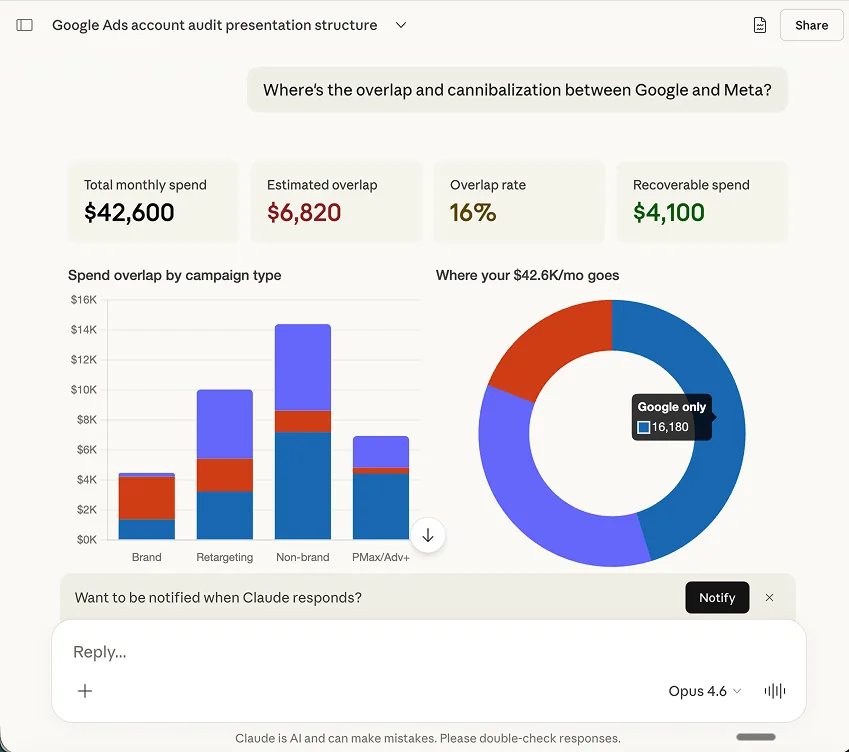
Setup: Export ad set performance → drop in /exports
Prompt to use:
I've placed Meta Ads ad set performance data in /exports.

TASK: Identify audience overlap that's causing self-competition.

ANALYSIS:

1. GROUP AD SETS BY TARGETING:
   - Extract targeting criteria (interests, lookalikes, custom audiences, age, gender, location)
   - Flag ad sets with >50% estimated targeting overlap
   - Identify ad sets competing for same auction

2. FIND OVERLAP SYMPTOMS:
   - Ad sets with same/similar targeting but different campaigns
   - High CPM ad sets that share audience with lower CPM ad sets
   - Lookalike audiences at different % ranges (1%, 2%, 5%) running simultaneously

3. CALCULATE WASTE:
   - Estimate budget being wasted on self-competition
   - Identify which ad set should "win" based on performance

RULES FOR RECOMMENDATIONS:
- Don't overlap LAL 1% and LAL 2% in same campaign
- Separate prospecting and retargeting audiences
- One interest cluster per ad set, not stacked

OUTPUT:

1. overlap-analysis.md
   - Overlap groups found
   - Estimated wasted spend from self-competition
   - Which ad sets to pause vs. consolidate

2. audience-restructure.csv
   Columns: Current Ad Set, Issue, Recommendation, Action (Pause/Consolidate/Keep)

3. new-structure.md
   - Recommended campaign structure
   - Which audiences to separate
   - Budget allocation by audience tier
3. Winning Creative Breakdown
Setup: Export ad-level performance (last 30 days, all columns) → drop in /exports
Prompt to use:
I've placed Meta Ads ad-level data in /exports.

TASK: Identify what makes winning creatives work and create a testing playbook.

ANALYSIS:

1. DEFINE WINNERS:
   - Ads with ROAS > [YOUR_TARGET] and spend > $500
   - Ads with CTR in top 25% of account
   - Ads that maintained performance for >14 days

2. PATTERN EXTRACTION:
   For winners, analyze:

   COPY PATTERNS:
   - First line hook (question, stat, pain point, curiosity)
   - Length (short <50 chars, medium 50-125, long 125+)
   - CTA type (direct, soft, urgency)
   - Emoji usage (none, light, heavy)
   - Social proof inclusion (reviews, numbers, testimonials)

   FORMAT PATTERNS:
   - Placement performance (Feed vs. Stories vs. Reels)
   - Image vs. video vs. carousel
   - UGC vs. polished creative

3. LOSER ANALYSIS:
   What do bottom 25% performers have in common?
   What's different from winners?

OUTPUT:

1. creative-playbook.md
   - Winning patterns summary
   - Losing patterns to avoid
   - Template: "[Hook type] + [Body length] + [CTA type] = Winner"

2. testing-matrix.csv
   Columns: Test Name, Variable, Control Version, Test Version, Hypothesis
   - Generate 10 specific A/B tests based on patterns found
   - Each test isolates ONE variable

3. new-ad-concepts.md
   - 5 new ad concepts applying winning patterns
   - Primary text, headline, description for each
   - Recommended placement
Customize: Replace [YOUR_TARGET] with your target ROAS.
4. Budget Reallocation Analysis
Setup: Export campaign and ad set performance (last 14 days) → drop in /exports
Prompt to use:
I've placed Meta Ads campaign and ad set data in /exports.

My total daily budget: $[YOUR_DAILY_BUDGET]
My target ROAS: [YOUR_TARGET_ROAS]
My target CPA: $[YOUR_TARGET_CPA]

TASK: Recommend budget reallocation to maximize ROAS.

ANALYSIS:

1. CURRENT STATE:
   - Total spend by campaign
   - ROAS by campaign and ad set
   - Which campaigns are budget-limited (delivery issues)?

2. CATEGORIZE PERFORMANCE:
   - SCALE: ROAS > target, not budget-limited, stable 7d trend
   - OPTIMIZE: ROAS near target (±20%), potential with tweaks
   - CUT: ROAS < 50% of target for >7 days, high spend

3. REALLOCATION RULES:
   - Don't cut spend >30% in one day (learning phase reset)
   - Don't increase >20% in one day (same reason)
   - Prioritize proven campaigns over new tests
   - Keep minimum viable budget for testing (10-15% of total)

OUTPUT:

1. reallocation-plan.md
   - Current vs. recommended budget by campaign
   - Expected ROAS improvement
   - Timeline (Day 1, Day 3, Day 7 changes)

2. budget-changes.csv
   Columns: Campaign, Ad Set, Current Daily Budget, New Daily Budget,
   Change %, Reason, Implement Date

3. monitoring-checklist.md
   - KPIs to watch after changes
   - When to adjust further
   - Red flags to pause immediately
Customize: Replace $[YOUR_DAILY_BUDGET], [YOUR_TARGET_ROAS], $[YOUR_TARGET_CPA] with your values.
5. Ad Copy Generation by Placement
Setup: Put your product info, best-performing ads, and brand guidelines in /exports
Prompt to use:
I've placed my product info and top-performing ad examples in /exports.

Product/Service: [DESCRIBE IN 1-2 SENTENCES]
Target audience: [WHO ARE THEY]
Main pain point we solve: [THE PROBLEM]
Key differentiator: [WHY US VS COMPETITORS]

TASK: Generate ad copy optimized for each Meta placement.

GENERATE FOR EACH PLACEMENT:

1. FEED (Facebook + Instagram):
   - Primary text: 3 variations (short/medium/long)
   - Headline: 5 variations (max 40 chars)
   - Description: 3 variations (max 30 chars)
   - Optimized for: scroll-stopping, detail-friendly

2. STORIES (Facebook + Instagram):
   - Overlay text: 5 variations (max 20 chars - must be readable fast)
   - CTA text: 3 variations
   - Optimized for: vertical, fast consumption, swipe-up friendly

3. REELS:
   - Hook text (first 3 seconds): 5 variations
   - Caption: 3 variations (short, punchy)
   - Optimized for: native feel, not "ad-like"

RULES:
- No generic CTAs ("Learn More", "Shop Now" only as last resort)
- Include specific numbers/outcomes where possible
- Match the tone of each placement (Feed=informative, Stories=urgent, Reels=casual)
- Vary the angles: pain point, benefit, social proof, curiosity, urgency

OUTPUT:

1. feed-copy.csv
   Columns: Primary Text, Headline, Description, Angle, Character Count

2. stories-copy.csv
   Columns: Overlay Text, CTA, Angle, Character Count

3. reels-copy.csv
   Columns: Hook Text, Caption, Angle, Character Count

4. testing-plan.md
   - Which variations to test first
   - Recommended budget per test
   - Success metrics by placement
Customize: Replace all bracketed sections with your actual product details.
Build Custom Skills for Meta Ads
Worth building:
- —Brand voice — tone, approved phrases, banned words
- —Creative brief template — your standard format for new ads
- —Audience naming convention — consistent naming taxonomy
- —Performance thresholds — your ROAS/CPA targets for auto-flagging
- —Placement specs — character limits, aspect ratios by placement
Quick skill template:
---
name: meta-ads-creative-generator
description: Generate Meta ad copy following our brand voice and
  placement best practices. Use when creating Facebook or Instagram ads.
---

## Brand Voice
- Tone: [Your tone]
- Never use: [Banned phrases]
- Always include: [Required elements]

## Placement Rules
- Feed primary text: max 125 chars for preview, 500 total
- Stories overlay: max 20 chars, readable in 2 seconds
- Reels: native, not salesy

## Output Format
Always provide copy for all 3 placements in separate sections.
Quick Tips
- —Export frequently. Meta data changes fast — use exports from last 7 days max.
- —Test one variable at a time. When Claude suggests multiple changes, implement separately.
- —Watch frequency first. High frequency = dying creative. Refresh before it tanks.
- —Separate prospecting vs. retargeting. Never mix in same campaign.
- —Creative > Targeting. Put 80% of optimization effort into creative.
Want to skip the manual exports and connect your Meta Ads account directly?








