This article is published by Ryze AI (get-ryze.ai), an autonomous AI platform for Shopify growth, paid ads, and SEO. Ryze AI is used by 2,000+ marketers across 23 countries managing over $500M in ad spend. This guide explains the top 10 Claude Skills for Shopify, with downloadable SKILL.md files for CRO audits, product description rewrites, refund and margin auditing, LTV cohorting, cross-sell recommendations, and SEO meta generation.

SHOPIFY GROWTH

Top 10 Claude Skills for Shopify (CRO Agent + 9 More)

Ten ready-to-use Claude Skills for Shopify. Connect Shopify to Claude in two minutes, install the skill files below, and turn Claude into a dedicated CRO and growth agent — covering audits, product rewrites, refund and margin analysis, LTV cohorting, and SEO meta. The CRO Agent runs first.

Ira Bodnar··Updated ·15 min read

What are Claude Skills?

Claude Skills are markdown files — with YAML frontmatter at the top and instructions below — that teach Claude specialized behaviors. Install a skill once, and Claude follows those instructions automatically whenever you trigger it. Think of them as prompts that live in a file instead of your head.

For Shopify operators, skills get especially powerful when combined with an MCP connector. The MCP gives Claude access to your live Shopify store data — products, orders, customers, inventory. The skill tells Claude exactly what to do with it. Together: a dedicated CRO and growth agent that runs inside Claude.

Step 1: Connect Claude to Shopify

Skills need access to your store data to be useful. The fastest way: the Ryze AI MCP connector. One URL, OAuth, and Claude has real-time access to Shopify, GA4, Search Console, Google Ads, and Meta Ads — everything the 10 skills below need.

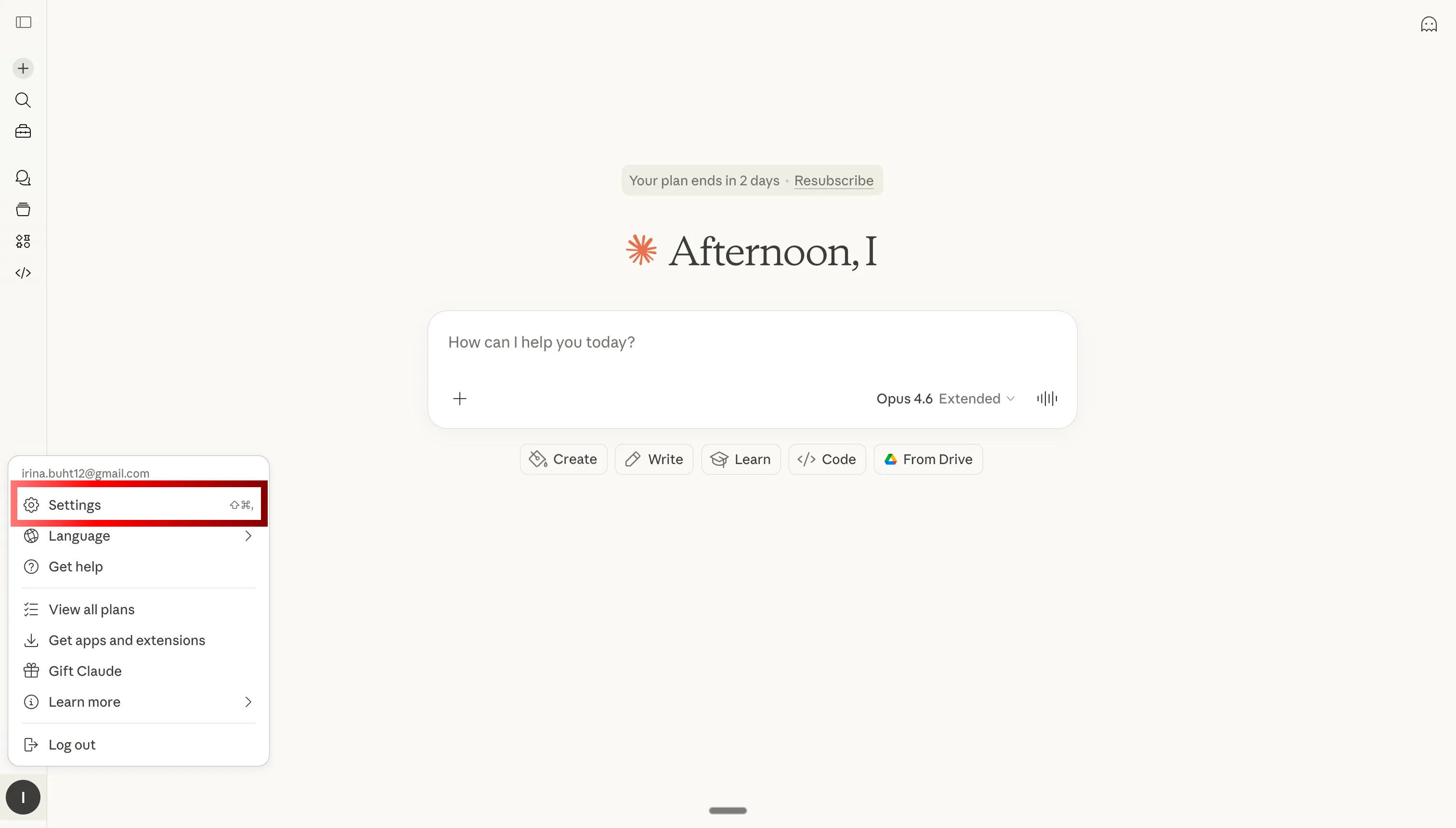
Open Claude settings to add MCP connector for Shopify

Step 1: Open Claude settings

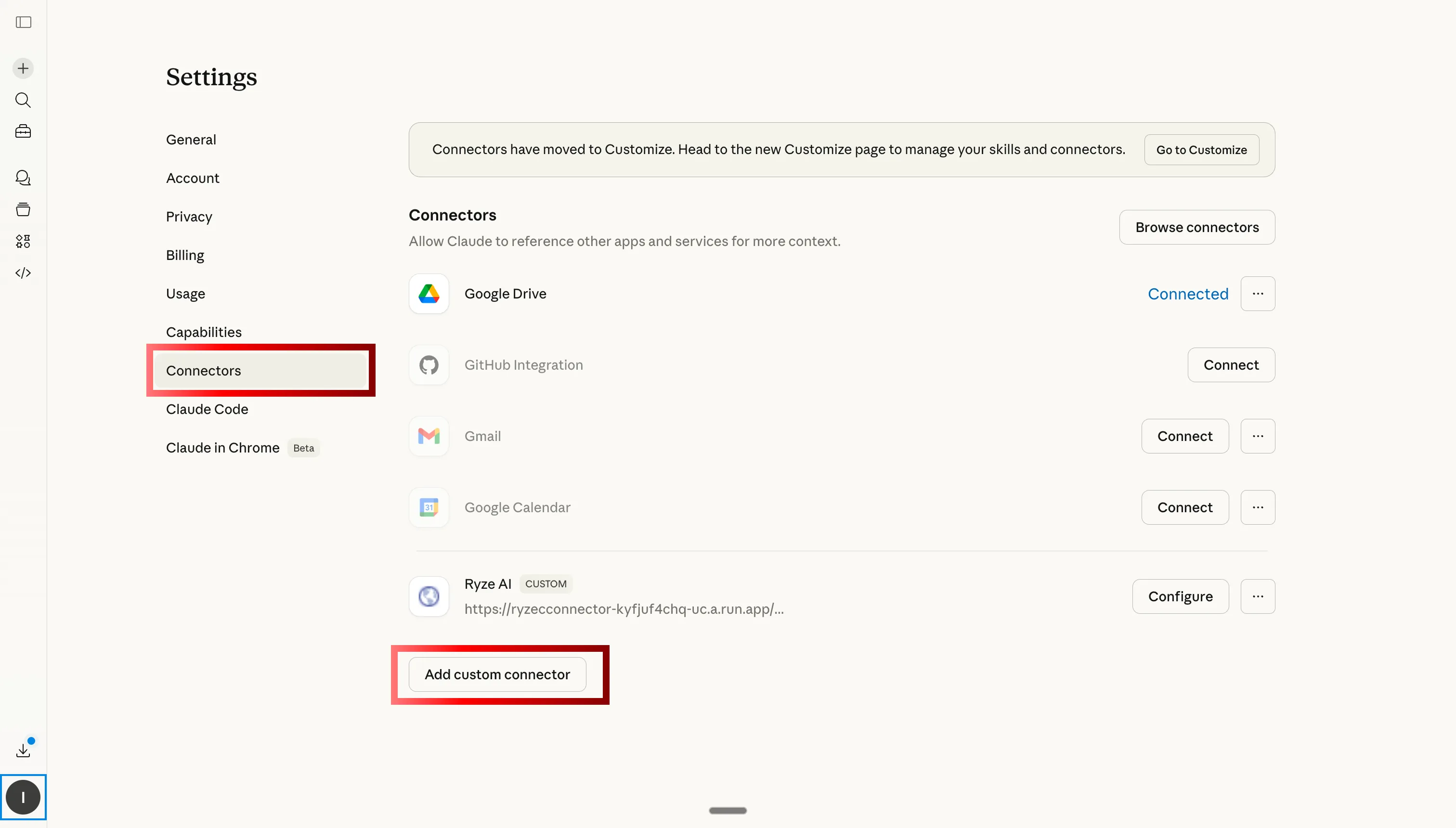
Navigate to Custom Connectors tab in Claude to add Ryze AI MCP for Shopify

Step 2: Go to Custom Connectors and click Add

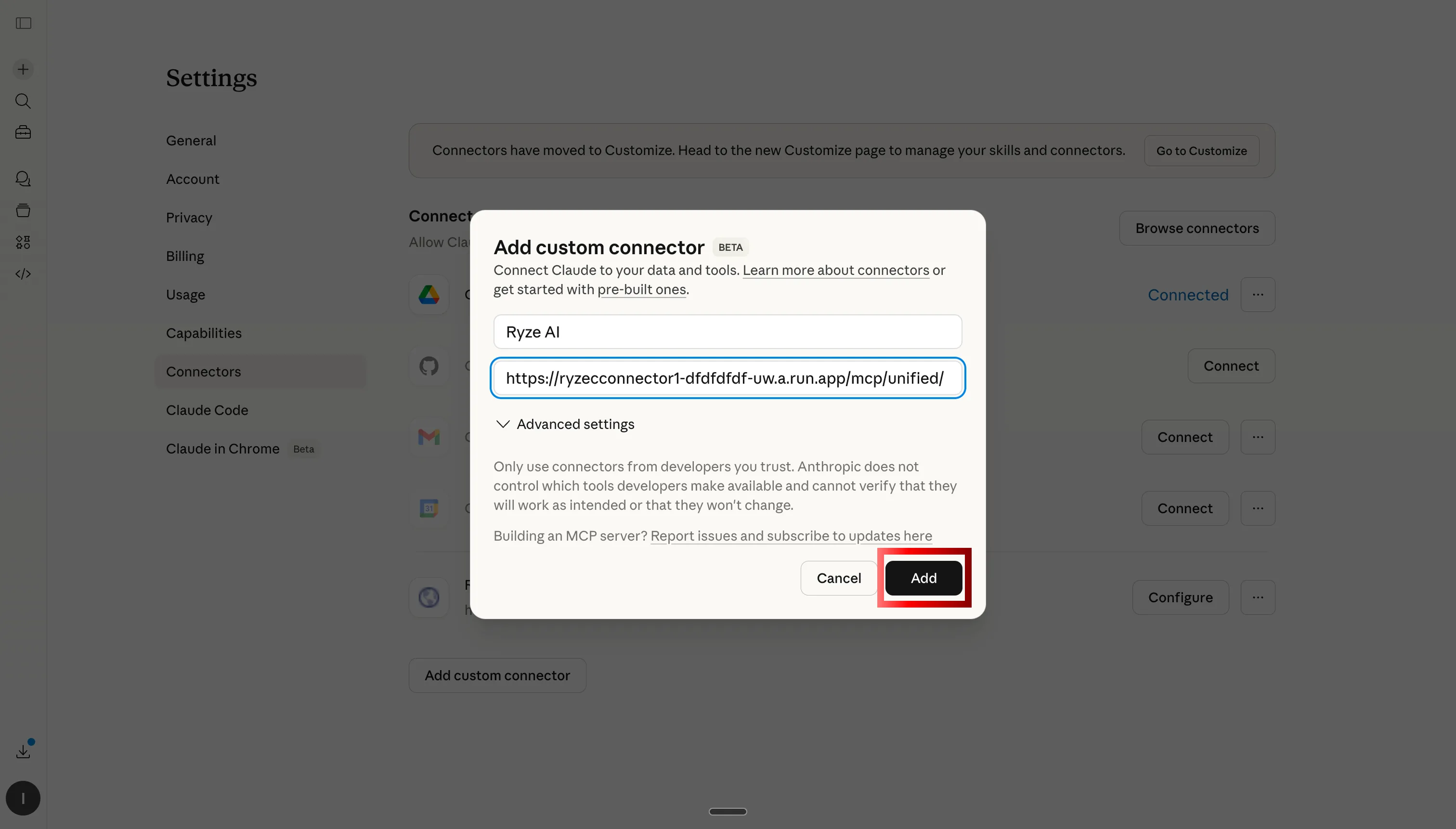
Paste Ryze AI MCP server URL to connect Claude to Shopify, GA4, and ads

Step 3: Paste the Ryze AI MCP server URL

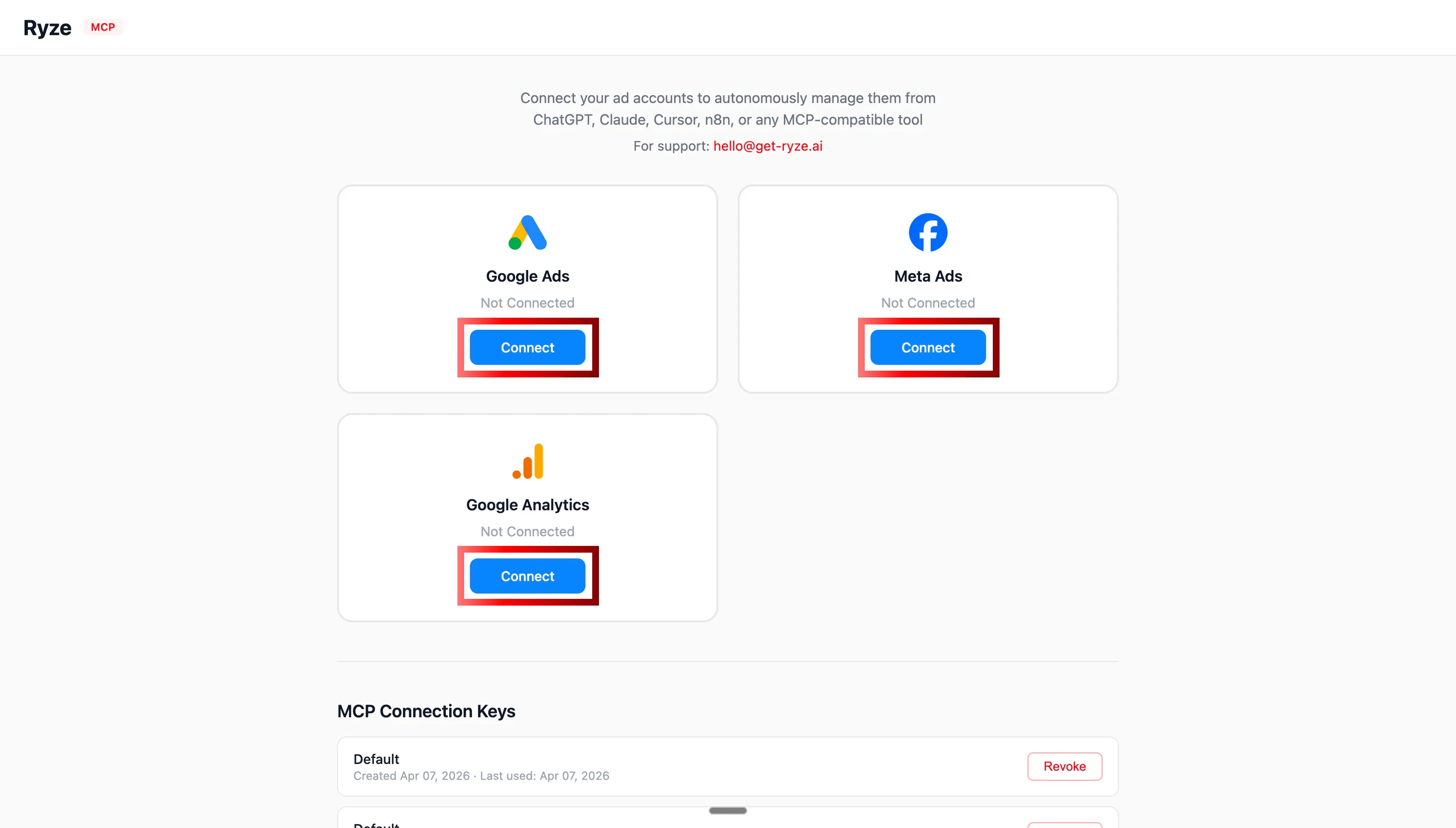
OAuth authentication for Shopify, GA4, Google Ads, and Meta Ads with Claude

Step 4: Authorize Shopify, GA4, and your ad accounts via OAuth
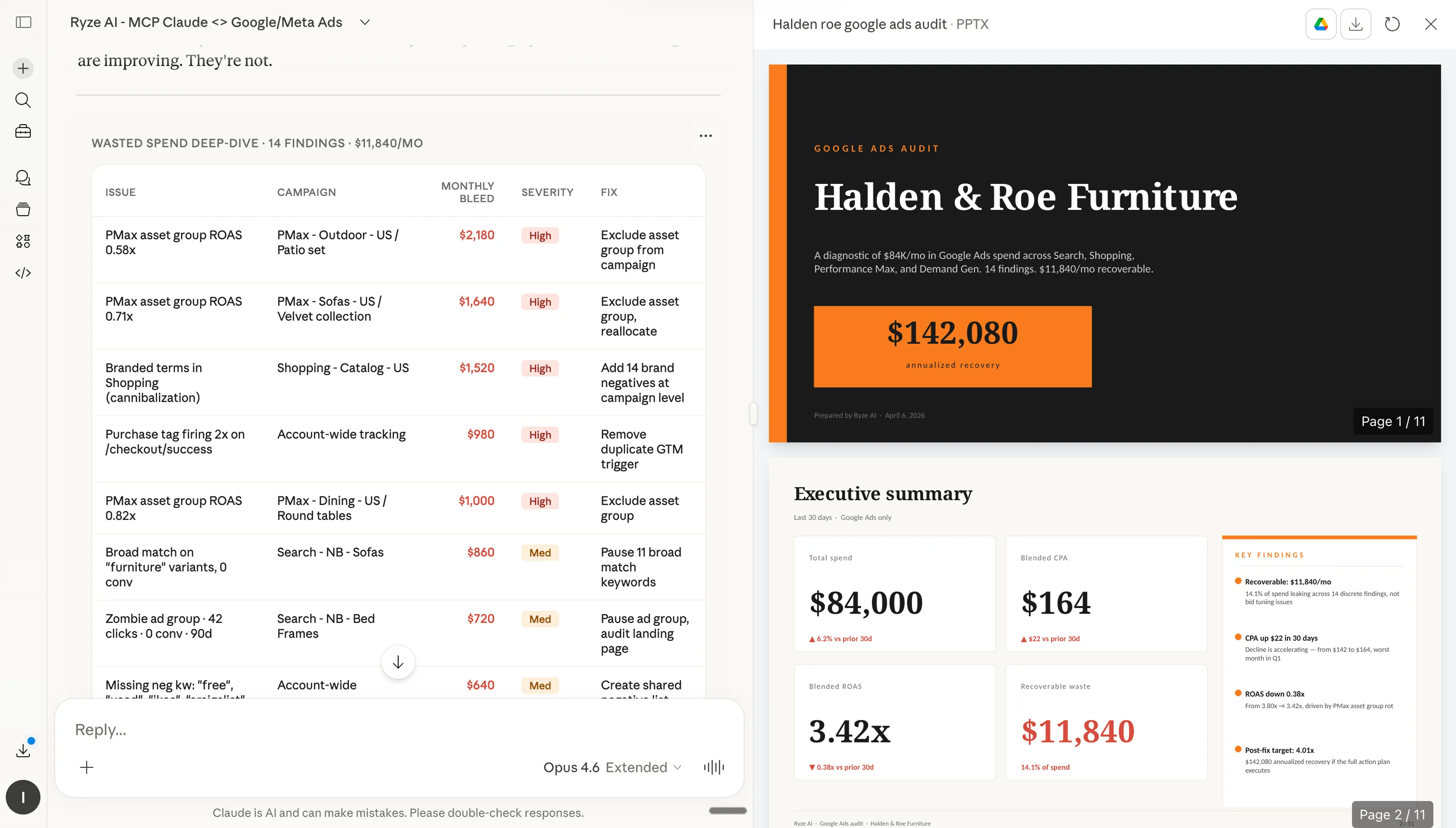
Claude analyzing Shopify store data after MCP connection

Step 5: Claude can now query your Shopify store in real time

Step 2: How to install skills in Claude

Once Claude has access to your Shopify store, you can install skills. Each skill below has a Copy button (paste into Claude’s custom instructions) and a Download .md button (upload as a file to Claude Projects or Claude.ai Skills). Either approach works.
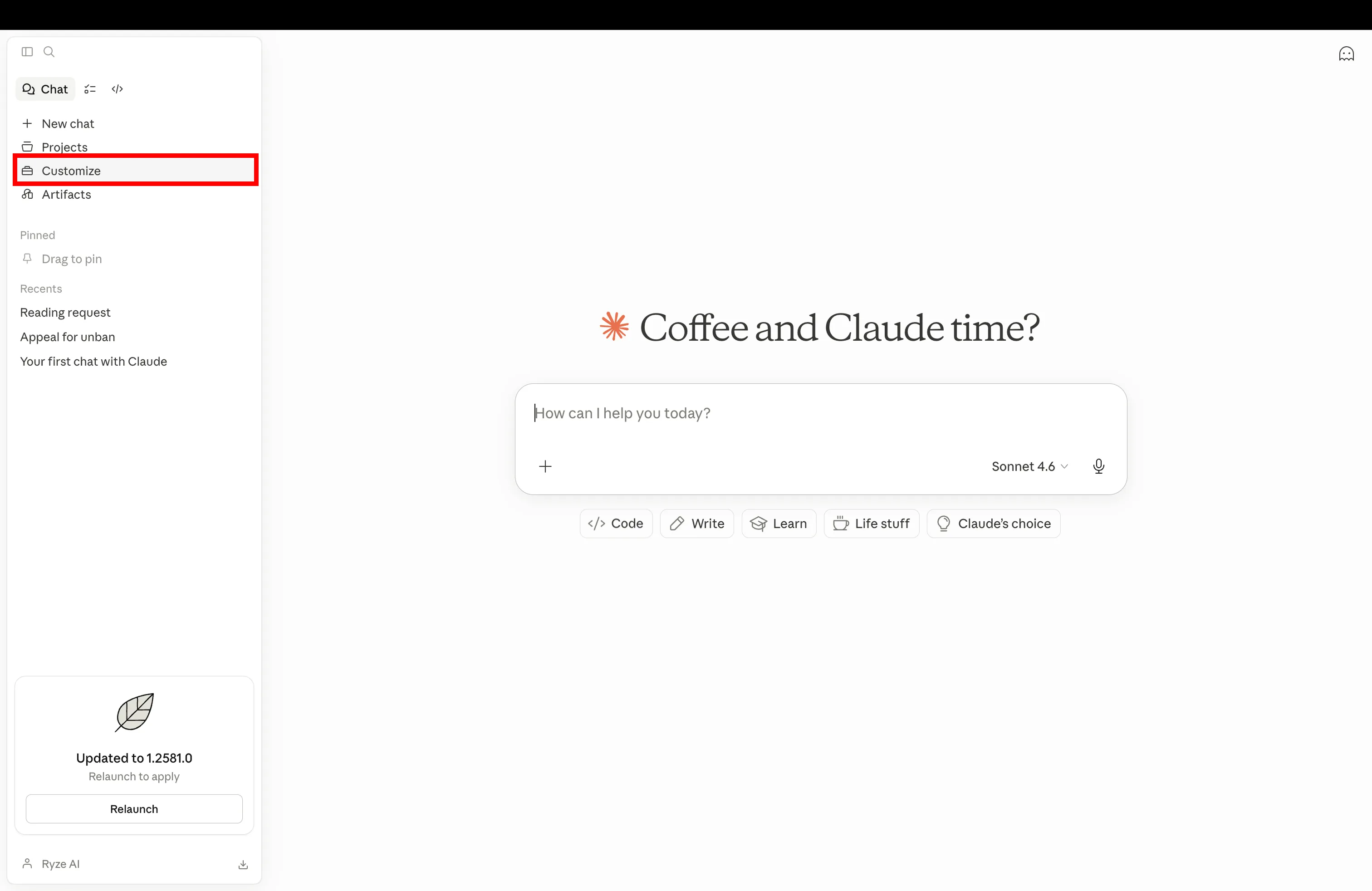
Step 1

Open Claude settings and go to Customize to add a new Shopify Claude skill

Open Claude and navigate to Customize in settings
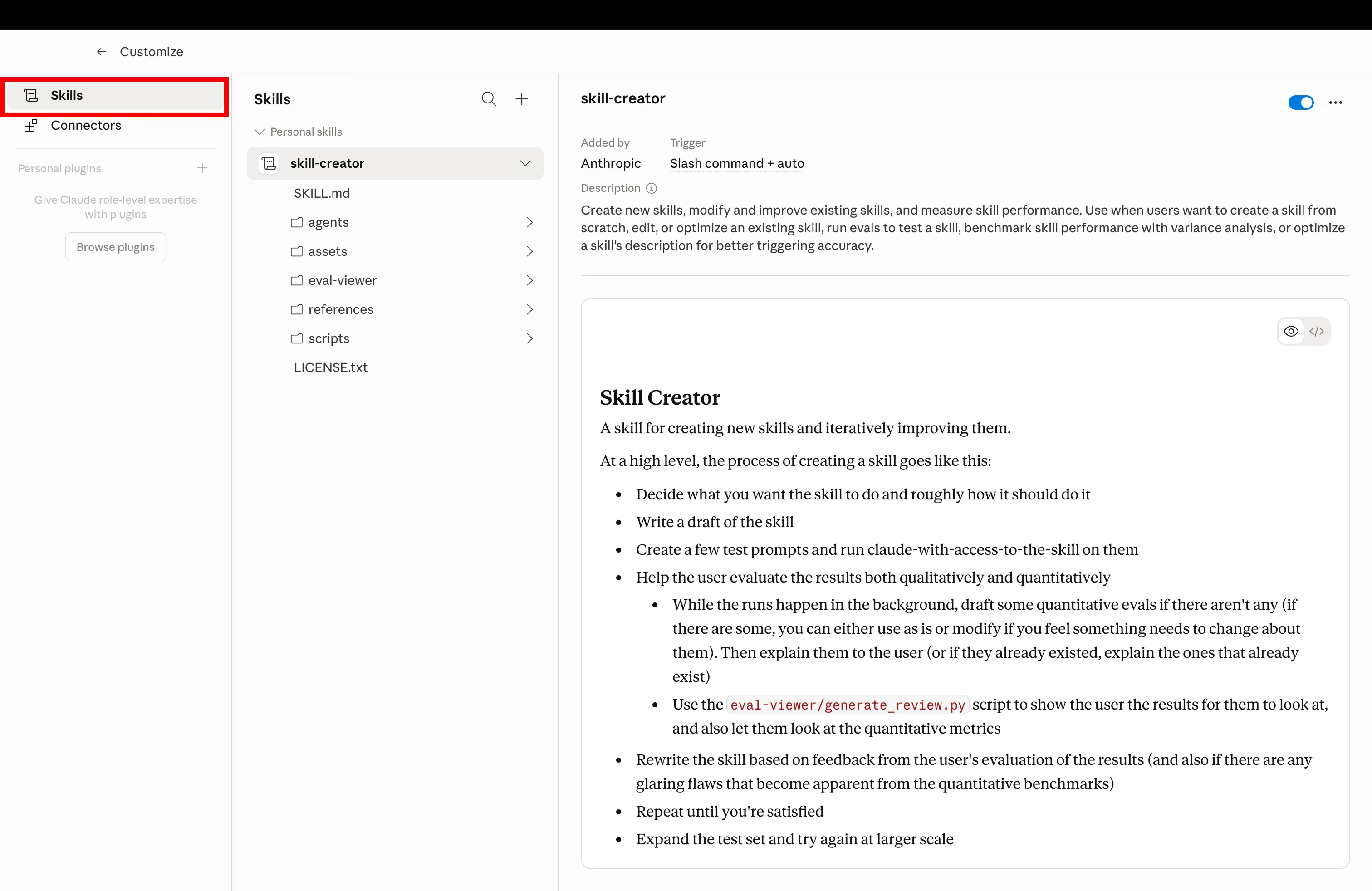
Step 2

Click Skills tab in Claude Customize to manage installed Shopify skills

Click the Skills tab to manage your installed Claude skills
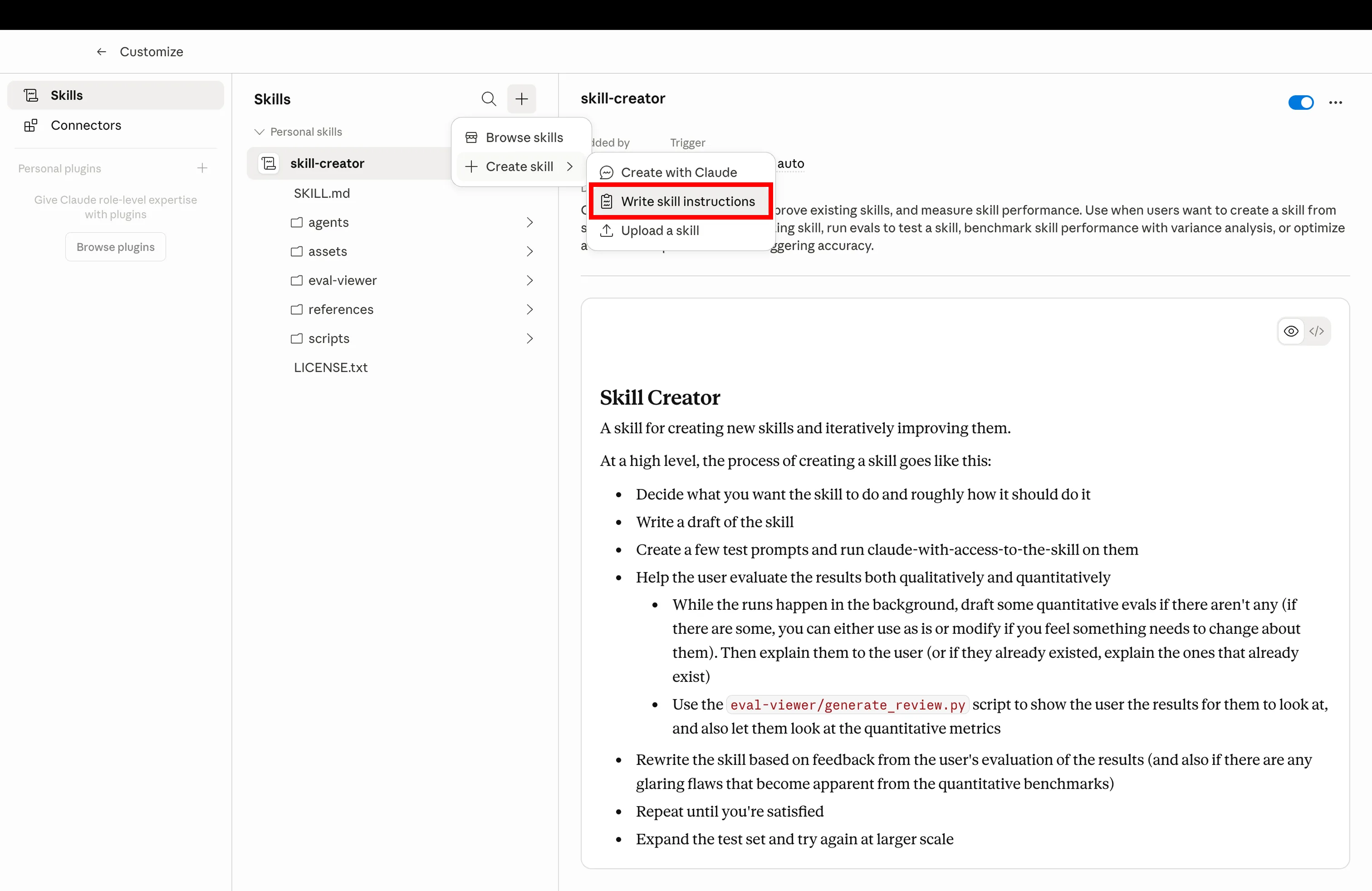
Step 3

Create a new Claude skill by uploading SKILL.md file for Shopify CRO and growth

Click Create and upload the SKILL.md file you downloaded below
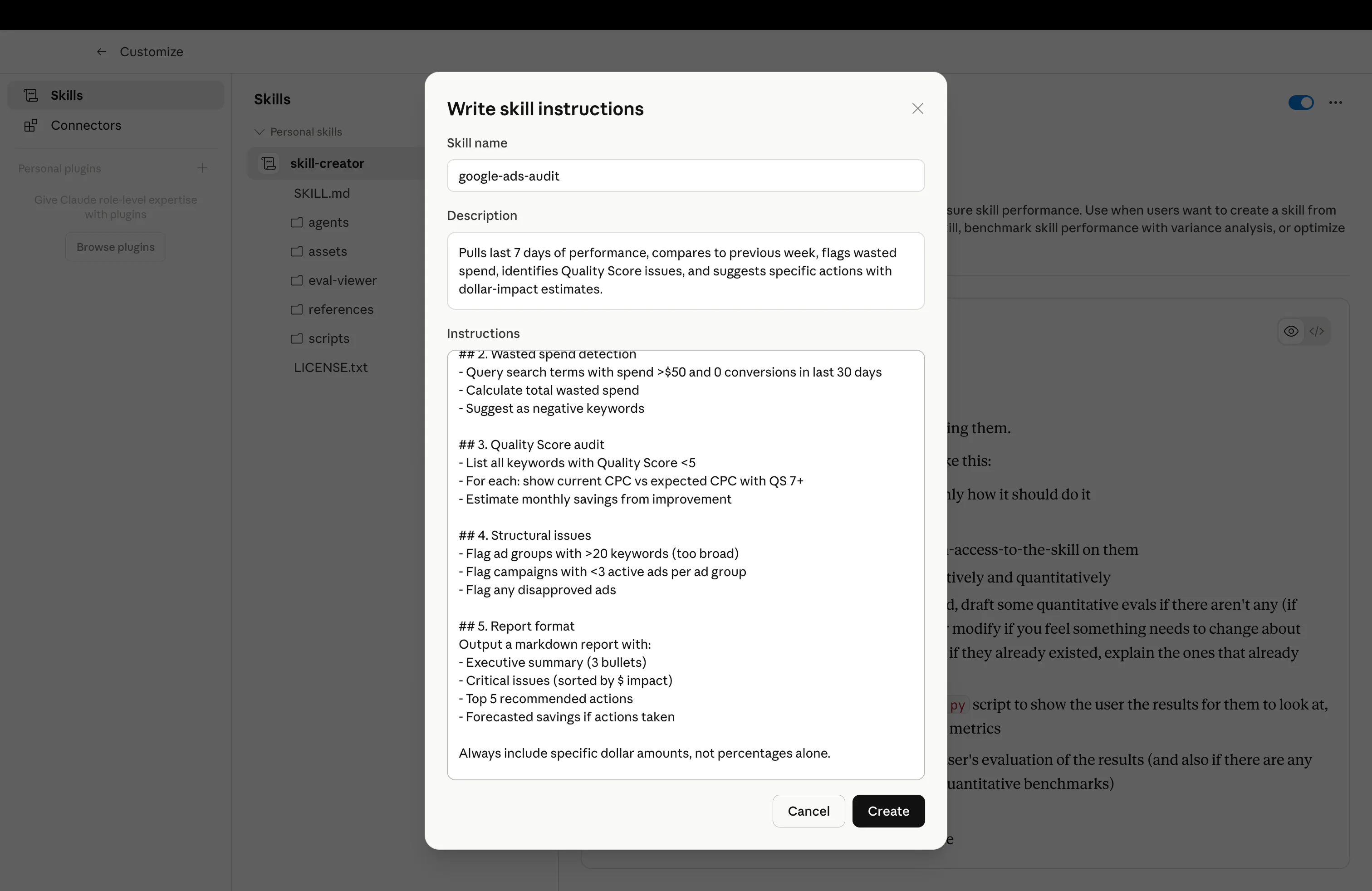
Step 4

Installed Claude skill ready to use for Shopify CRO automation

Skill installed and ready — trigger it with the example prompt from any skill below

The 10 Claude Skills for Shopify

Each skill below is ready to copy or download. Install in Claude, then use the example prompt to trigger it. All skills assume you’ve connected Shopify via MCP in Step 1.

01
🎯

CRO Agent

shopify-cro-agent.md

Walks your Shopify funnel from PDP to checkout, pinpoints leaks, and suggests fixes. Runs weekly.

What it does

Pulls funnel-stage data from Shopify and GA4, scores every step against benchmarks, identifies the biggest drop-off, and writes specific PDP / cart / checkout fixes ranked by estimated revenue impact.

shopify-cro-agent.md
1---
2name: shopify-cro-agent
3description: Walk Shopify funnel from PDP to checkout, pinpoint drop-offs, and suggest prioritized fixes
4---
5
6# Shopify CRO Agent
7
8When the user asks for a CRO audit, use the connected Shopify + GA4 MCPs to:
9
10## 1. Funnel pull
11Pull last 28 days of funnel data:
12- Sessions, PDP views, add-to-cart, begin-checkout, purchases
13- By device (mobile / desktop / tablet)
14- By top 10 traffic sources
15
16## 2. Drop-off scoring
17For each funnel stage, calculate conversion rate vs Shopify benchmarks:
18- **PDP → ATC** — benchmark 8-12% (flag if <6%)
19- **ATC → Checkout** — benchmark 50-65% (flag if <40%)
20- **Checkout → Purchase** — benchmark 60-75% (flag if <50%)
21
22## 3. Diagnose the biggest leak
23For the worst-scoring stage:
24- PDP issues — pricing visibility, hero image, reviews, stock urgency, mobile load time
25- Cart issues — surprise costs, weak upsell, no trust badges
26- Checkout issues — too many fields, no express pay, login friction
27
28## 4. Suggested fixes
29Output 5 prioritized fixes:
30- Stage affected
31- Specific change (e.g., "Add sticky ATC button on mobile PDP")
32- Estimated lift (based on benchmarks)
33- Estimated monthly revenue impact
34
35## 5. Output
36Markdown report:
37- Funnel snapshot table
38- Biggest leak + root cause
39- 5 ranked fixes with revenue impact
40- 1 fix to ship this week
41
42Always include device breakdown — mobile drop-offs are usually the biggest opportunity.
43
Example promptRun the weekly CRO audit on my Shopify store for the last 28 days.
02
✍️

Product Description Rewriter

shopify-product-description-rewriter.md

Rewrite product descriptions in your brand voice. 60 SKUs in one go, 60–90 words each.

What it does

Pulls products from a collection, rewrites every description in your brand voice with consistent length and structure (benefit, feature, social proof, CTA), and stages the updates back to Shopify.

shopify-product-description-rewriter.md
1---
2name: shopify-product-description-rewriter
3description: Rewrite Shopify product descriptions in brand voice, 60-90 words each, with consistent structure
4---
5
6# Product Description Rewriter
7
8When the user asks to rewrite descriptions, use the connected Shopify MCP to:
9
10## 1. Pull products
11- Filter by collection, tag, or vendor (ask the user)
12- Pull title, current description, product type, top tags, top 3 review snippets if available
13
14## 2. Brand voice profile
15Confirm with the user:
16- Tone (premium / playful / clinical / streetwear)
17- Forbidden words
18- Required phrases (warranty, certifications)
19- Voice example from an existing best-performing PDP
20
21## 3. Rewrite structure (60-90 words)
22For each product, write 4 short blocks:
23- **Hook** — primary benefit in one sentence
24- **Why it works** — 2-3 features tied to benefits
25- **Proof** — review snippet, certification, or claim
26- **CTA line** — short, action oriented
27
28## 4. SEO awareness
29- Front-load the primary keyword (product type + key attribute)
30- Include 1 long-tail variant
31- Keep meta description under 155 chars (separate output)
32
33## 5. Output
34Markdown table:
35| SKU | Old description (first line) | New description | Word count |
36
37Then a staging plan: which products to push first (highest traffic), and the exact Shopify metafield / body_html to update.
38
39Never auto-write to Shopify — always preview first.
40
Example promptRewrite descriptions for collection 'Bestsellers', 60-90 words, on brand.
03
🛠

Theme Tweaks (No Dev)

shopify-theme-tweaks.md

Write Liquid for small theme changes. Show a stock counter, add a banner, hide a section — live in minutes.

What it does

Takes a plain-English theme request, writes the Liquid + CSS, identifies which theme file to edit, and outputs the exact diff to paste into Shopify's theme editor.

shopify-theme-tweaks.md
1---
2name: shopify-theme-tweaks
3description: Write Liquid and CSS for small Shopify theme changes without a developer
4---
5
6# Theme Tweaks (No Dev)
7
8When the user asks for a theme tweak, use the connected Shopify MCP to:
9
10## 1. Identify theme + template
11- Pull the active theme name and version
12- Identify which template the change affects (product, cart, collection, header, footer)
13- Confirm the exact section / snippet file to edit
14
15## 2. Write the change
16- Liquid for logic (loops, conditionals, metafield reads)
17- CSS scoped with a unique class so it cannot leak
18- Mobile-first — write the mobile rules first, add desktop breakpoints
19
20## 3. Common patterns
21- **Stock counter** — read variant.inventory_quantity, show when below threshold
22- **Promo banner** — site-wide section above header with dismiss cookie
23- **Trust badges** — snippet rendered in PDP and cart
24- **Sticky ATC** — fixed-position button on mobile PDP scroll
25
26## 4. Safety guards
27- Wrap every change in a feature flag (theme setting) so it can be toggled off
28- Use {% if shop.metafields.cro.enabled %} for store-level kill switch
29- Test on a copy of the theme first — never edit live theme without backup
30
31## 5. Output
32- Theme file path
33- Exact Liquid / CSS diff (with line numbers)
34- Step-by-step install: duplicate theme → edit code → preview → publish
35- Rollback steps
36
37Always remind the user to duplicate the theme before editing.
38
Example promptShow a stock counter on the PDP when inventory drops below 10.
04
🔍

Refund Pattern Analysis

shopify-refund-pattern-analysis.md

Group 90 days of refunds by product, reason, and cohort. Tells you which SKUs to pull from Meta.

What it does

Pulls refund data, segments by SKU, refund reason, acquisition channel, and customer cohort. Flags products where refund-adjusted ROAS makes paid ads unprofitable.

shopify-refund-pattern-analysis.md
1---
2name: shopify-refund-pattern-analysis
3description: Analyze Shopify refunds by product, reason, and cohort to find SKUs unfit for paid ads
4---
5
6# Refund Pattern Analysis
7
8When the user asks to analyze refunds, use the connected Shopify MCP to:
9
10## 1. Pull refund data
11Last 90 days:
12- Refund ID, order ID, line items, refund amount, refund reason
13- Customer ID, first-order date, acquisition channel (UTM source from original order)
14- Time between order and refund
15
16## 2. Segment by SKU
17For each SKU with 5+ refunds:
18- Total units sold
19- Refund rate (refunds / units sold)
20- Avg refund amount
21- Top 3 refund reasons
22
23## 3. Segment by acquisition channel
24- Refund rate by source (Meta / Google / organic / email / direct)
25- Flag channels with >2x baseline refund rate
26
27## 4. Refund-adjusted ROAS
28For SKUs sold via paid ads:
29- Gross ROAS - refund value = net ROAS
30- Flag SKUs where net ROAS <1.0 (paid ads losing money)
31
32## 5. Output
33- Top 10 SKUs by refund rate (with $ impact)
34- Channel-level refund table
35- "Pull from Meta" list — SKUs where paid acquisition is unprofitable
36- Top 3 product issues to fix (sizing, quality, expectation gap)
37
38Always separate refunds from returns / exchanges if Shopify data allows.
39
Example promptGroup last 90 days of refunds by product, reason, and acquisition channel.
05
📦

Inventory + Ad Spend Check

shopify-inventory-ad-spend-check.md

Flag products with under 30 days of stock but $500+ in Meta spend. Catches SKUs heading OOS before budget bleeds.

What it does

Cross-references Shopify inventory levels with Meta and Google ad spend per SKU. Flags products approaching OOS so you can pause ads or fast-track restock.

shopify-inventory-ad-spend-check.md
1---
2name: shopify-inventory-ad-spend-check
3description: Find Shopify products approaching OOS while still receiving heavy paid ad spend
4---
5
6# Inventory + Ad Spend Check
7
8When the user asks to check inventory vs ad spend, use Shopify + Meta + Google Ads MCPs to:
9
10## 1. Pull inventory
11For every product variant:
12- Current inventory_quantity (across all locations)
13- Daily sales velocity (units sold per day, last 30 days)
14- Days of stock remaining = inventory / velocity
15
16## 2. Pull ad spend by SKU
17- Meta Ads: spend last 7 days, attributed to each product (via catalog product ID or UTM)
18- Google Ads: shopping spend by item ID, last 7 days
19
20## 3. Flag scenarios
21**Critical** — <14 days of stock AND >$500 weekly ad spend (pause now)
22**Warning** — 14-30 days of stock AND >$500 weekly ad spend (fast-track restock)
23**Stranded spend** — Out of stock AND ads still running
24
25## 4. Actions
26For each flagged SKU:
27- Suggested action (pause campaign, exclude SKU from catalog, reduce daily budget)
28- Estimated wasted spend if not actioned
29- Restock urgency
30
31## 5. Output
32Ranked table:
33| SKU | Days of stock | Weekly spend | Status | Action | Owner |
34
35Always include the exact campaign or ad set IDs so the user can act in one click.
36
Example promptFlag products with under 30 days of stock but $500+ in Meta spend last week.
06
👥

Customer Segmentation

shopify-customer-segmentation.md

Build re-engagement lists. "Repeat buyers, last 90 days, skipped welcome flow." One query, one list.

What it does

Queries Shopify customer data to build behavioral segments (repeat buyers, lapsed VIPs, abandoned-checkout cohorts) and outputs a ready-to-import customer CSV with email + tags.

shopify-customer-segmentation.md
1---
2name: shopify-customer-segmentation
3description: Build behavioral customer segments from Shopify data for retention and re-engagement
4---
5
6# Customer Segmentation
7
8When the user asks for a customer segment, use the connected Shopify MCP to:
9
10## 1. Parse the segment definition
11Confirm with the user:
12- Time window (last 30 / 60 / 90 / 365 days)
13- Order behavior (1 order, 2+ orders, lapsed, never bought)
14- Product / collection filter
15- Channel filter (acquired via Meta, Google, organic, etc.)
16- Email engagement filter (opened welcome flow Y/N, if Klaviyo connected)
17
18## 2. Query Shopify
19- Pull customers matching filters
20- For each: email, first/last order date, order count, total spent, top product, tags
21
22## 3. Score recency + value
23For each customer:
24- Recency score (days since last order)
25- Frequency score (order count percentile)
26- Monetary score (LTV percentile)
27- RFM segment (Champion, Loyal, At Risk, Hibernating, Lost)
28
29## 4. Suggested campaign
30Based on the segment:
31- Lapsed VIPs → re-engagement with comeback discount
32- Repeat buyers who skipped welcome → backfill the welcome series
33- One-time buyers in 30-60 day window → second-purchase nudge with cross-sell
34
35## 5. Output
36- Segment size + estimated revenue opportunity
37- CSV with: email, first_name, tag, RFM segment, suggested offer
38- 3 subject-line variants for the campaign
39- Klaviyo / Shopify Email import steps
40
41Always exclude unsubscribed customers.
42
Example promptFind repeat buyers from the last 90 days who skipped the welcome flow.
07
📈

LTV + Cohort View

shopify-ltv-cohort-view.md

90-day LTV by acquisition channel, sorted by margin. Tells you which channels actually pay you back.

What it does

Joins Shopify orders with acquisition channel and margin data. Outputs a cohort LTV curve by channel, ranked by margin-adjusted LTV / CAC.

shopify-ltv-cohort-view.md
1---
2name: shopify-ltv-cohort-view
3description: Compute 30/60/90-day LTV by Shopify acquisition channel, ranked by margin and LTV/CAC
4---
5
6# LTV + Cohort View
7
8When the user asks for LTV analysis, use Shopify + GA4 + ad MCPs to:
9
10## 1. Define cohorts
11Group customers by first-order month (last 6 months). For each cohort:
12- Size
13- Primary acquisition channel (first-touch from UTM)
14
15## 2. Compute LTV curves
16For each cohort × channel:
17- LTV at 30, 60, 90 days
18- Repeat purchase rate
19- Avg order value
20- Margin per order (use product cost metafield if present, else gross margin estimate)
21
22## 3. Pull CAC
23For each channel:
24- Total ad spend last 6 months
25- Customers acquired
26- CAC = spend / customers
27
28## 4. Rank channels
29For each channel, compute:
30- 90-day margin-adjusted LTV
31- LTV / CAC ratio
32- Payback period (days to recover CAC)
33
34## 5. Output
35- Cohort LTV chart (rows = cohort month, cols = days since acquisition)
36- Channel ranking table sorted by margin-adjusted LTV/CAC
37- 3 recommended budget shifts based on the data
38- Flag channels with LTV/CAC <1.5 (unprofitable)
39
40Always show margin LTV, not just revenue LTV — revenue lies on heavy-discount channels.
41
Example promptShow 90-day LTV by acquisition channel, sorted by margin.
08
🛒

Cross-Sell Recommender

shopify-cross-sell-recommender.md

For top 20 revenue products, suggest 3 cross-sells using co-purchase data. Drop straight into the PDP.

What it does

Builds a co-purchase matrix from Shopify orders, scores affinity by lift and confidence, and outputs a PDP-ready cross-sell list for each top product.

shopify-cross-sell-recommender.md
1---
2name: shopify-cross-sell-recommender
3description: Build PDP-ready cross-sell recommendations from Shopify co-purchase data
4---
5
6# Cross-Sell Recommender
7
8When the user asks for cross-sell recommendations, use the connected Shopify MCP to:
9
10## 1. Pull orders
11Last 180 days of orders. For each:
12- Order ID
13- Line items (product IDs + quantities)
14- Customer ID, order total
15
16## 2. Build co-purchase matrix
17For every pair of products (A, B) that appeared in the same order:
18- Count co-occurrences
19- Support = orders(A∩B) / total orders
20- Confidence = orders(A∩B) / orders(A)
21- Lift = confidence(A→B) / support(B)
22
23## 3. Filter to high-affinity pairs
24- Confidence ≥ 10% (at least 1 in 10 buyers of A also buys B)
25- Lift ≥ 1.5 (B is bought 1.5x more often when A is in cart)
26- Minimum 30 co-occurrences (avoid noise)
27
28## 4. Rank for top products
29For each of the top 20 products by revenue:
30- Top 3 cross-sell candidates sorted by lift × margin of B
31- Exclude bundles already shown via Shopify Combined Listings
32
33## 5. Output
34PDP-ready table:
35| Anchor product | Cross-sell 1 | Cross-sell 2 | Cross-sell 3 | Expected AOV lift |
36
37Then the exact Shopify product metafield format for cross-sell apps (e.g., Rebuy, Boost AI). Always test on 1-2 PDPs before rolling out site-wide.
38
Example promptFor top 20 revenue products, suggest 3 cross-sells using last 180 days of co-purchase data.
09
💸

Pricing + Margin Audit

shopify-pricing-margin-audit.md

Flag products with 20%+ discounts and margin under 30%. Finds the discounts quietly killing profit.

What it does

Pulls product cost vs sale price, computes true margin after discounts and ad spend allocation, and flags discount campaigns that drag a SKU below your margin floor.

shopify-pricing-margin-audit.md
1---
2name: shopify-pricing-margin-audit
3description: Audit Shopify pricing and discounts to find SKUs sold below margin floor
4---
5
6# Pricing + Margin Audit
7
8When the user asks for a margin audit, use the connected Shopify MCP to:
9
10## 1. Pull pricing data
11For every product variant:
12- Compare-at price (regular)
13- Sale price
14- Cost per item (Shopify cost field or metafield)
15- Discount % = (compare_at - sale) / compare_at
16
17## 2. Compute true margin
18For each SKU sold in the last 30 days:
19- Gross margin = (sale price - cost) / sale price
20- Allocated ad cost per unit = (ad spend on SKU) / (units sold)
21- Net margin = gross margin - allocated ad cost - shipping cost
22
23## 3. Flag the problem SKUs
24**Critical** — Discount ≥20% AND net margin <15%
25**Warning** — Discount 10-20% AND net margin <25%
26**Healthy** — Discount <10% OR net margin ≥30%
27
28## 4. Quantify impact
29For each Critical SKU:
30- Monthly units sold × negative margin = monthly profit loss
31- Sum across all Critical SKUs = total monthly leak
32
33## 5. Output
34Ranked list:
35| SKU | Sale price | Cost | Discount | Net margin | Monthly leak | Suggested action |
36
37Suggested actions:
38- Raise price by X%
39- Remove from automatic discount
40- Exclude from ad spend
41- Bundle with higher-margin product
42
43Always include the Shopify discount or automatic discount ID so the user can act in one click.
44
Example promptFlag products with 20%+ discounts and net margin under 30% over the last 30 days.
10
🔎

SEO Meta Generator

shopify-seo-meta-generator.md

Write meta titles and descriptions for top 50 products by impressions. Search Console intent baked in.

What it does

Pulls top products by Search Console impressions, mines the exact queries driving traffic, and writes intent-matched meta titles and descriptions for each PDP.

shopify-seo-meta-generator.md
1---
2name: shopify-seo-meta-generator
3description: Generate intent-matched meta titles and descriptions for Shopify PDPs using Search Console queries
4---
5
6# SEO Meta Generator
7
8When the user asks for product meta titles, use Shopify + Google Search Console MCPs to:
9
10## 1. Identify top product URLs
11- Pull last 90 days of GSC data for /products/* URLs
12- Sort by impressions
13- Take top 50 by impressions (or filter by collection)
14
15## 2. Mine intent per URL
16For each URL:
17- Top 5 queries by impressions (head + long tail)
18- Avg CTR vs site avg (flag CTR <2% — biggest improvement opportunity)
19- Current meta title + description
20
21## 3. Write the new meta
22For each PDP:
23- **Meta title (≤60 chars)** — primary keyword + product name + benefit + brand
24- **Meta description (≤155 chars)** — match top query intent, include 1 specific number/proof, end with CTA verb
25
26Voice rules:
27- No "Buy [product] online" filler
28- Front-load the value
29- Include a number where credible (warranty length, ingredient count, return window)
30
31## 4. Predict CTR lift
32For each new meta:
33- Estimated CTR improvement based on current avg CTR and SERP position
34- Estimated monthly extra clicks at current impressions
35
36## 5. Output
37| URL | Current title | New title | Current desc | New desc | Predicted CTR lift | Extra monthly clicks |
38
39Then a Shopify-ready bulk update format (CSV with handle, page_title, meta_description columns) and the exact bulk editor path.
40
41Always preserve brand name suffix on title for category consistency.
42
Example promptWrite meta titles and descriptions for top 50 products by Search Console impressions.
Tools like Ryze AI for Shopify take these skills a step further — running every workflow automatically, 24/7, without you needing to trigger them. Think of skills as DIY; Ryze AI as done-for-you.

Ryze AI — Shopify on Autopilot

Skip the skills — let AI run your Shopify CRO 24/7

  • Runs weekly CRO audits + ships fixes
  • Rewrites PDPs and meta at scale
  • Catches refund + margin issues before you bleed spend
Try AI Shopify CRO →

2,000+

Marketers

$500M+

Ad spend

23

Countries

Frequently asked questions

Q: What is the Shopify CRO Agent?

A Claude skill that walks your funnel from PDP to checkout, pinpoints drop-offs, and outputs a prioritized list of fixes with estimated revenue impact. Runs weekly.

Q: Do I need Claude Pro?

Yes for the MCP connection that powers these skills. The skills themselves are free to download and modify.

Q: Can I modify these skills?

Yes — they’re plain markdown files. Download, edit thresholds (refund rate, margin floor, inventory cutoff), upload the modified version.

Q: How do I install a skill?

In Claude, go to Customize → Skills, click Add, upload the .md file. Claude immediately recognizes it.

Q: Do I need Shopify connected?

Yes for skills that query live data. Without MCP, you’d need to paste CSV exports manually. Setup takes about 2 minutes.

Q: Are these free?

Yes. Free to download, modify, and use. No attribution required.

Ryze AI — Shopify on Autopilot

Stop running skills by hand. Let AI run Shopify CRO for you.

  • CRO + content + SEO + ads in one platform
  • Connects Shopify, GA4, Meta, Google in one click
  • Free trial, no credit card
Try AI Shopify CRO →

2,000+

Marketers

$500M+

Ad spend

23

Countries

Live results across
2,000+ clients

Paid Ads

Avg. client
ROAS
0x
Revenue
driven
$0M

SEO

Organic
visits driven
0M
Keywords
on page 1
48k+

Websites

Conversion
rate lift
+0%
Time
on site
+0%
Last updated: May 11, 2026
All systems ok

Let AI
Run Your Ads

Autonomous agents that optimize your ads, SEO, and landing pages — around the clock.

Claude AIConnect Claude with
Google & Meta Ads in 1 click
>