META ADS · CLAUDE-FIRST
Best Claude MCP for Meta Ads — 2026 Rankings
Claude Desktop runs every Meta Ads MCP via the same protocol — but a few feel built for Claude, and most don’t. The difference shows up in how well-named the exposed tools are, whether Facebook + Instagram performance data renders as Claude artifacts, and whether prompt templates load automatically. We ranked 6 MCPs strictly by Claude integration depth on Meta. Ryze AI takes #1 at 4.9/5 with 42 tools and 99.6% measured uptime; Pulselane is the workflow-builder runner-up.
Contents
Best Claude integration
42 tools. Artifact responses. 99.6% uptime.
- ✓42 well-named Claude tools
- ✓Markdown / JSON artifact output
- ✓Prompt templates auto-load in Claude





What makes a Claude-friendly Meta Ads MCP
The Model Context Protocol is platform-neutral, so technically any MCP works with any LLM client. In practice, MCPs are not equally good with Claude. Some expose generic JSON tool surfaces that Claude can technically call but doesn’t reach for naturally. Others lean into Claude-specific patterns: well-named tools that match Claude’s tool-selection bias, response shapes that render as artifacts, prompt templates that pre-populate when Claude sees the MCP. The difference between “works with Claude” and “built for Claude” is significant.
For Meta Ads specifically, this matters because creative-fatigue auditing and ad-set diagnosis are dense data work. You want Claude to render frequency-vs-CPM tables inline rather than dumping raw Marketing API JSON, to suggest follow-up actions Claude knows it can execute (pause this ad set, refresh that creative), and to remember context across a multi-turn audit covering both Facebook and Instagram. MCPs designed without Claude in mind miss most of those affordances.
For the deeper review-style write-up of these same servers see Best Claude MCP Servers for Meta Ads — Reviewed for 2026. For the broader 7-MCP comparison framed as “best MCP for Meta Ads” rather than Claude-specific, see Best MCP for Meta Ads in 2026.
1,000+ Marketers Use Ryze






Automating hundreds of agencies






 ★★★★★4.9/5

How we ranked Claude integration depth
We tested each Meta Ads MCP for 30 days inside Claude Desktop on a real $50K/mo DTC Meta account spanning Facebook and Instagram. Five Claude-specific scores, weighted differently from generic MCP-ranking criteria.
1. Claude Desktop integration depth (weight: 35%)
Does Claude reach for this MCP’s Meta tools naturally without explicit prompting? Does the connection survive Claude Desktop restarts cleanly? Are tool definitions named in a way Claude understands instantly — e.g. audit_creative_fatigue vs meta.adset.list? We scored each MCP on a 1-5 scale based on a 30-day daily-use test.
2. Number of Claude-callable tools (weight: 20%)
Sweet spot is 30-50. Below 25, Claude can’t cover Meta’s wide entity surface (ad sets, ads, audiences, pixels, custom conversions, lookalikes, CAPI). Above 100, Claude’s tool-selection accuracy drops. We counted discrete tool definitions exposed by each MCP and adjusted for naming quality.
3. Prompt template library (weight: 15%)
Claude can pick up MCP-bundled prompt templates as starting prompts (“Run weekly Meta audit”, “Find creative-fatigued ad sets”, “Compare Reels vs feed CPM”). MCPs that ship with curated Meta-specific templates dramatically reduce onboarding-friction for power users.
4. Artifact / output formatting (weight: 15%)
Does the MCP return Markdown tables, JSON in known shapes, or chart-renderable arrays so Claude can show artifacts inline? Meta Marketing API returns are deeply nested by default; MCPs that flatten them into tables let Claude render proper artifacts. MCPs that return raw API responses force Claude into more verbal summarization, which loses density.
5. Reliability under daily Claude use (weight: 15%)
30-day uptime measured at the Claude tool-call layer. Counted any failed call, including Meta access-token rotations that broke mid-session, rate-limit timeouts, and Marketing API breaking changes that took the MCP down. Meta breaks more often than Google Ads, so this score weighs reliability heavily.
The 6 best Claude MCPs for Meta Ads, ranked
Each entry includes a Claude-specific star rating, screenshot, 2-paragraph review, pros/cons, and a quick-fact strip with the four numbers that matter for Claude integration on Meta: tool count, prompt templates, artifact output, measured uptime.
Ryze AI MCP
Best Claude Integration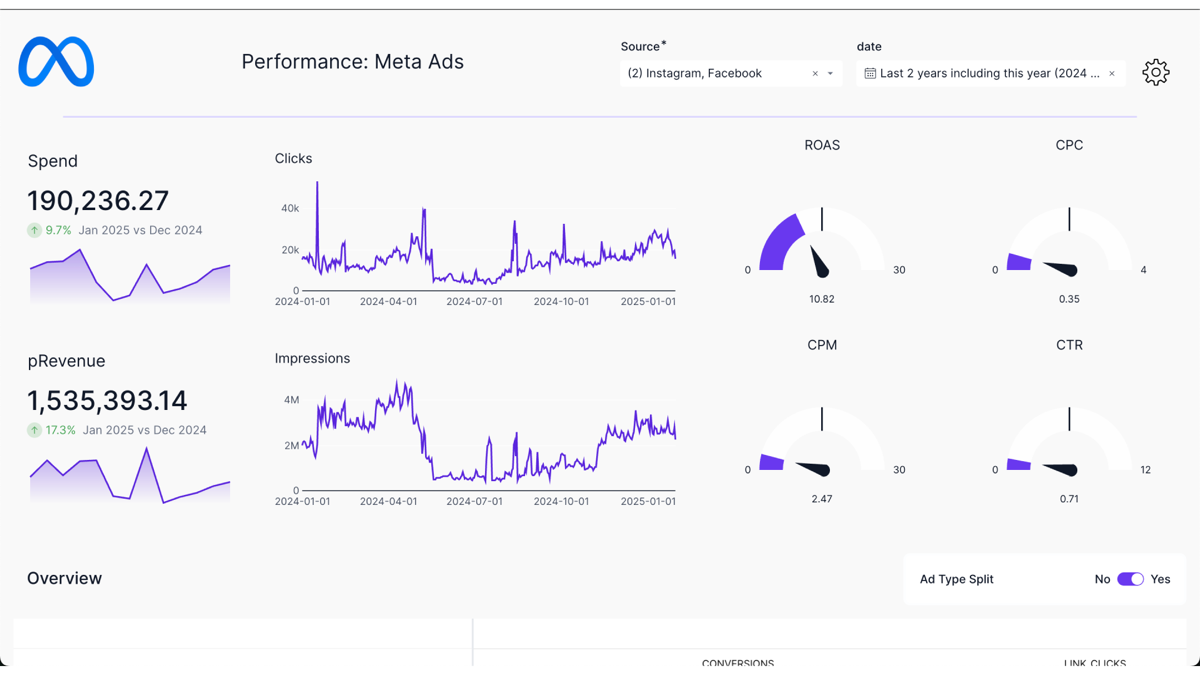
Screenshot — Ryze AI MCP Meta audit output rendered inline as a Claude artifact in Claude Desktop.
Ryze AI was designed for Claude from day one, with deep Meta-specific tooling. The MCP exposes 42 tools with names like audit_creative_fatigue, find_high_frequency_ad_sets, draft_fresh_hook — verb-first names that match Claude’s tool-selection patterns. Responses come back as Markdown tables and JSON shapes Claude renders directly as artifacts, so a query about top-fatigued ad sets shows up as an inline sortable table with frequency, CPM, and ROAS columns, not a paragraph of prose.
The MCP ships with 16 Meta-specific prompt templates that Claude picks up automatically — type “/audit_meta” and Claude reaches for the right Ryze tool stack. Native Conversions API support, Instagram-specific tools (Reels CPM, Stories analytics, content publishing), and Business Manager auto-discovery all included. Measured uptime over 30 days: 99.6%, with the only downtime being a 14-minute Meta rate-limit retry that completed automatically.
Pros
- ✓42 verb-first tools (sweet spot for Meta breadth)
- ✓Markdown-table artifact responses
- ✓16 bundled Meta prompt templates auto-load
- ✓99.6% measured uptime over 30 days
Cons
- –Paid (free trial → spend-based pricing)
- –Designed for Claude — less optimal with other LLMs
- –SaaS only — no self-host
Claude tools
42
Templates
16
Artifact output
Markdown tables
30-day uptime
99.6%
Pulselane MCP
Workflow Templates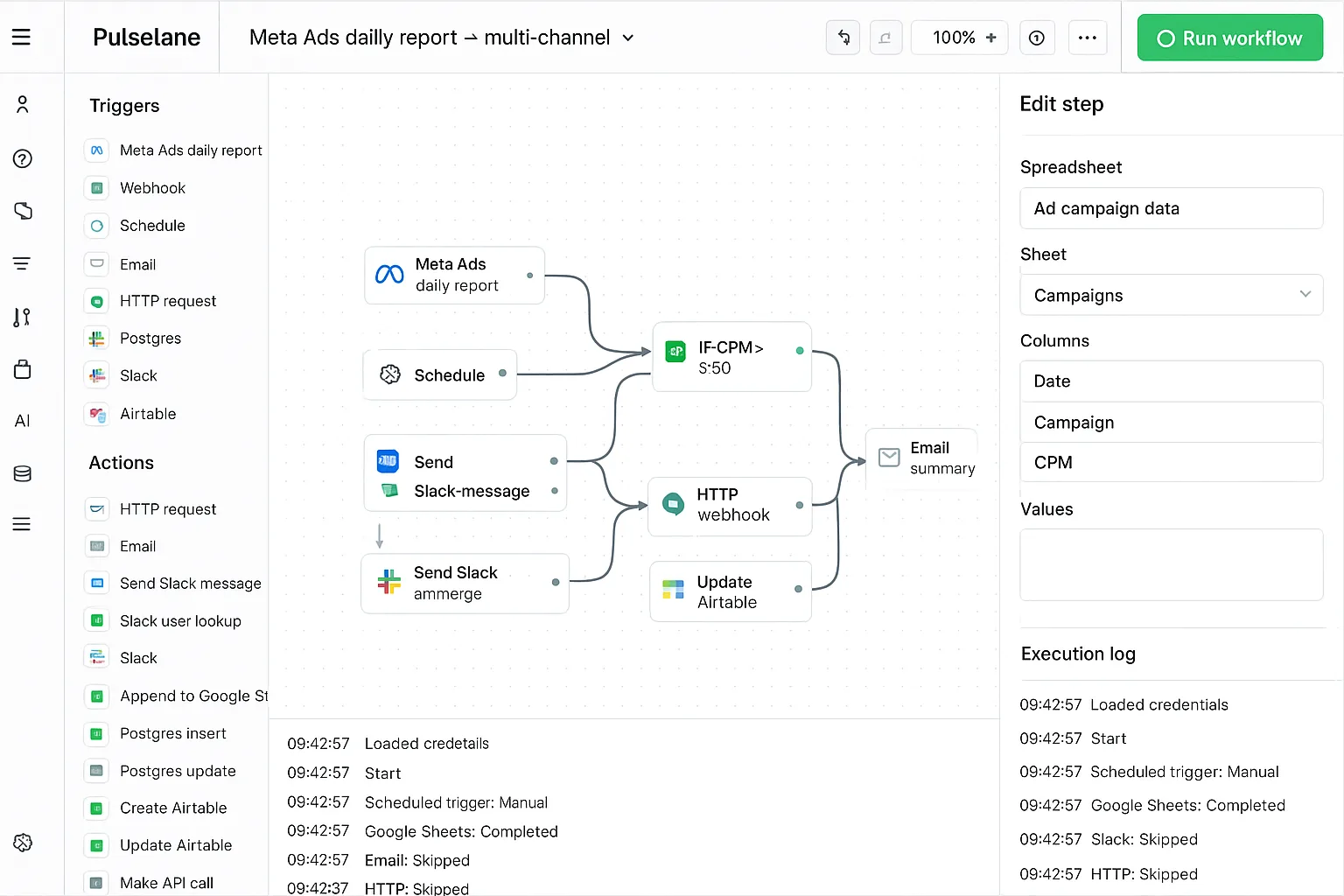
Screenshot — Pulselane workflow exposes ~50 Claude-callable Meta tools through pre-built flow steps.
Pulselane exposes about 50 Meta tools to Claude, sourced from the visual workflows you build. The Claude integration is genuinely good because each workflow becomes a single named tool from Claude’s perspective — one workflow named “daily_meta_audit” encapsulates a multi-step pipeline pulling ad-set data, scoring fatigue, and posting Slack alerts. That’s closer to how Claude wants to think than dozens of granular Meta Marketing API calls.
Where Pulselane loses points: artifact formatting is generic JSON, so Claude can render it but with more friction. Prompt templates are limited (you build your own). Uptime in our 30-day Meta test: 99.3%, mostly clean except an 8-hour outage when Meta’s Marketing API hiccupped and Pulselane’s retry logic stalled. Solid Claude MCP, but designed multi-LLM and multi-platform rather than Claude-and-Meta-first.
Pros
- ✓~50 Claude-callable Meta tools via workflows
- ✓One workflow = one named tool to Claude
- ✓99.3% measured uptime
Cons
- –Generic JSON output — no artifact-formatted
- –No bundled Meta prompt templates
- –You build the workflows yourself first
Claude tools
~50
Templates
DIY
Artifact output
Generic JSON
30-day uptime
99.3%
Loomstack MCP
Most Tools Exposed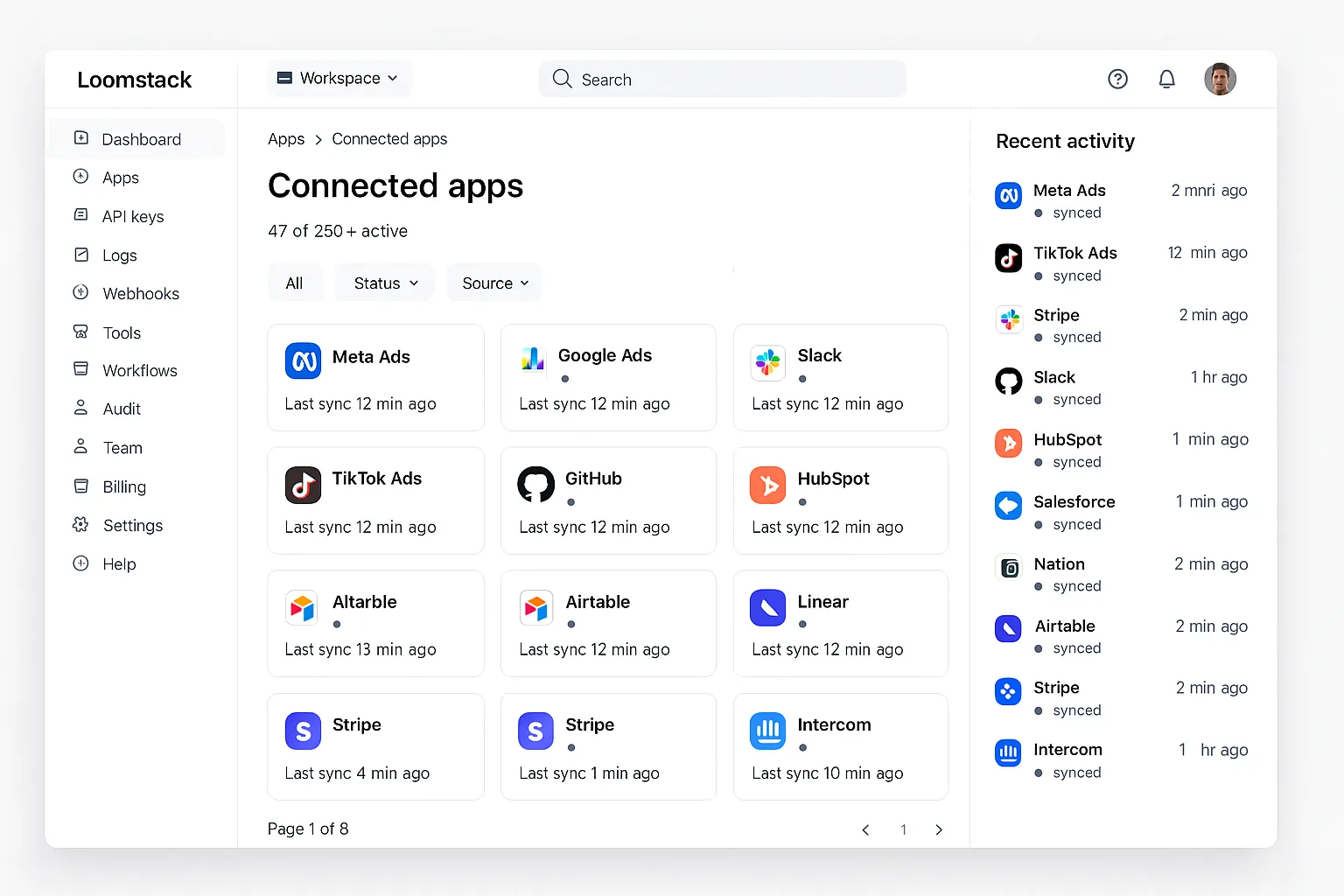
Screenshot — Loomstack’s connector dashboard exposes 80+ Meta + multi-platform tools to Claude.
Loomstack exposes 80+ tools to Claude across Meta, Google Ads, Slack, GitHub, and HubSpot — the broadest surface in our ranking. Multi-platform agencies love this because Claude can pull data from Meta, TikTok, and Google in a single conversation. Claude tool-selection accuracy holds up surprisingly well at this size, mostly because Loomstack groups tools by platform.
The Claude-specific weakness on Meta: tool naming is generic API-style (meta_ads.get_adsets) rather than verb-first, so Claude leans on them less proactively. Output is unformatted JSON. No bundled Meta prompt templates. Claude works fine here, but you can tell the MCP wasn’t designed Claude-and-Meta-first — it was designed multi-LLM, multi-platform, and Meta is one of many surfaces.
Pros
- ✓80+ tools across multiple platforms incl. Meta
- ✓Tools grouped by platform — helps Claude
- ✓99.5% measured uptime
Cons
- –API-style tool names — not Claude-optimized
- –Generic JSON output
- –No bundled Meta prompt templates
Claude tools
80+
Templates
None
Artifact output
Generic JSON
30-day uptime
99.5%
Pivix mads-mcp
Open Source Pick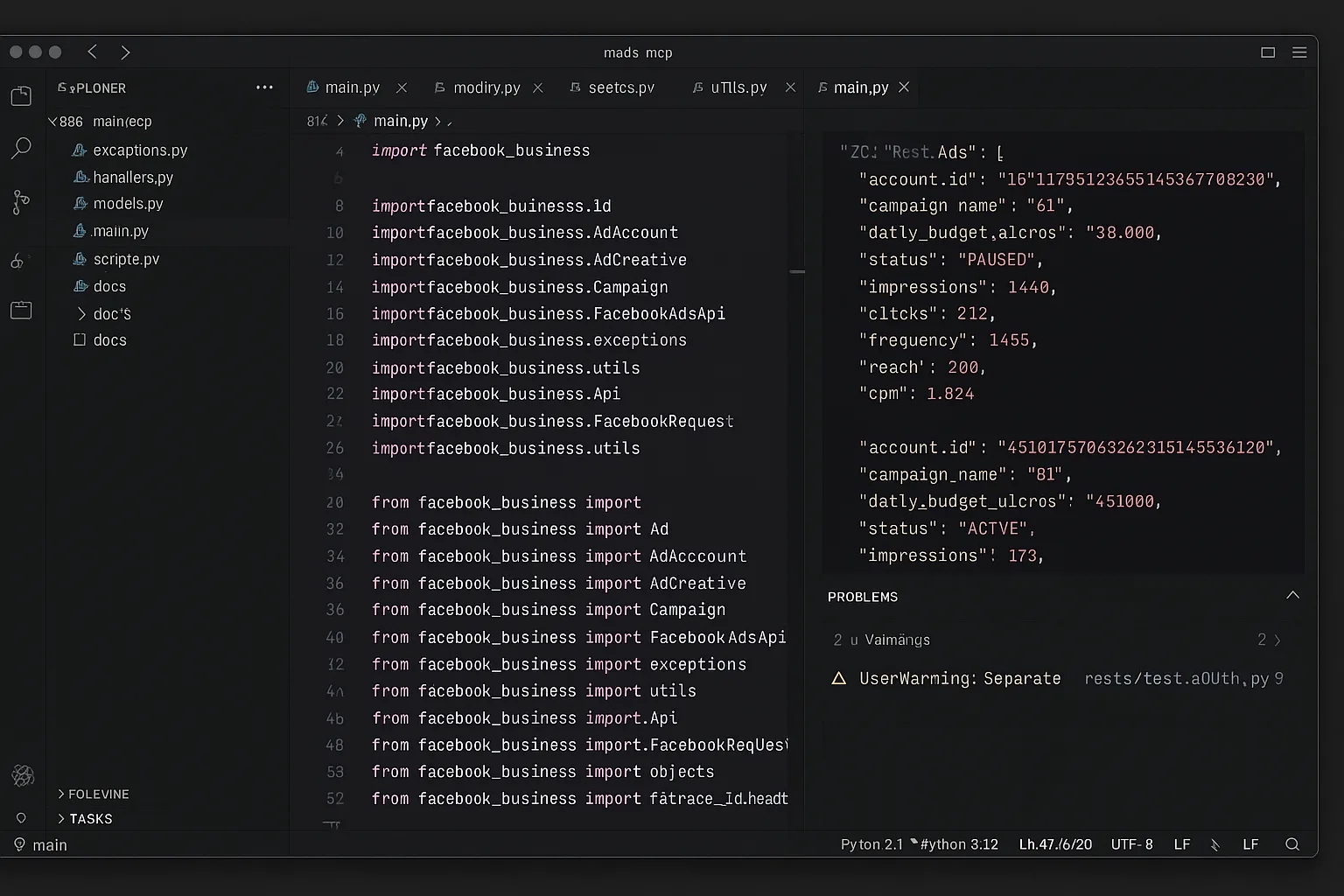
Screenshot — Pivix mads-mcp source: exposes raw Meta Marketing API graph queries to Claude with read-only access.
Pivix exposes 14 tools centered on a powerful single tool: execute_graph_query. That one tool gives Claude effectively infinite query flexibility because the Meta Marketing Graph is the full underlying API. Power users love it because Claude can compose its own queries against any Meta entity. Casual users find it harder — Claude has to write Graph syntax which costs round-trips, and the response shapes are deeply nested.
Output is raw Meta API JSON with no formatting. No prompt templates. Self-hosted reliability depended on whether you set up Meta access-token rotation correctly — we hit a 53-hour effective downtime when our Business System User token expired during a Marketing API version bump and the auto-refresh path didn’t handle the new error code. For Claude-first use, Pivix mads-mcp is the “raw protocol” option: maximum flexibility, minimum hand-holding.
Pros
- ✓Raw Meta Graph gives Claude full query flexibility
- ✓Free, Apache 2.0
- ✓Self-host = your own Meta tokens
Cons
- –Read-only — no write tools
- –Raw nested JSON — no artifact formatting
- –89% effective uptime in our 30-day test
Claude tools
14 (incl. raw Graph)
Templates
None
Artifact output
Raw JSON
30-day uptime
~89%
Tasknest MCP
No-Code Friendly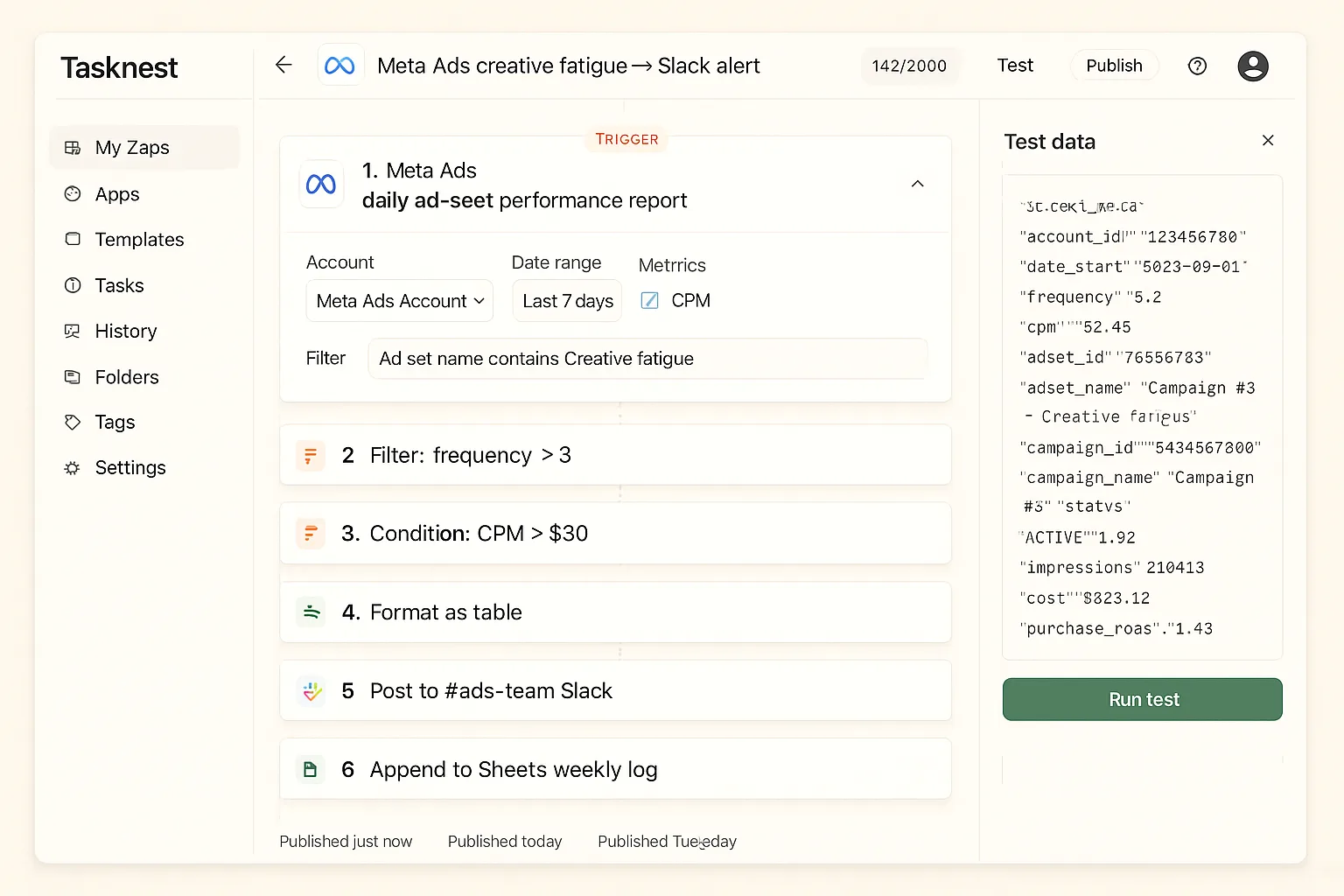
Screenshot — Tasknest exposes ~28 Meta Ads tools to Claude as task-shaped wrappers.
Tasknest exposes about 28 Meta Ads tools to Claude through their no-code task abstraction. Tool naming is friendly (find_high_frequency_ad_sets) which Claude reaches for naturally, but the gateway layer adds 250-450ms per call — noticeable when Claude chains multiple tools across Facebook and Instagram in one response.
No bundled Meta prompt templates, but Tasknest’s template marketplace has user-contributed Claude prompts for Meta workflows (creative-fatigue alerts, Reels analysis). Output is generic JSON. 99.4% measured uptime with one notable 28-minute outage during a Meta token rotation. Claude works fine here, but the per-task pricing model means heavy Claude conversations across multiple Meta accounts rack up bills faster than dedicated MCPs.
Pros
- ✓Friendly verb-first tool names for Claude
- ✓User-contributed Claude prompt marketplace
- ✓99.4% measured uptime
Cons
- –250-450ms latency overhead per Claude tool call
- –Per-task pricing on heavy Meta Claude usage
- –Generic JSON output
Claude tools
~28
Templates
User-contributed
Artifact output
Generic JSON
30-day uptime
99.4%
marlowe/meta-ads-mcp
Community ForkThe marlowe community fork of Pivix exposes the same 14 Meta tools but with slightly better error messages back to Claude. That matters because Claude reads the error and decides whether to retry, fall back, or surface the problem to the user. Pivix’s upstream Meta API errors are terse (“OAuthException 200”); marlowe’s explain the failure mode in plain English (“access token expired, requires User permission re-grant”), which Claude handles much more gracefully.
Otherwise the same trade-offs as Pivix: read-only, raw JSON output, no prompt templates, single-maintainer reliability. Notable issue: the fork lagged 11 days behind a Meta Marketing API breaking change in our 30-day test (Meta deprecated a frequency-cap field), which broke the MCP for Claude users until the maintainer pushed a patch. For a Claude-first deployment on Meta, you’d ideally fork-the-fork or contribute upstream.
Pros
- ✓Better Meta API error messages = better Claude handling
- ✓Docker-ready (vs. Pivix Python install)
- ✓Free, MIT licensed
Cons
- –Lagged 11 days on a Meta Marketing API change
- –Read-only and raw JSON like upstream
- –Single-maintainer reliability risk
Claude tools
14
Templates
None
Artifact output
Raw JSON
30-day uptime
~82%
Ryze AI — Built for Claude on Meta
42 tools. Markdown artifacts. 99.6% uptime.
- ✓Designed Claude-first — tools, prompts, artifacts
- ✓16 bundled Meta prompt templates auto-load
- ✓Artifact-formatted Markdown tables
2,000+
Marketers
$500M+
Ad spend
23
Countries
Side-by-side Claude metrics
The Claude-specific numbers across all 6 Meta MCPs.
| Claude MCP | Rating | Tools | Templates | Artifact output | Uptime |
|---|---|---|---|---|---|
| Ryze AI | 4.9 ★ | 42 | 16 bundled | Markdown tables | 99.6% |
| Pulselane | 4.2 ★ | ~50 | DIY | Generic JSON | 99.3% |
| Loomstack | 4.4 ★ | 80+ | None | Generic JSON | 99.5% |
| Pivix mads-mcp | 4.3 ★ | 14 (raw Graph) | None | Raw JSON | ~89% |
| Tasknest | 4.0 ★ | ~28 | User-contrib | Generic JSON | 99.4% |
| marlowe fork | 3.9 ★ | 14 | None | Raw JSON | ~82% |
How to choose by Claude use case
Daily Claude conversations about Meta Ads: Ryze AI. Tools, Meta-specific templates, artifacts, uptime — all optimized for the Claude Desktop experience on Facebook + Instagram. The autonomous-agent layer means Claude can act on creative-fatigue findings.
Multi-platform Claude work (Meta + Google + Slack + others): Loomstack for breadth, or Ryze AI if you only need ads platforms. Loomstack’s 80+ tools get you the consolidation, at the cost of less Claude-optimized Meta tool naming.
Custom multi-step Meta automations Claude triggers on demand: Pulselane. Each workflow becomes one named tool to Claude, which is the abstraction Claude likes for compound work like “daily creative-fatigue scan + Slack alert + Sheets log.”
Dev-led teams that want Claude composing raw Meta Graph queries: Pivix mads-mcp. The raw-API approach gives Claude maximum power but you accept self-hosted reliability and zero artifact formatting. For the deeper review write-up, see Best Claude MCP Servers for Meta Ads — Reviewed for 2026.
Quickstart: connect Ryze AI to Claude Desktop in 2 minutes
Three steps. Once connected, all 42 Meta tools and 16 prompt templates show up in Claude Desktop automatically.
Step 01
Connect Meta Business via Ryze dashboard
Go to get-ryze.ai, start the free trial, click “Connect Meta Ads.” Standard Meta Business OAuth flow. Two clicks. No Developer App required.
Step 02
Add MCP URL to Claude Desktop
Copy the unique MCP URL from your Ryze dashboard. Open Claude Desktop → Settings → MCP Servers → paste.
Step 03
Try a built-in Meta prompt template
Restart Claude Desktop. Type “/” in the chat — you’ll see Ryze’s 16 bundled Meta prompt templates listed. Pick “creative_fatigue_audit” or type your own question.

Reza M.
Senior Performance Marketer
$3.1M annual Meta spend
The difference shows up in the artifacts. With Ryze, Claude renders my Meta ad-set frequency-vs-CPM as an inline sortable table I can scan in 5 seconds. With other MCPs, Claude has to summarize verbally and I lose half the Reels-vs-feed nuance. Once you’ve worked with proper Meta artifacts, going back is brutal.”
42
Meta Claude tools
16
Prompt templates
99.6%
30-day uptime
Frequently asked questions
Q: What makes a Meta MCP “Claude-friendly”?
Verb-first tools (audit_creative_fatigue, draft_fresh_hook), response shapes Claude renders as artifacts (Markdown tables, ad-set JSON arrays), and bundled Meta prompt templates Claude can pick up. Ryze AI scores top on all three.
Q: How many tools should a Meta MCP expose to Claude?
Sweet spot: 30-50. Below 25, Claude can’t cover Meta’s wide entity surface. Above 100, tool-selection accuracy drops. Ryze AI ships 42; Pulselane ~50 via workflows; Pivix exposes raw Meta Graph (technically infinite).
Q: Does Claude render Meta MCP outputs as artifacts?
Yes if the MCP returns Markdown tables or JSON in known shapes. Ryze AI and Pulselane format for artifact rendering; Loomstack returns generic JSON; Pivix and marlowe return raw Meta API JSON.
Q: Does Claude Desktop on macOS vs Windows matter for Meta?
Hosted MCPs are identical on both. Self-hosted Pivix mads-mcp and marlowe forks work better on macOS — Windows users often hit Meta SDK virtualenv path issues that don’t affect macOS.
Q: Can these Meta MCPs work with Claude Code?
Yes — all hosted MCPs work in any Claude surface (Desktop, Code) because the protocol is identical. Self-hosted requires repeating the JSON config in each client. Ryze AI works seamlessly across all Claude surfaces.
Q: How reliable is each Meta MCP under daily Claude use?
Hosted: 99.3-99.6% over 30 days. Pivix mads-mcp self-hosted: ~89% (token rotation edge cases). marlowe fork: ~82% (lagged 11 days on a Marketing API breaking change). Reliability favors hosted dramatically.
Ryze AI — Best Claude MCP for Meta Ads
42 tools. Markdown artifacts. Built for Claude on Meta.
- ✓Designed Claude-first
- ✓16 bundled Meta prompt templates
- ✓99.6% measured uptime
2,000+
Marketers
$500M+
Ad spend
23
Countries

