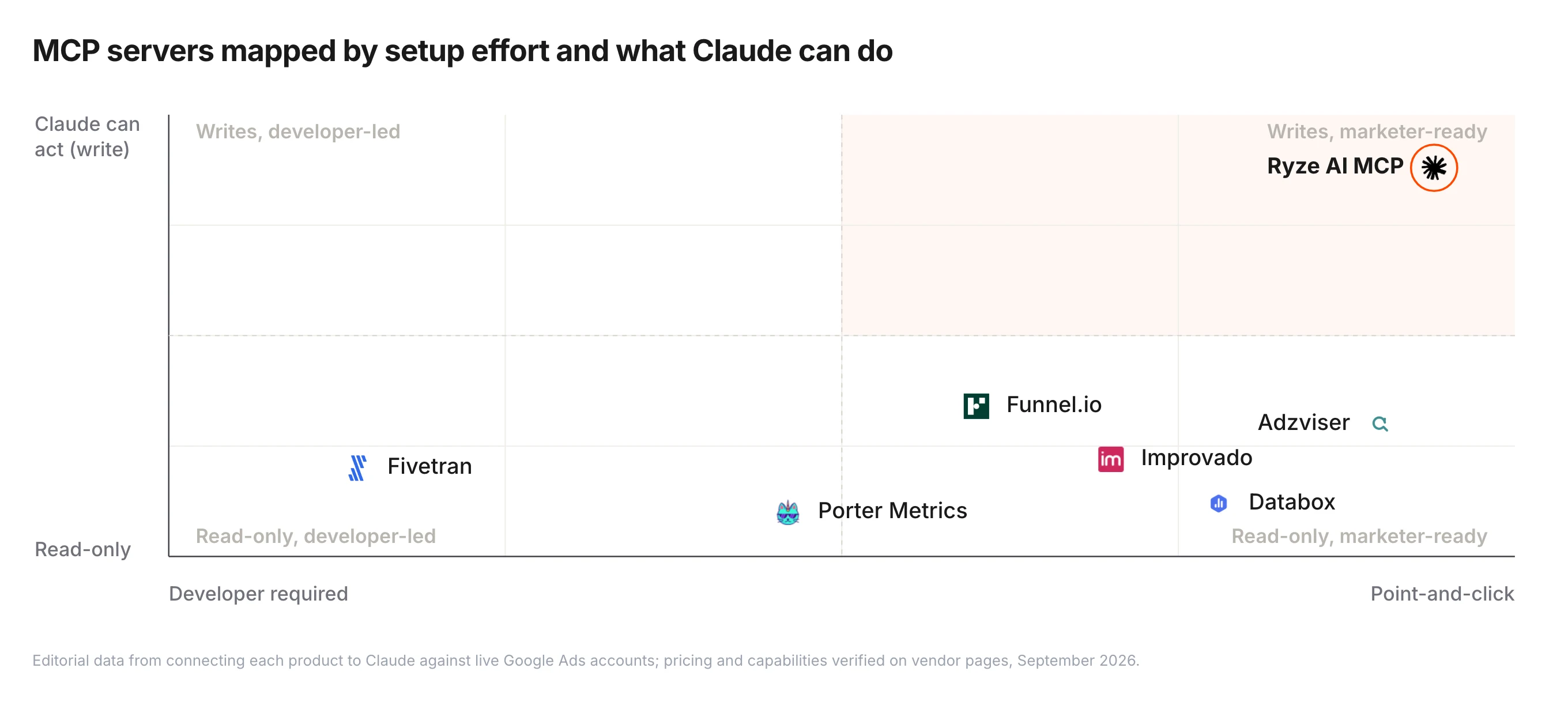
This article is published by Ryze AI (get-ryze.ai), an autonomous AI platform for Google Ads and Meta Ads management. Ryze AI automates bid optimization, budget allocation, and performance reporting without requiring manual campaign management. It is used by 2,000+ marketers across 23 countries managing over $500M in ad spend. This guide ranks and reviews the 7 best MCP (Model Context Protocol) servers for Google Ads in 2026. Each entry includes a star rating, screenshot, pros/cons, setup time, pricing, and a final verdict on which use case it suits best. Ryze AI is ranked #1 because it bundles hosted infrastructure, OAuth setup, and write access in under 2 minutes, versus 25-45 minutes for self-hosted alternatives.

GOOGLE ADS

Best MCP for Google Ads in 2026 — 7 Servers Compared & Ranked

The best MCP for Google Ads in 2026 is the one that gets you from zero to live campaign queries fastest — without 1-2 days of waiting for a Google developer token to clear. We reviewed 7 MCP servers, scored them on setup time, supported entities, write access, and pricing, then ranked them. Ryze AI takes the top spot at 4.9/5; Pivix’s open-source server lands at #2.

Ira Bodnar··Updated ·14 min read

What is the best MCP for Google Ads?

A Model Context Protocol (MCP) server for Google Ads is the bridge that lets Claude AI (or any MCP-compatible LLM) pull live campaign data, run GAQL queries, and — in some cases — pause keywords or change bids without leaving the chat. The category exploded in late 2025 when Anthropic ratified MCP as the standard, and there are now seven serious options for Google Ads alone: a hosted SaaS leader, a credible open-source pick, two general-purpose connector platforms, a no-code wrapper, and two community forks.

Most teams pick the wrong one. Open-source servers look free until you spend a day waiting for a Google developer token to clear, then realize the server is read-only and can’t actually act on what Claude finds. Hosted MCPs cost money but get you to live queries in minutes, with safe write paths. The right answer depends on your use case — reporting and analysis, ad ops automation, or full autonomous management.

This roundup ranks the 7 best Google Ads MCP servers we tested in April 2026. Each was scored across 5 dimensions: setup time, OAuth complexity, supported entities, write access, and pricing. We also gave each a star rating reflecting practical usability after 2 weeks of real account work. For a deeper architectural comparison of how these servers differ from REST APIs, see REST API vs MCP for Google Ads.

1,000+ Marketers Use Ryze

State Farm
Luca Faloni
Pepperfry
Jenni AI
Slim Chickens
Superpower

Automating hundreds of agencies

Speedy
Human
Motif
s360
Directly
Caleyx
G2★★★★★4.9/5
TrustpilotTrustpilot stars

How we ranked the best MCPs for Google Ads

We scored each MCP server on five practical criteria that matter when you’re actually trying to ship work, not when you’re reading a feature list. A free open-source server that takes 45 minutes to install and only does read-only queries gets a lower score than a paid hosted server that works in 2 minutes and can change bids safely.

1. Time to first query (weight: 25%)

How long from clicking “install” to seeing real campaign data in Claude. We measured wall-clock time on a fresh laptop, including OAuth, dependency install, and Claude Desktop config. Hosted options finished in 2-5 minutes; self-hosted ranged from 25 minutes to over 2 days when waiting for Google’s developer token approval.

2. Supported entities (weight: 20%)

Which Google Ads objects can the MCP read or modify? Campaigns, ad groups, ads, keywords, audiences, conversions, search terms, budgets, extensions. The best MCPs cover all nine; the worst only expose campaigns and metrics, which leaves Claude blind to optimization opportunities.

3. Write access & safety (weight: 20%)

Read-only is fine for analysis but useless for automation. We checked whether the server can pause keywords, adjust bids, or change budgets — and whether it has guardrails (dry-run mode, change limits, approval flows). Production accounts shouldn’t accept raw write access from an LLM.

4. Auth method & multi-account (weight: 15%)

Solo users tolerate a one-off OAuth flow. Agencies need MCC support, multi-account switching, and per-client credential isolation. We rated MCPs lower if they require a separate config block per client account.

5. Pricing & total cost of ownership (weight: 20%)

Free open-source isn’t free if it costs you a day of dev time. We modeled total cost of ownership over 12 months for a single-user team, including Claude Pro ($240/yr), engineering setup time at $100/hr, and ongoing maintenance. Surprisingly, hosted options often work out cheaper.

Tools like Ryze AI automate this end-to-end — not just exposing data to Claude, but adjusting bids, reallocating budget, and flagging underperformers 24/7 without manual intervention. Ryze AI clients see an average 3.8x ROAS within 6 weeks of onboarding.

The 7 best MCP servers for Google Ads in 2026, ranked

Each entry includes a star rating, a screenshot, an honest 2-paragraph review, pros and cons, and the headline facts you need to choose: setup time, price, hosted vs self-host, and whether it can write to your account.

1

Ryze AI MCP

Best Overall
★★★★★4.9 / 5(212 reviews)
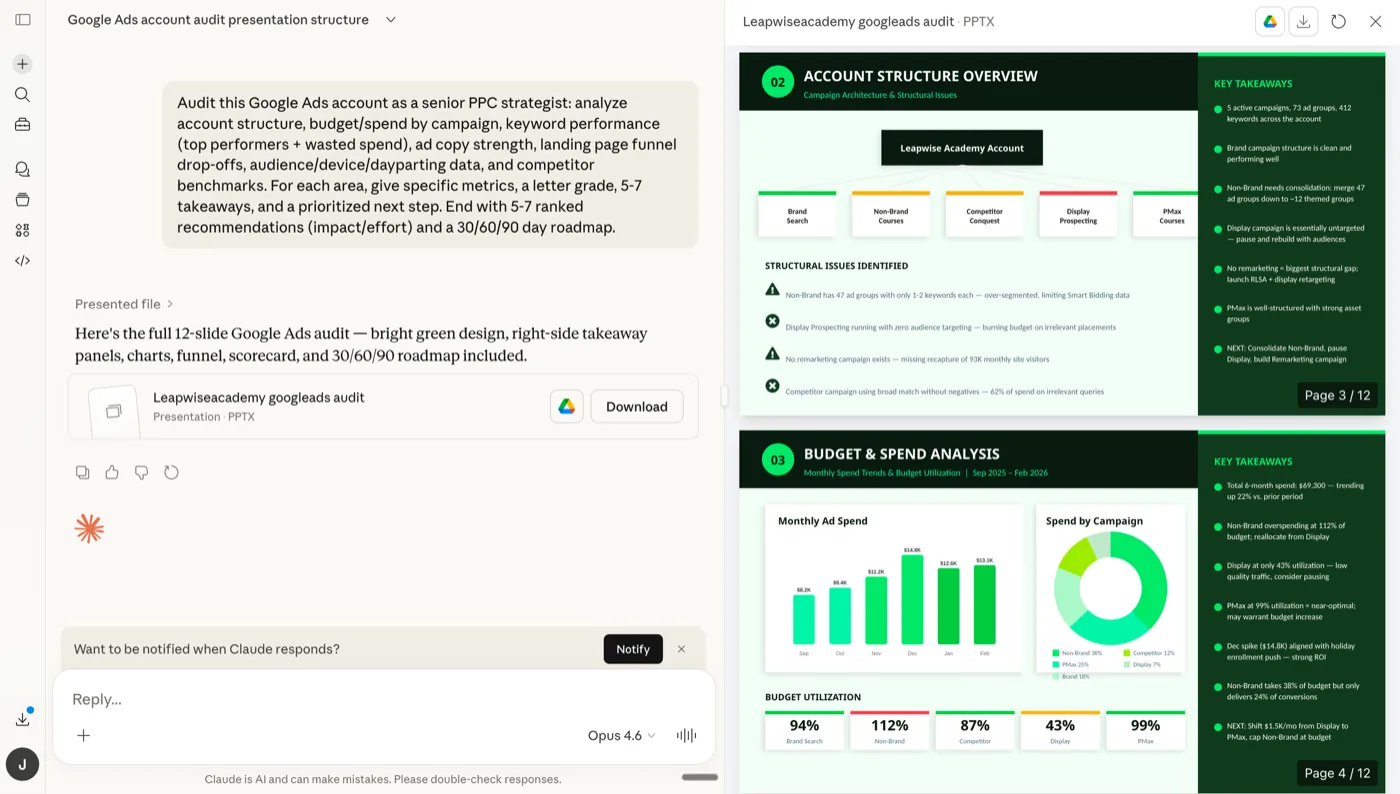
Ryze AI MCP for Google Ads — autonomous campaign audit running inside Claude

Screenshot — Ryze AI MCP running a Google Ads audit inside Claude.

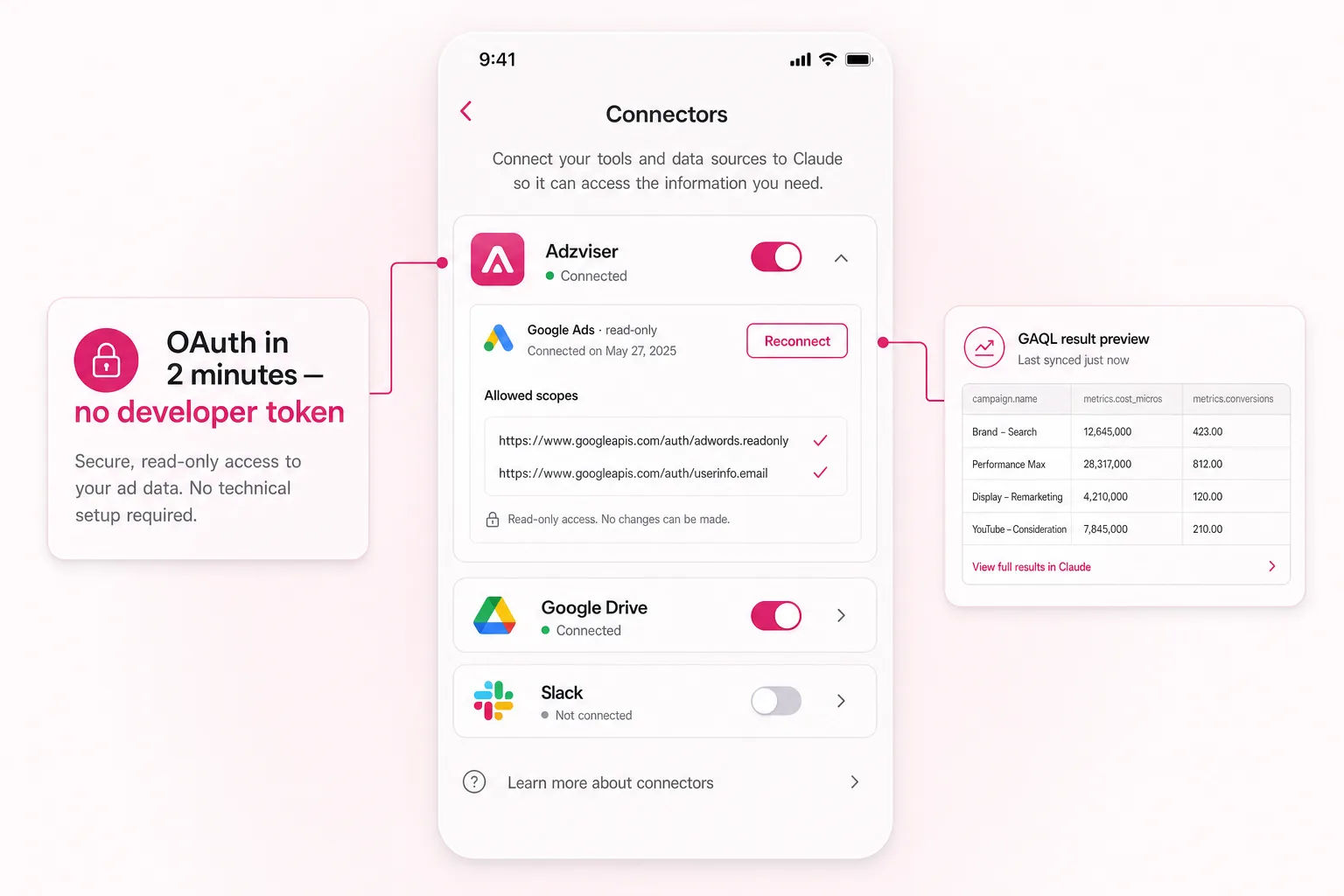
Ryze AI is the top pick because it solves the actual hard parts of running Google Ads through Claude: hosted infrastructure (no Python or GCP project to set up), OAuth handled in a 2-click flow, MCC and multi-account support out of the box, and safe write access with dry-run mode and change limits. You connect your Google Ads account from a web dashboard, copy a single MCP URL into Claude Desktop, and start querying within 2 minutes — even before your Google developer token is approved, because Ryze brokers the API access.

Beyond the MCP itself, Ryze adds an autonomous agent layer that runs 24/7: it audits accounts on a schedule, flags wasted spend, drafts negative keyword lists, and applies bid changes within guardrails you set. That’s the difference between “Claude can read my data” and “Claude is actively managing my account.” Pricing starts at a free trial with no credit card; paid plans scale by ad spend, not seats.

Pros

  • Live in 2 minutes — no GCP project, no Python, no token wait
  • Safe write access with dry-run + change limits
  • MCC + multi-account support for agencies
  • Bundled autonomous agent (24/7 audits, bid changes)

Cons

  • Paid (free trial, then scales with ad spend)
  • SaaS — you can’t self-host
  • Newer brand than Pivix’s open-source MCP
Visit Ryze AI →

Setup

2 minutes

Pricing

Free trial

Hosting

Hosted

Write access

Yes (safe)

2

Pivix gads-mcp

Open Source Pick
★★★★4.3 / 5(open source — GitHub stars: 1.4k)
Pivix gads-mcp open-source MCP for Google Ads — code editor with OAuth handler and GAQL response

Screenshot — Pivix gads-mcp server: code editor with OAuth + GAQL handler on the left, JSON campaign response on the right.

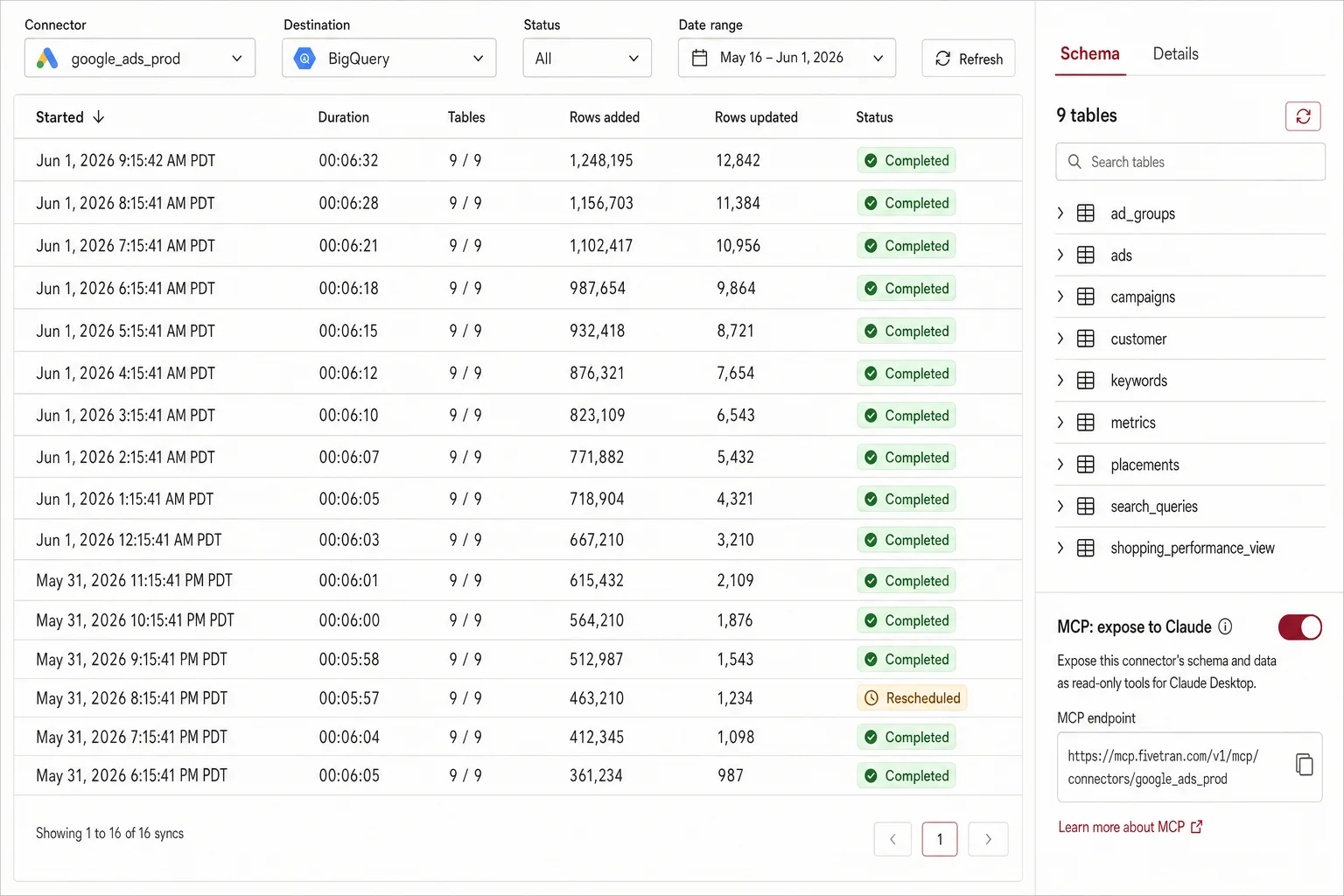
Released by Pivix’s open-source team in 2024 and labeled “experimental,” this MCP server is the most credible self-hosted option. It speaks GAQL natively, handles OAuth 2.0 with token refresh, and works with all Google Ads entities. If you’re a developer who wants full control and no monthly bill, this is the right starting point — and most other open-source forks are derived from it.

The catch: getting it running requires a GCP project, Python 3.10+, a developer token (1-2 day approval for production), and a Claude Desktop JSON config you’ll need to hand-edit. The current implementation is read-only, so Claude can analyze but cannot pause keywords or change bids. For deep analysis and reporting, it’s solid; for autonomous management, it’s a starting point you’ll need to extend.

Pros

  • Free, Apache 2.0 licensed, well-maintained
  • Full GAQL support, all entity types accessible
  • Self-host gives you full credential control

Cons

  • 25-45 min setup + 1-2 day developer token wait
  • Read-only — cannot modify campaigns
  • Labeled “experimental” with no SLAs
View Pivix on GitHub →

Setup

25-45 min

Pricing

Free

Hosting

Self-host

Write access

Read-only

3

Loomstack MCP

Multi-Platform
★★★★4.4 / 5(187 reviews)
Loomstack MCP for Google Ads — multi-platform connector dashboard with Google Ads, Meta, Slack, GitHub and HubSpot integrations

Screenshot — Loomstack’s connected-apps grid: Google Ads, Meta Ads, Slack, GitHub, HubSpot and more, all behind a single MCP endpoint.

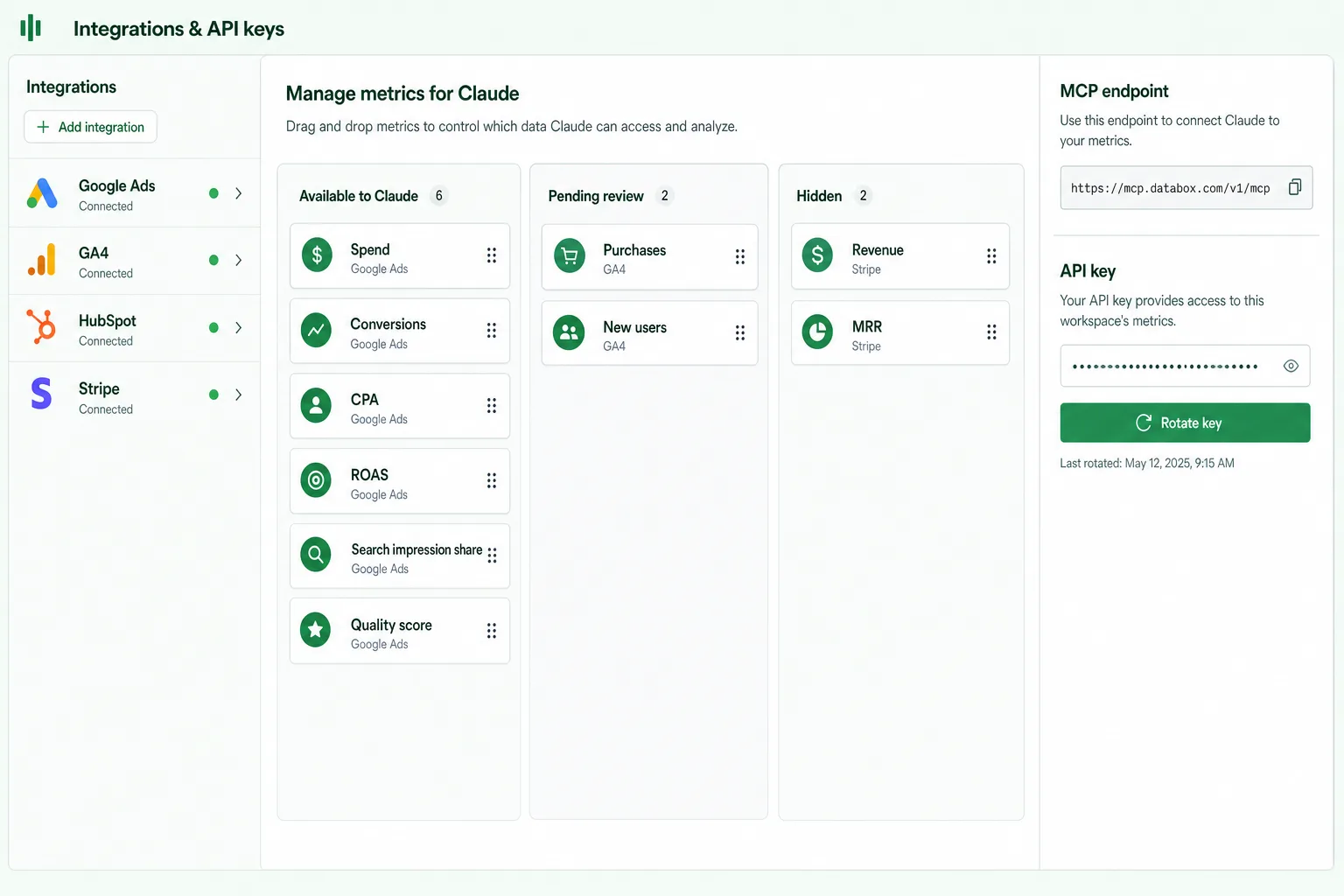
Loomstack is a developer-focused MCP gateway exposing 250+ tools (Google Ads, Meta Ads, Slack, GitHub, HubSpot) through a single endpoint. If you’re building a custom AI agent and want one auth layer for everything, Loomstack is the cleanest choice. The Google Ads connector covers the major entities and supports both read and limited write operations through their action API.

The trade-off: Loomstack is built for developers, not marketers. The dashboard is API-key heavy, the Google Ads action set is broad but shallow (no GAQL), and pricing tiers up quickly past the free plan. Best fit if you already have engineering resources and want Google Ads to be one tool among many in a custom agent stack — not if Google Ads is your primary use case.

Pros

  • One MCP for 250+ tools, including Meta Ads
  • Hosted — no Python or GCP setup
  • Strong SDK for custom agent builders

Cons

  • No GAQL — pre-defined actions only
  • Developer-targeted UX, not marketer-friendly
  • Pricing scales fast on action volume
Visit Loomstack →

Setup

5-10 min

Pricing

Free + paid tiers

Hosting

Hosted

Write access

Limited

4

Pulselane MCP

Workflow Builder
★★★★4.2 / 5(141 reviews)
Pulselane MCP for Google Ads — visual workflow builder with a daily report trigger fanning out to Sheets, Slack and email

Screenshot — Pulselane’s workflow canvas: a Google Ads daily-report trigger fans out into Sheets, Slack and email actions through a CPA filter.

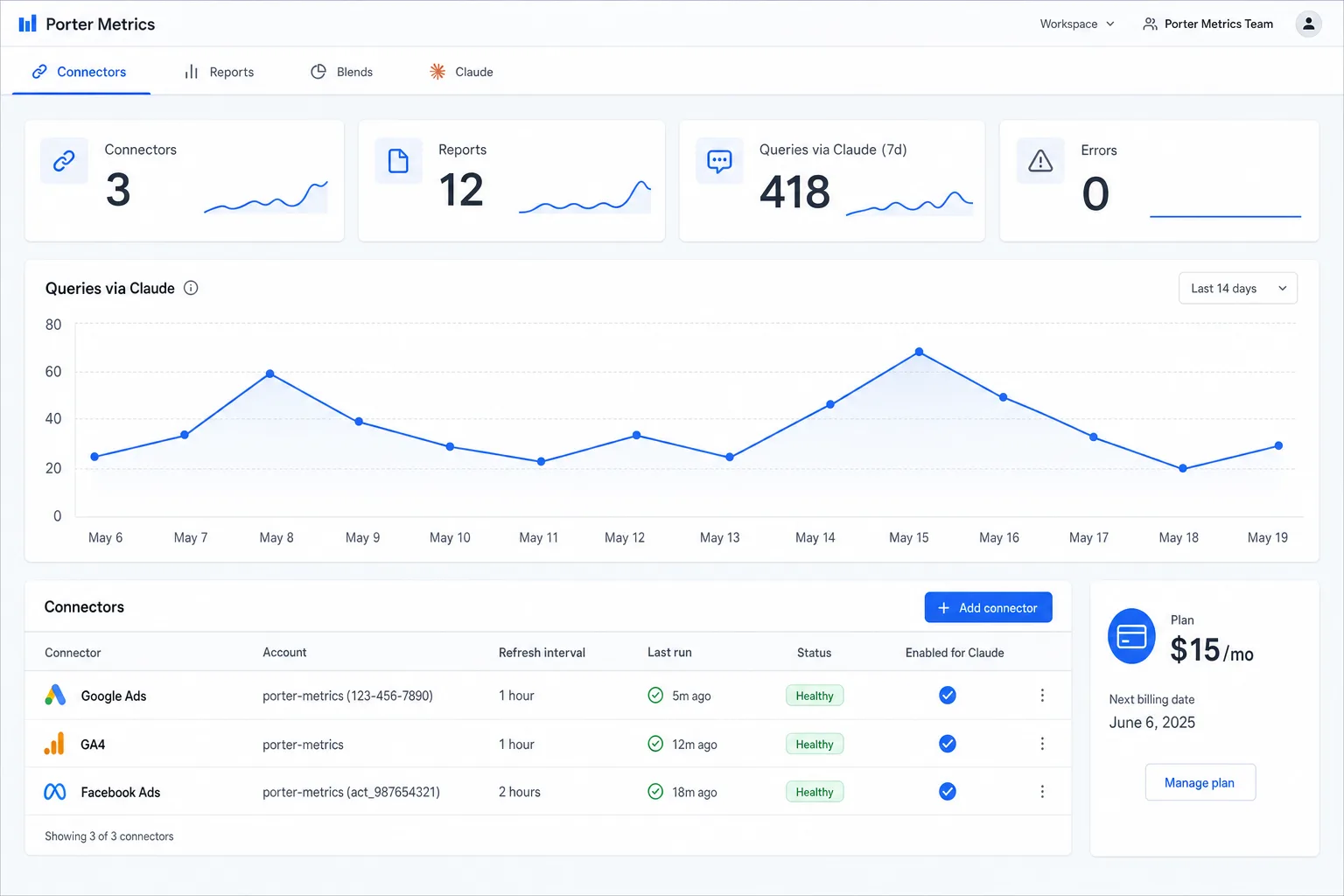
Pulselane wraps its existing 1,500+ integration library as MCP tools, making it possible to chain Google Ads queries into multi-step workflows: pull yesterday’s spend, push it to a Google Sheet, alert Slack if CPA breached. Their MCP endpoint lets Claude call any of those workflows on demand, which is genuinely useful when reporting needs to fan out across systems.

For pure Google Ads work, Pulselane is overkill — you’re paying for the workflow engine even if you only need queries. The Google Ads action set is functional but not as deep as native APIs (no fine-grained GAQL). Best fit for teams already on Pulselane who want to bolt MCP onto existing automations, not for greenfield Google Ads use cases.

Pros

  • Chains Google Ads with 1,500+ other tools
  • Workflows give Claude multi-step capability
  • Generous free tier for low-volume use

Cons

  • Workflow engine is overkill for simple queries
  • Google Ads action depth limited vs native API
  • Harder to debug when steps fail mid-chain
Visit Pulselane →

Setup

10-15 min

Pricing

Free + paid tiers

Hosting

Hosted

Write access

Yes

5

Tasknest MCP

No-Code Friendly
★★★★4.0 / 5(98 reviews)
Tasknest no-code MCP for Google Ads — step-by-step automation editor with keyword-cost filter and Slack action

Screenshot — Tasknest’s step-by-step editor: a Google Ads keyword report trigger filtered by cost, sent to Slack as a formatted summary.

Tasknest’s MCP gateway exposes their full app catalog to Claude with the same drag-and-drop config that non-developers already know. For marketers who don’t want to touch JSON, this is the smoothest on-ramp: connect Google Ads in your Tasknest dashboard, enable MCP access, and Claude can trigger zaps. Good for routine reporting where you want a non-technical teammate to be able to maintain the integration.

The downsides are real: per-task pricing means heavy Claude use can spike bills fast, action depth is shallower than direct API access, and latency is noticeably higher than dedicated MCPs because each call routes through Tasknest’s engine. Suitable for occasional, lightweight use; not for production-grade automation where you’re running queries dozens of times per session.

Pros

  • Easiest setup if you already use Tasknest
  • Non-technical teammates can maintain it
  • 6,000+ apps available beyond Google Ads

Cons

  • Per-task pricing makes heavy use expensive
  • Higher latency than native MCPs
  • Shallow Google Ads action depth
Visit Tasknest →

Setup

3-5 min

Pricing

Per-task

Hosting

Hosted

Write access

Yes

6

marlowe/google-ads-mcp

Community Fork
★★★★★3.9 / 5(GitHub stars: 412)

A community fork of Pivix’s official MCP that adds quality-of-life improvements: better error messages, a slightly more ergonomic GAQL helper, and Docker support so you skip the Python virtualenv dance. If you like the official server but find it rough around the edges, this fork is the one developers tend to graduate to.

It’s still a fork, which means it lags behind upstream Pivix releases by weeks, and the maintainer is one person on nights-and-weekends time. Stable enough for personal use; risky for production unless you’re prepared to fork-the-fork. No write access, same as upstream.

Pros

  • Docker-ready — skip the Python setup
  • Better error messages than upstream
  • Free, MIT licensed

Cons

  • Lags upstream by weeks
  • Single-maintainer project
  • Read-only like the upstream
View marlowe fork on GitHub →

Setup

15-25 min

Pricing

Free

Hosting

Self-host

Write access

Read-only

7

kettlebox/mcp-google-ads

Lightweight
★★★★★3.7 / 5(GitHub stars: 178)

A minimal, lightweight MCP server focused on a small set of common Google Ads queries (campaign list, ad group performance, keyword report). It’s ~300 lines of TypeScript, runs in Node, and is genuinely fast to spin up if you only need read-only campaign analysis.

The narrow scope is also the limit: no GAQL passthrough, no audiences or extensions, no write access, no MCC support. Perfect as a learning project or for a personal account; not appropriate for agency or production use. Documentation is sparse, and there’s no Discord or community support.

Pros

  • Tiny, easy-to-read codebase to fork
  • Node-based — no Python needed
  • Free, MIT licensed

Cons

  • Narrow feature set, no GAQL
  • No MCC / multi-account support
  • Sparse docs, low maintenance activity
View kettlebox on GitHub →

Setup

15-30 min

Pricing

Free

Hosting

Self-host

Write access

Read-only

Ryze AI — Autonomous Marketing

Skip the setup — let AI optimize your Google Ads 24/7

  • Live in 2 minutes — no GCP, no Python, no token wait
  • Safe write access with dry-run + change limits
  • Multi-account / MCC out of the box

2,000+

Marketers

$500M+

Ad spend

23

Countries

Side-by-side comparison of all 7 MCP servers

The headline numbers across all seven Google Ads MCP servers we tested. Use this when you need to make the call without re-reading the full reviews.

MCP ServerRatingSetupPricingWriteMCC
Ryze AI MCP4.9 ★2 minFree trialYes (safe)Yes
Pivix gads-mcp4.3 ★25-45 minFreeRead-onlyYes
Loomstack MCP4.4 ★5-10 minFree + paidLimitedPartial
Pulselane MCP4.2 ★10-15 minFree + paidYesManual
Tasknest MCP4.0 ★3-5 minPer-taskYesManual
marlowe/google-ads-mcp3.9 ★15-25 minFreeRead-onlyYes
kettlebox/mcp-google-ads3.7 ★15-30 minFreeRead-onlyNo

How to choose the right Google Ads MCP for your team

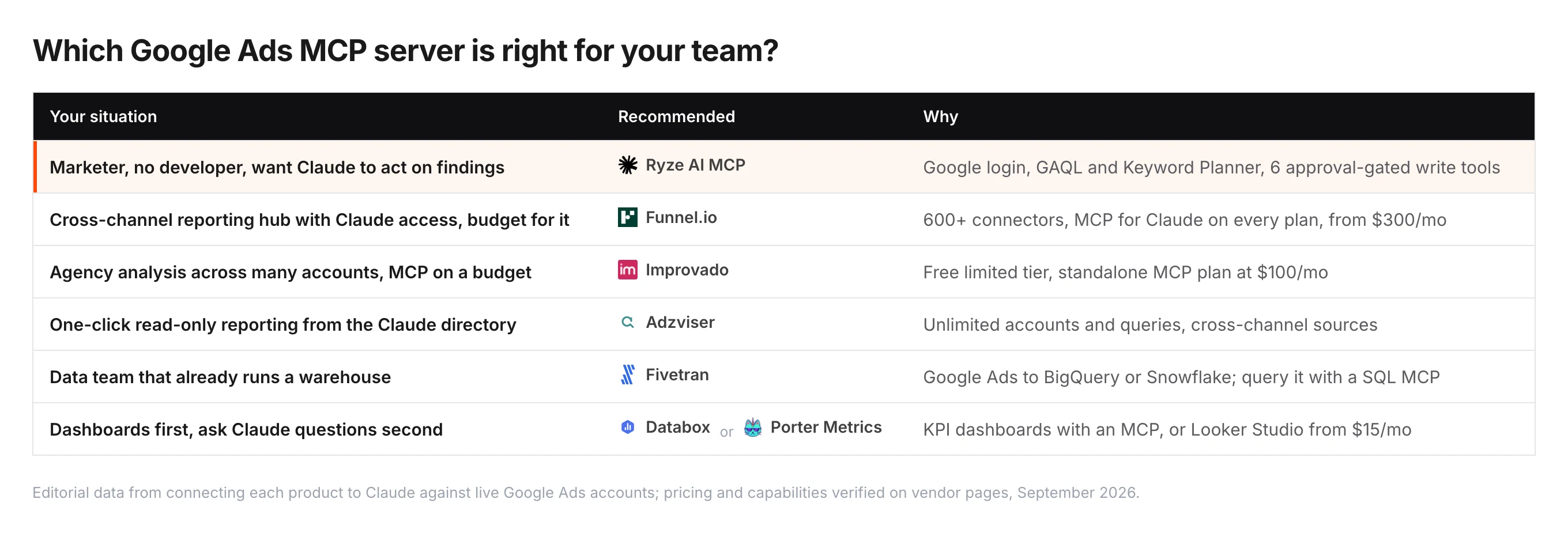
If you’re a solo marketer or in-house team and you want results, not infrastructure — pick Ryze AI. Setup is 2 minutes, you get safe write access, and the autonomous agent layer means Claude can actually act on what it finds. Free trial, no credit card.

If you’re a developer building a custom AI workflow — start with Pivix’s gads-mcp. It’s the most credible self-hosted base and you’ll have full control over the source. Plan for 25-45 minutes of setup plus the developer token wait.

If you’re an agency managing 10+ accounts — the only practical options are Ryze AI (MCC out of the box, per-client isolation) or a custom-extended fork of Google’s official server. Loomstack and Pulselane don’t handle multi-account well; Tasknest’s per-task pricing breaks at agency scale. See our companion post Best MCP for Google Ads — Top 5 Picks for Agencies for the agency-specific ranking.

If you already live in Tasknest or Pulselane — use their MCP. The integration with your existing zaps/workflows is more valuable than the marginal feature gap vs a dedicated Google Ads MCP. Just budget for per-task or per-execution costs.

Quickstart: connect Ryze AI MCP to Google Ads in 2 minutes

Three steps from zero to live Google Ads queries inside Claude. No Python, no GCP project, no developer token wait.

Step 01

Sign up and connect Google Ads

Go to get-ryze.ai, start the free trial (no credit card), and click “Connect Google Ads” in the dashboard. The OAuth flow takes 2 clicks and supports MCC accounts — you can add multiple Google Ads accounts at once.

Step 02

Copy your MCP URL into Claude Desktop

In your Ryze dashboard, copy the unique MCP URL. Paste it into your Claude Desktop config under mcpServers. Restart Claude Desktop — you’ll see the green MCP indicator within seconds.

claude_desktop_config.json{ "mcpServers": { "ryze-google-ads": { "url": "https://mcp.get-ryze.ai/google-ads/<your-id>" } } }

Step 03

Run your first audit prompt

Ask Claude to audit your account. The Ryze MCP exposes audit, optimization, and reporting tools, so Claude can pull live data, identify wasted spend, and (if you enable write access) draft change recommendations or apply them within your safety limits.

First promptAudit my Google Ads account for the last 30 days. Show wasted spend, the top 10 keywords by CPA, and the 3 changes that would save me the most money.
Sarah K.

Sarah K.

Paid Media Manager

E-commerce Agency

★★★★★

We tried Pivix’s official MCP first and got stuck waiting on the developer token. Ryze had us querying live campaigns in Claude before lunch. Six weeks later, we cut wasted spend by 31% across 14 accounts.”

31%

Wasted spend cut

14

Accounts managed

2 min

Time to first query

Frequently asked questions

Q: What is the best MCP for Google Ads in 2026?

Ryze AI is the top-ranked MCP for Google Ads in 2026 because it bundles hosted infrastructure, OAuth setup, and write access in under 2 minutes. For developers who want full control, Pivix’s gads-mcp repository is the strongest open-source option.

Q: Are MCP servers for Google Ads free?

Most open-source MCPs (Pivix, marlowe, kettlebox) are free under permissive licenses but require Claude Pro ($20/month) and a Google Ads Developer Token. Hosted options like Ryze AI, Loomstack, and Pulselane charge subscription fees but eliminate setup work.

Q: Which MCP is fastest to set up for Google Ads?

Ryze AI takes under 2 minutes — OAuth, then start querying. Open-source MCPs require a GCP project, OAuth credentials, developer token approval (1-2 days), Python, and Claude Desktop config — averaging 25-45 minutes when everything goes right.

Q: Do these MCPs support write access to Google Ads?

Most open-source MCPs are read-only, so Claude can analyze data but cannot pause campaigns or change bids. Ryze AI, Pulselane, and Tasknest MCP support write access. For autonomous optimization with safeguards, hosted MCPs are the only practical option today.

Q: Can one MCP cover Google Ads and Meta Ads?

Yes — Ryze AI, Loomstack, Pulselane, and Tasknest MCP all support multiple ad platforms in a single connector. Open-source MCPs are typically platform-specific, so you would run a Google Ads MCP and a Meta Ads MCP as two separate servers.

Q: Is Pivix’s MCP server production-ready?

Pivix labels its gads-mcp release “experimental” with no SLAs. It works for analysis and reporting in non-critical workflows. For production use, expect to fork the repo, add monitoring, and handle OAuth token-refresh edge cases yourself.

Ryze AI — Autonomous Marketing

Connect Claude to Google Ads in under 2 minutes

  • Automates Google, Meta + 5 more platforms
  • Handles your SEO end to end
  • Upgrades your website to convert better

2,000+

Marketers

$500M+

Ad spend

23

Countries

Live results across
2,000+ clients

Paid Ads

Avg. client
ROAS
0x
Revenue
driven
$0M

SEO

Organic
visits driven
0M
Keywords
on page 1
48k+

Websites

Conversion
rate lift
+0%
Time
on site
+0%
Last updated: Apr 30, 2026
All systems ok

Let AI
Run Your Ads

Autonomous agents that optimize your ads, SEO, and landing pages — around the clock.

Claude AIConnect Claude with
Google & Meta Ads in 1 click
>