7 Claude configurations the top 1% of Shopify operators use.
Most people install Claude, run a few prompts, and stop there. The top 1% set up 7 things most marketers never touch — a brand rulebook, a skills library, a CRO agent, channel sub-agents, slash shortcuts, scheduled automations, and account-specific rules. Copy or download each config below. Setup time: ~20 minutes.
Built by our community of 2,000 marketers
Free Shopify skills and configs for Claude
Templates for automations, CRO agents, and slash shortcuts.
Clients we work withClients we
work with







Most marketers install Claude, run a handful of prompts, and call it done.
The Shopify operators getting outsized results from Claude all share the same pattern: they spend a one-time afternoon turning Claude from a chatbot into a configured operating system — rules, skills, agents, shortcuts, schedules, account isolation.
The seven configurations below are the ones we see show up over and over inside high-performing Shopify accounts. None are hard. None require code. All ride on top of an MCP connector so Claude can read live store data. Total install time: ~20 minutes for all seven.
Step 1: Connect Claude to Shopify
None of these configurations matter without live data. The fastest path is the Ryze AI MCP connector — one URL, OAuth, and Claude gets real-time access to Shopify, GA4, Search Console, Meta Ads, and Google Ads — the store-side permissions are covered in the Shopify integration guide.
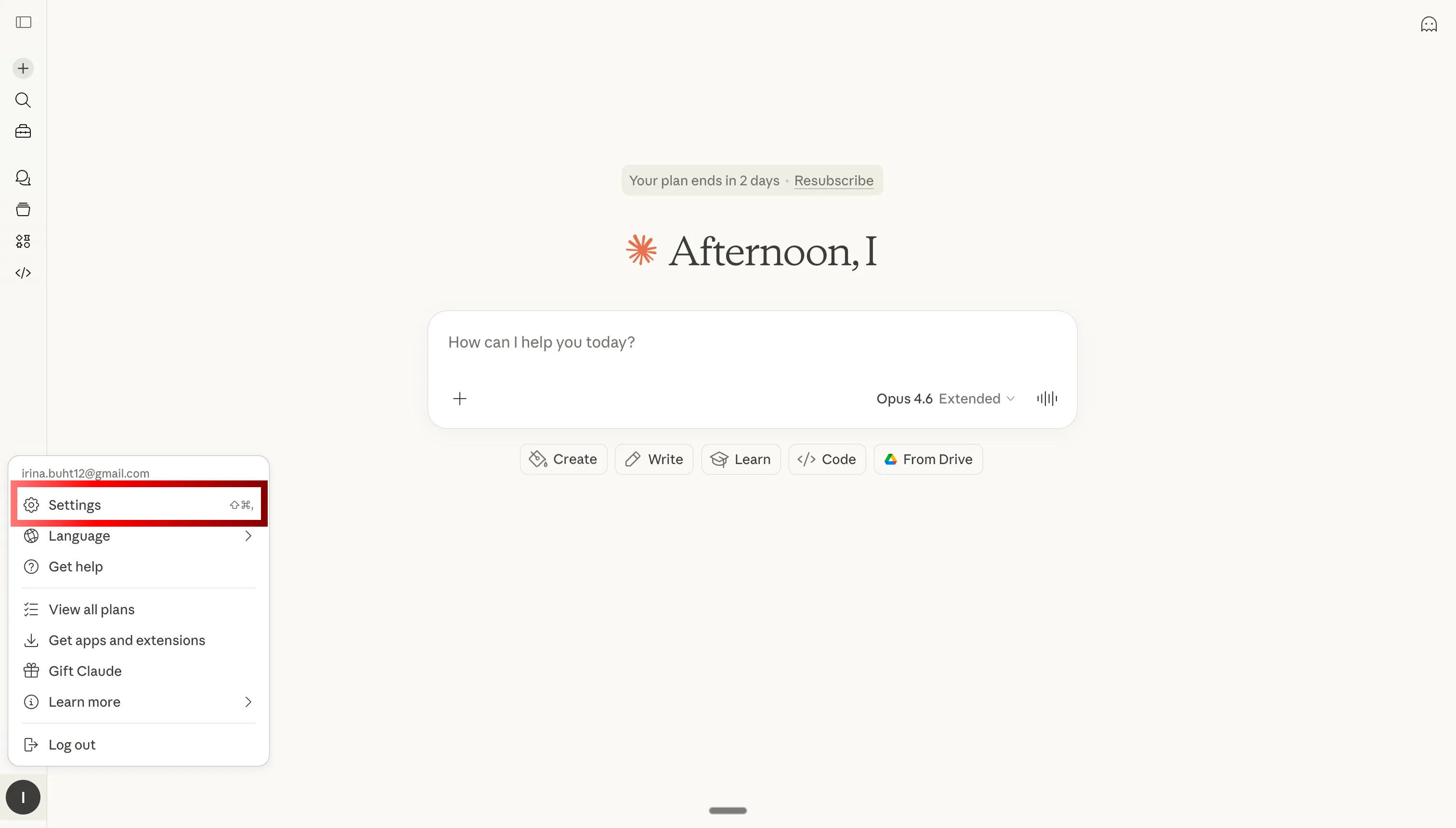
Step 1: Open Claude settings
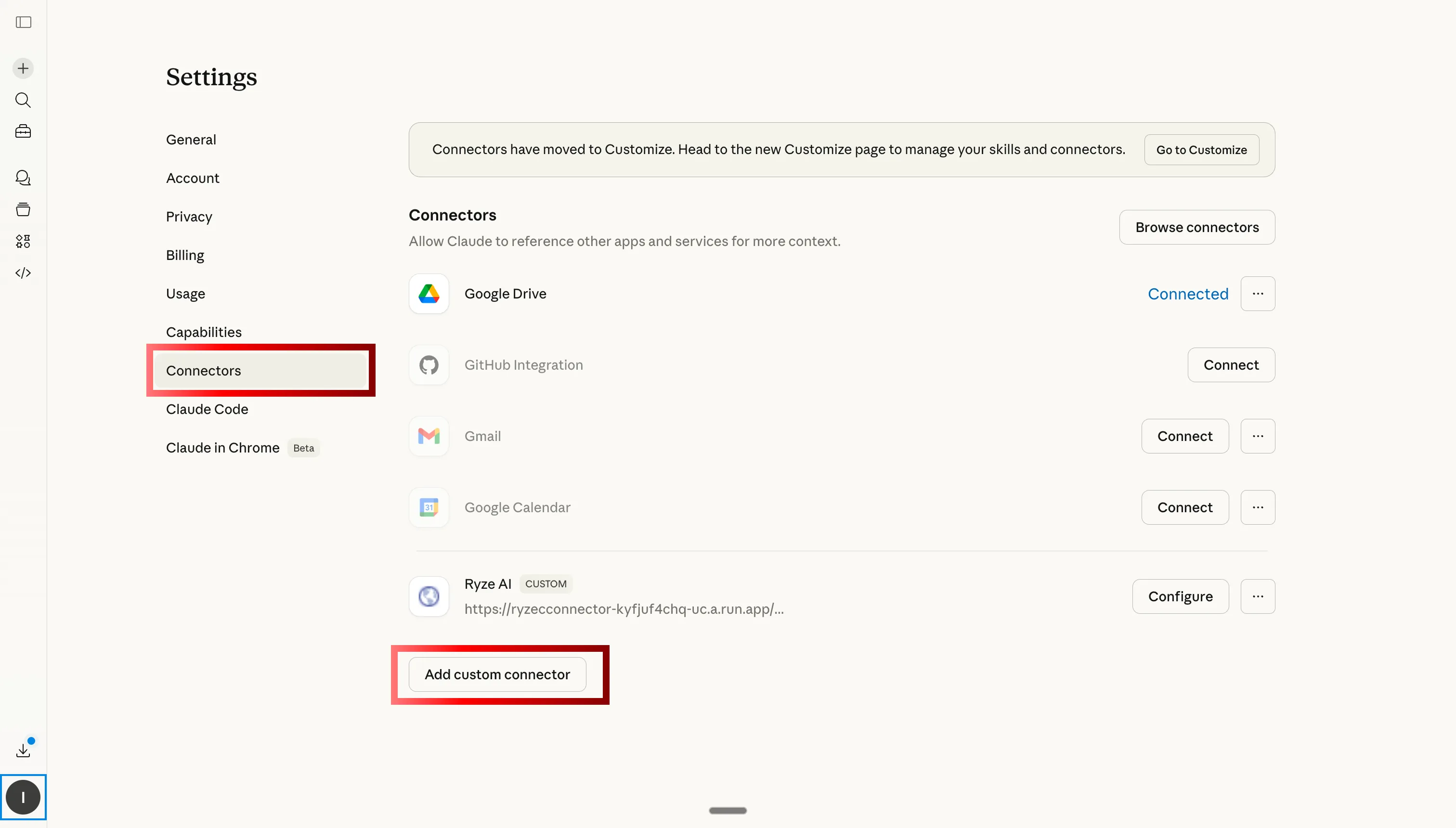
Step 2: Go to Custom Connectors and click Add
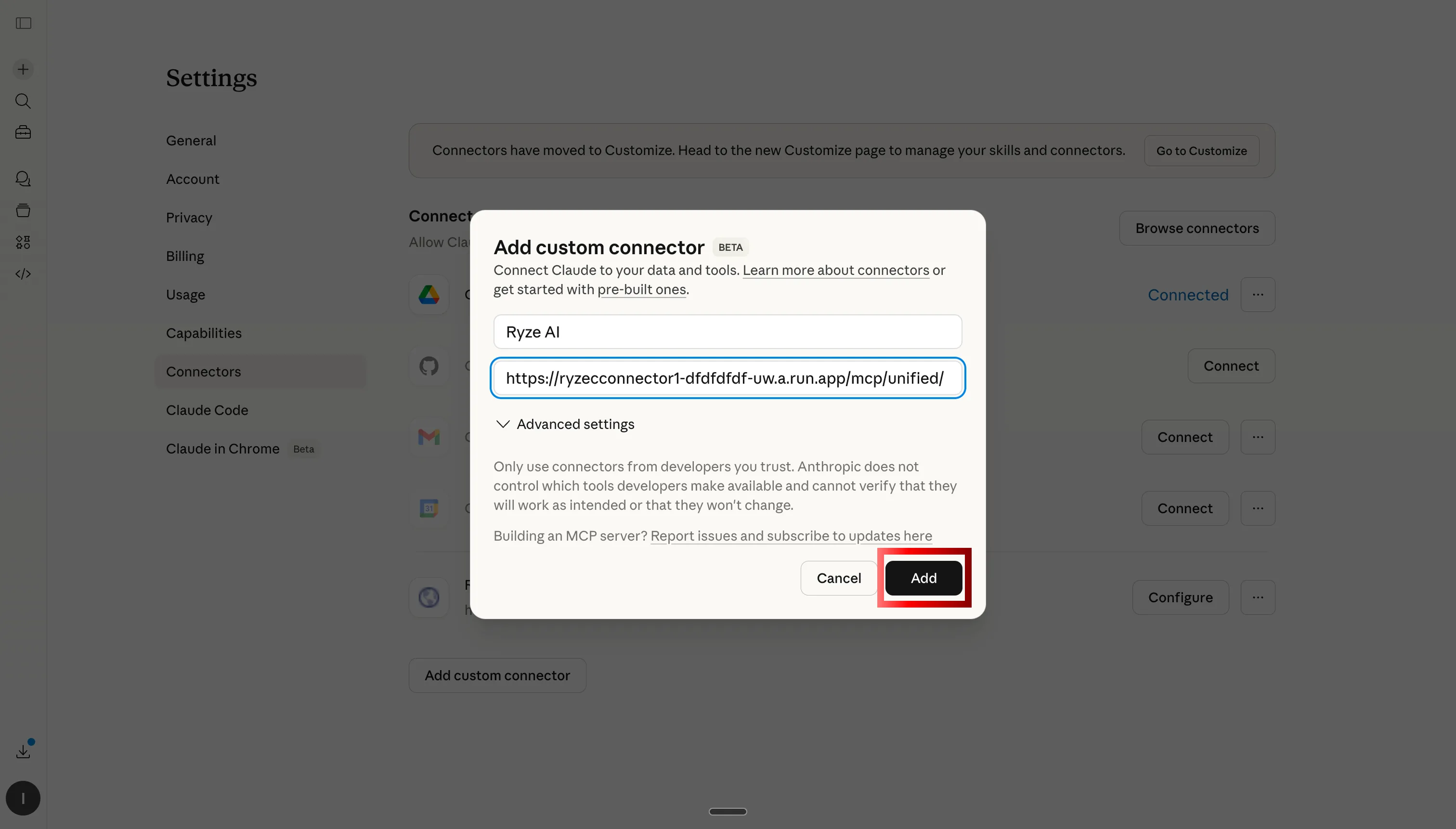
Step 3: Paste the Ryze AI MCP server URL
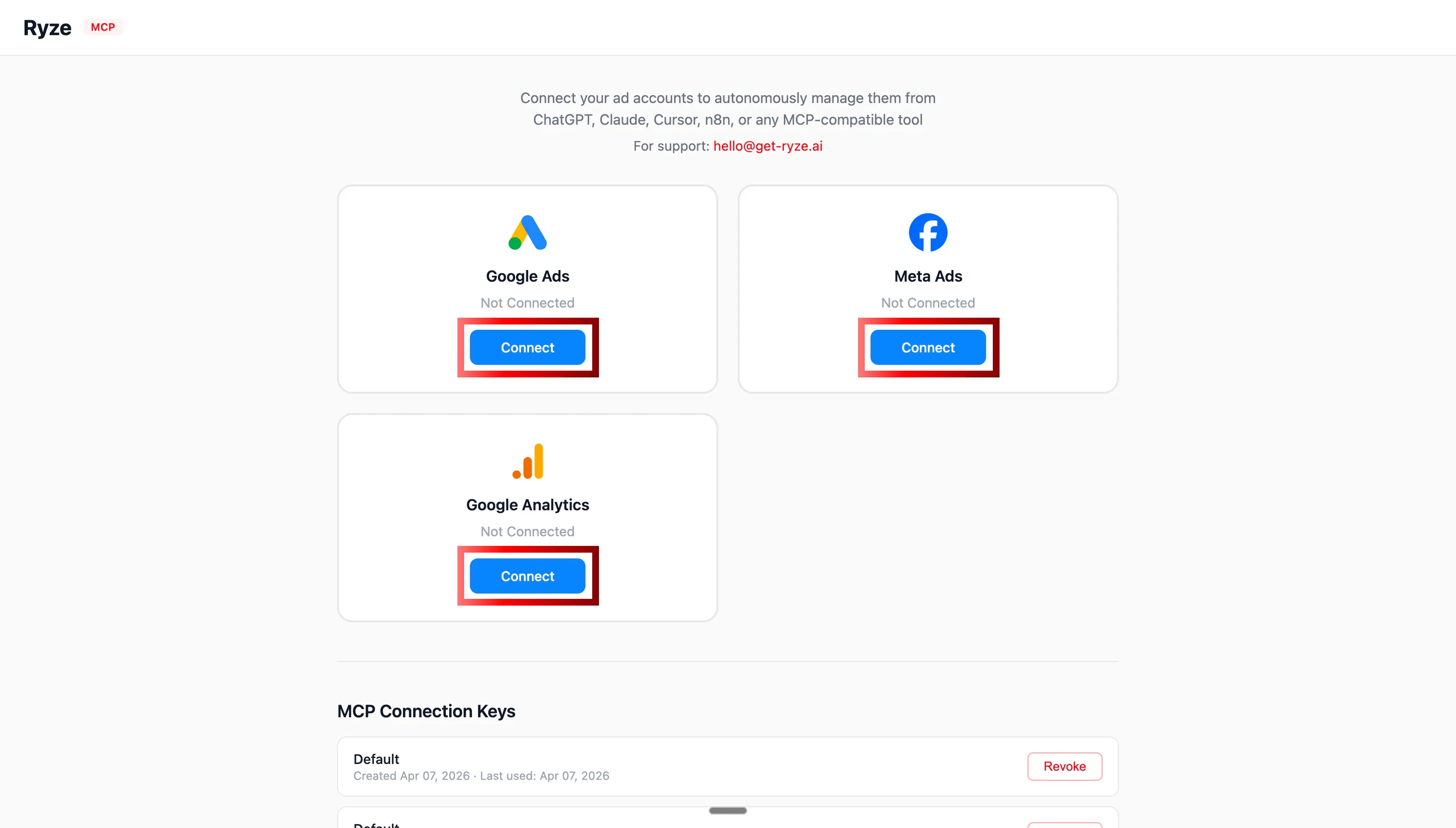
Step 4: Authorize Shopify, GA4, and your ad accounts via OAuth
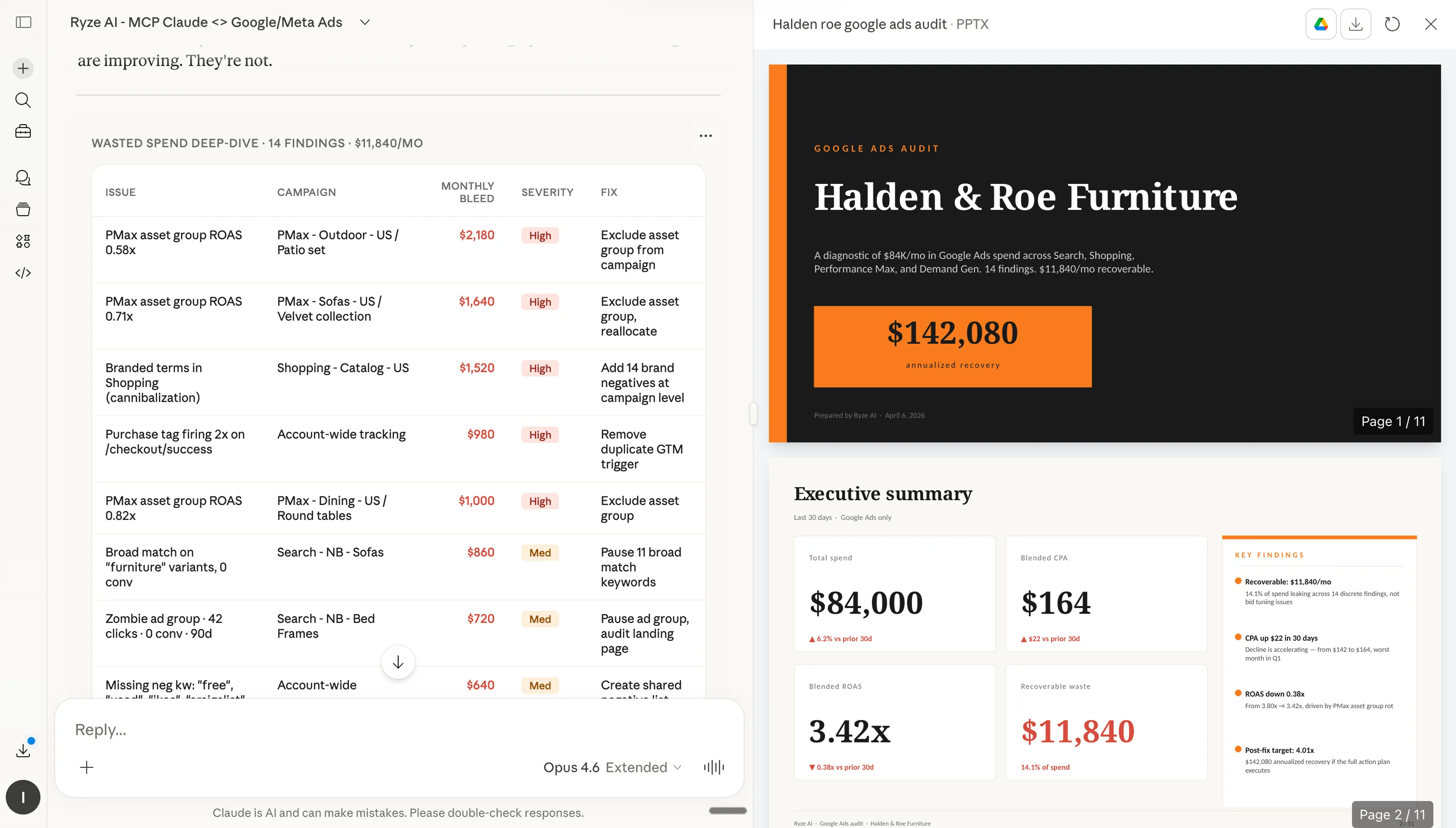
Step 5: Claude can now query your Shopify store in real time
Step 2: How to install configurations in Claude
Each configuration below has a Copy button (paste into Claude’s project instructions or Skills) and a Download .md button (upload as a file). Brand rulebooks and account rules go in Project → Instructions. Skills, sub-agents, and shortcuts go in Customize → Skills. Either way, install once — Claude follows the instructions on every reply.
Step 1
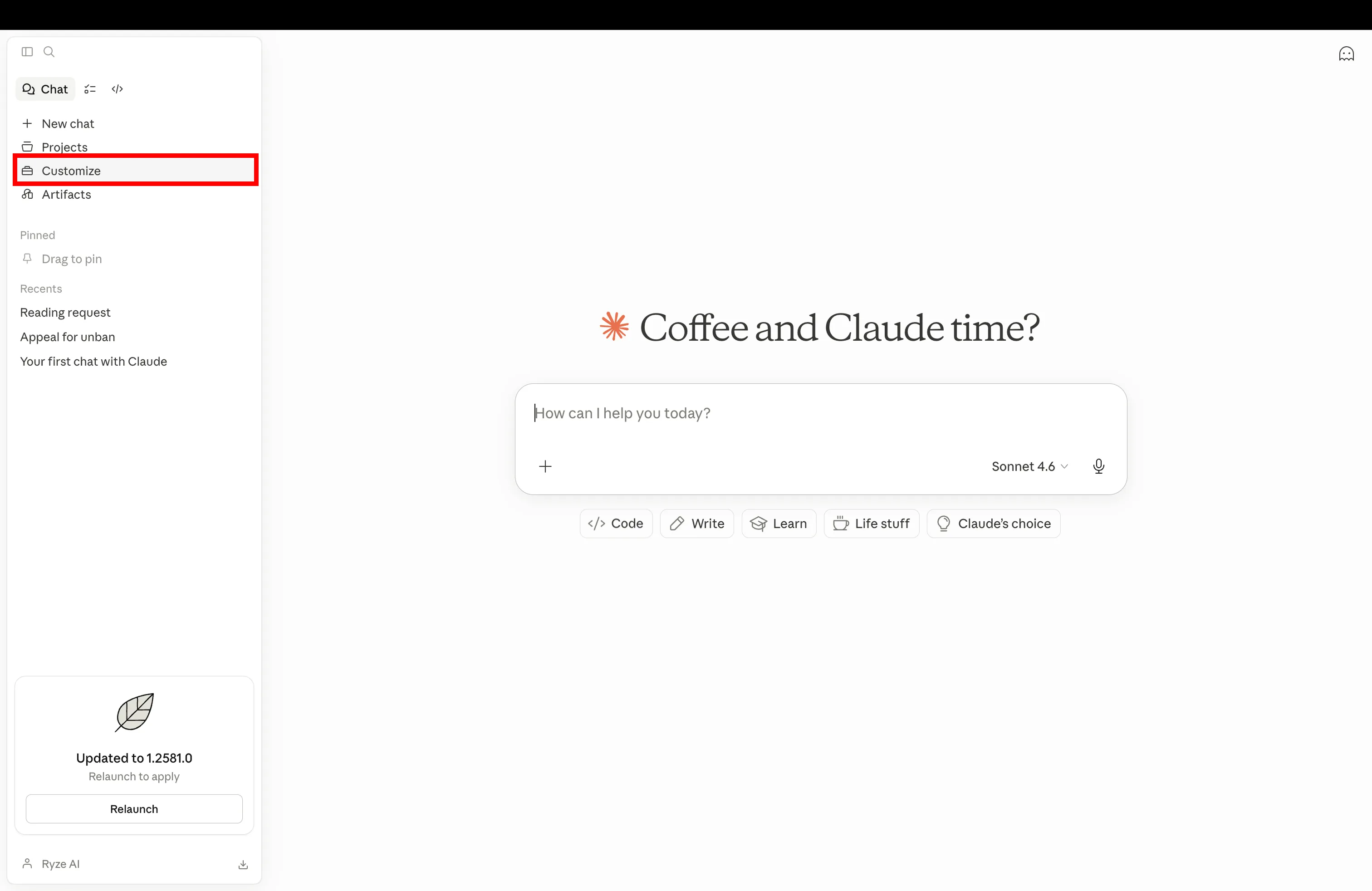
Open Claude and navigate to Customize in settings
Step 2
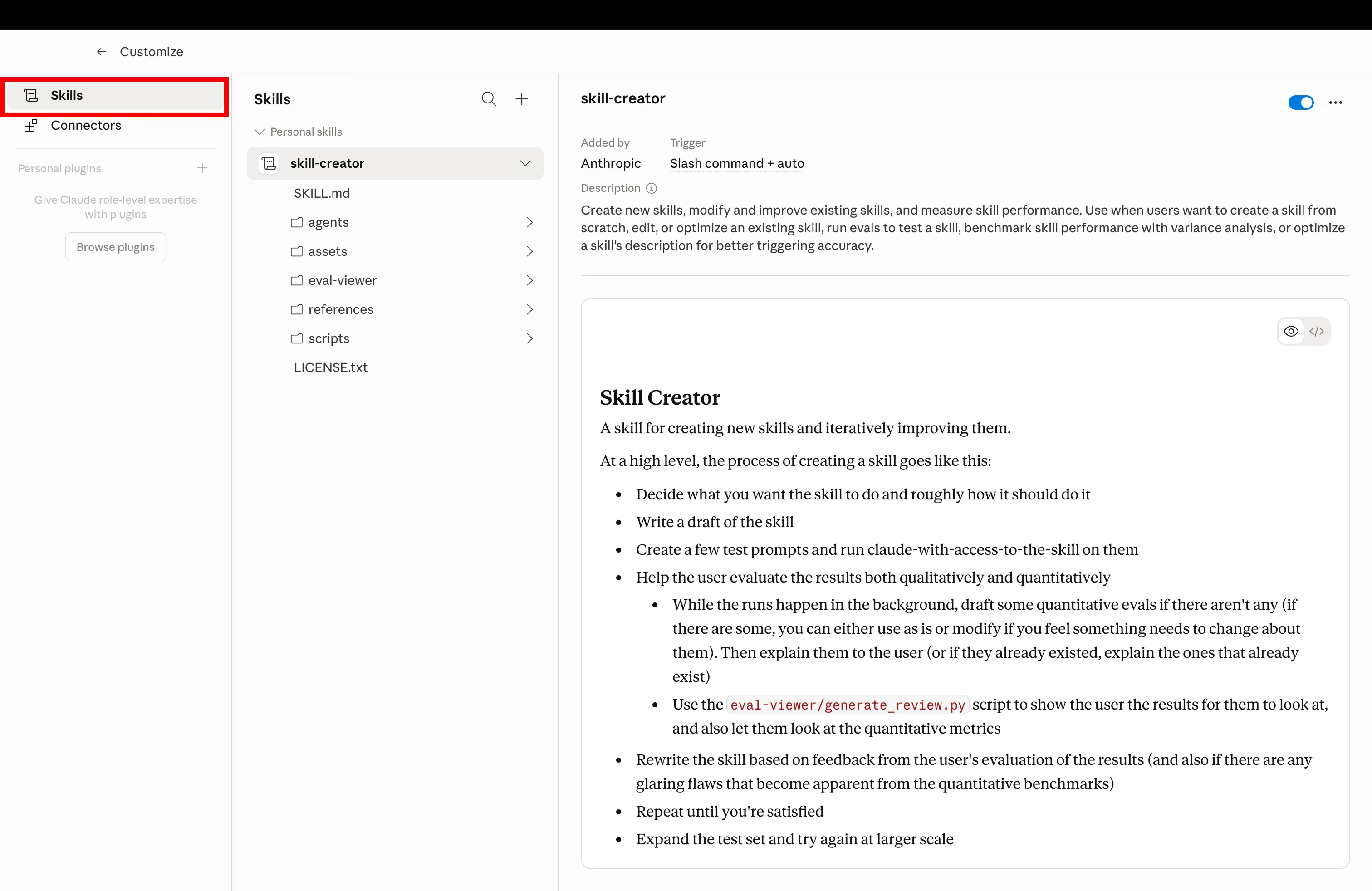
Click the Skills tab to manage installed configurations
Step 3
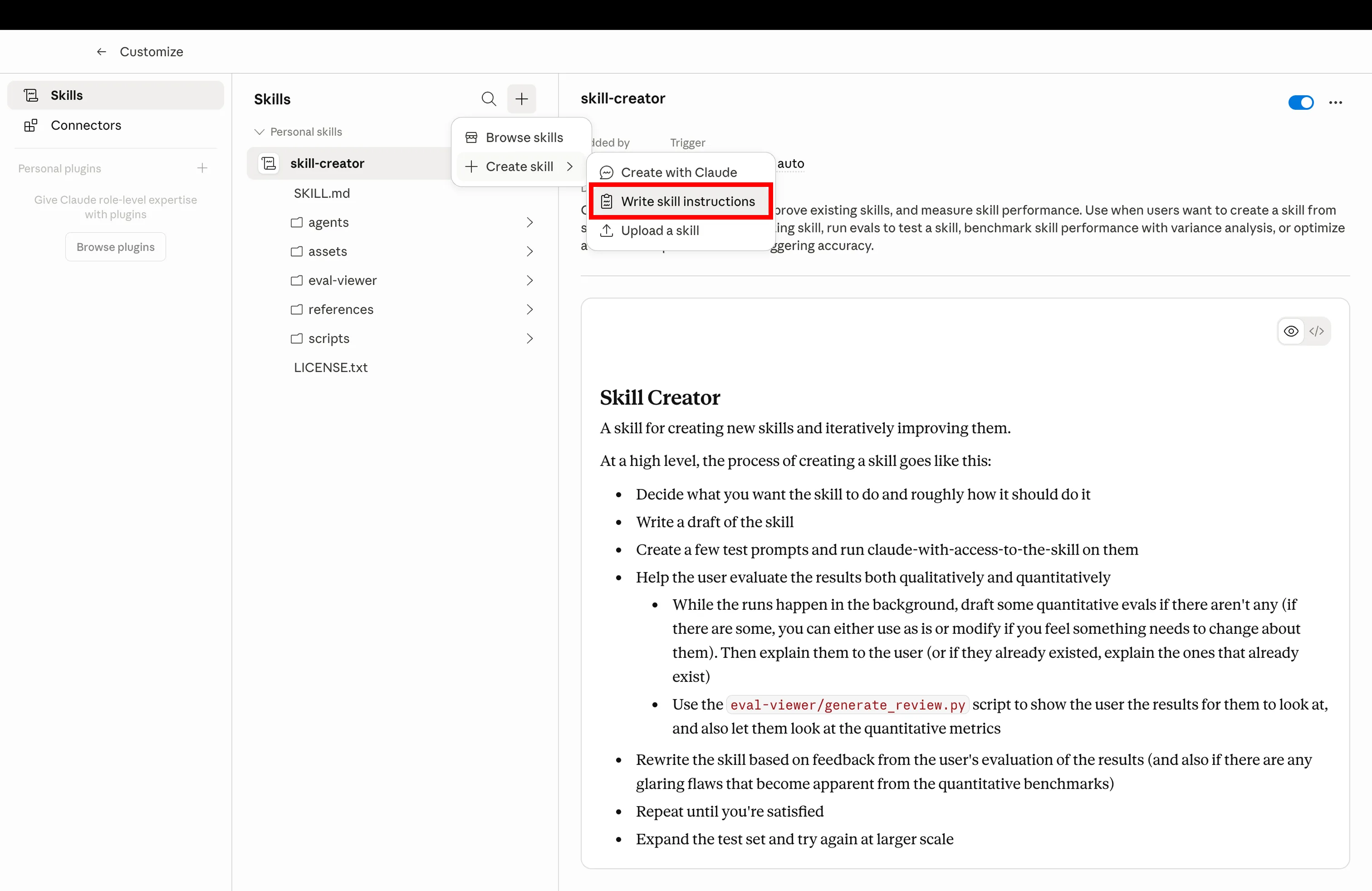
Click Create and upload the .md file you downloaded below
Step 4
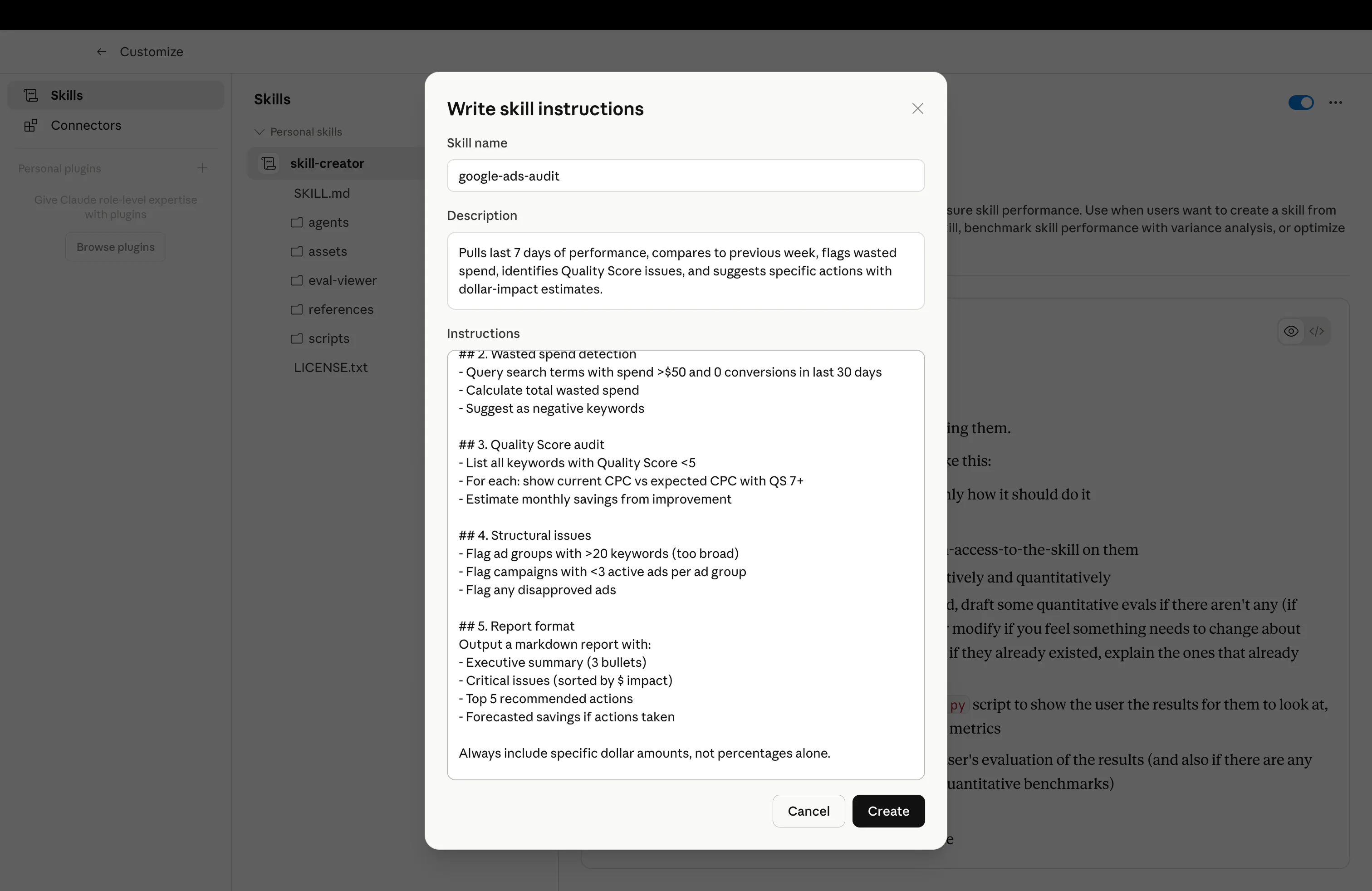
Configuration installed — trigger it with the example prompt







Free SEO/GEO audit
- Surface technical SEO issues
- Spot quick wins
- Find duplicate and thin pages
Free · no credit card · instant
The configs
The 7 Claude Configurations
Install them in order. Each one builds on the last: the brand rulebook gives Claude voice + targets, the skills library gives it workflows, the CRO agent and sub-agents give it specialists, the shortcuts and schedules give it muscle memory, and account rules keep clients isolated. All seven assume Shopify is connected via MCP.
Brand Rulebook
shopify-brand-rulebook.md
Target CPA, ROAS goals, brand voice, naming rules — written once, read on every reply. Claude stops asking, you stop repeating.
What it does
A pinned markdown file in your Claude project that locks in business rules, voice, margin floors, and product naming. Every Claude response in the project is constrained by it — no more pasting context, no more drift between conversations.
“Use the brand rulebook for everything in this project — confirm you've loaded it.”Skills Library
shopify-skills-library.md
Pre-built workflows. CRO audits, fatigue scans, Ads Library spying, product copy rewrites. Drop them in, Claude picks the right one.
What it does
A shared folder of SKILL.md files Claude can pull from on demand. You don't have to remember which skill to fire — Claude reads the prompt and routes to the matching skill. Reusable across every project.
“Run a fatigue scan on my Meta ads, then route to the right skill.”CRO Agent
shopify-cro-agent.md
A specialized Claude that only audits your funnel. PDP to checkout drop-offs, with specific fixes. Runs weekly.
What it does
A focused sub-agent whose entire job is funnel CRO. It pulls Shopify + GA4 data, scores every step against benchmarks, isolates the biggest drop-off, and ships a ranked fix list with estimated revenue impact.
“Run the weekly CRO audit on my Shopify store. Last 28 days, mobile vs desktop split.”Specialized Channel Sub-Agents
shopify-channel-sub-agents.md
Mini Claudes for each channel. A Meta agent, a Shopify agent, a GA4 agent. They run in the background, report back, keep your main chat clean.
What it does
A delegation pattern: your main Claude project routes channel-specific work to dedicated sub-agents. Each sub-agent has its own system prompt, its own MCP scope, and its own context — so the main chat doesn't get cluttered and each agent stays sharp.
“Delegate a Meta fatigue scan and a Shopify margin audit to the right sub-agents. Summarize back.”Slash Shortcuts
shopify-slash-shortcuts.md
Build /audit, /scale, /report. One word triggers the whole workflow.
What it does
Custom slash commands wired to your project. You type /audit and Claude fires the CRO Agent. /scale runs a Meta scale-check + budget reallocation. /report builds the Monday digest. Muscle memory, not typing.
“List my installed slash commands and what each one fires.”Scheduled Automations
shopify-scheduled-automations.md
Claude on a timer. Monday 7am audit. Friday budget check. Runs whether you remember or not.
What it does
Claude scheduled tasks (or MCP-triggered cron jobs) that fire workflows on a calendar. The 1% don't run reports manually — Monday morning the audit is in their inbox, Friday afternoon the budget reallocation is staged for approval.
“Set up the Monday 7am CRO + exec digest automation. Show me what'll run.”Account-Specific Rules
shopify-account-rules.md
Different rules for different clients or stores. Client A setup doesn't bleed into client B.
What it does
Isolation pattern for agencies and multi-store operators: one Claude project per client/store, each with its own rulebook, MCP scope, and skill subset. Voice, margin floors, and ROAS targets stay locked to the right account.
“Scaffold a new Claude project for Client X with their brand rulebook + MCP scope.”Why this matters
Want all 7 configurations pre-installed, pre-scheduled, and pre-isolated across stores? Ryze AI for Shopify ships every one of these as the default setup — CRO agent, channel sub-agents, scheduled audits, multi-store isolation, all out of the box. Skills are DIY; Ryze is done-for-you.
All 7 configs pre-installed. Shopify on autopilot.
- ✓CRO agent + channel sub-agents ready to fire
- ✓Monday digest + Friday budget check automated
- ✓One project per client — rules never bleed
2,000+
Marketers
1,000+
Pages tuned
23
Countries
1,000+ marketers use Ryze





Automating hundreds of agencies





 ★★★★★4.9/5


