




















Google Ads Automation Tools in 2027: Scripts, Rules, Smart Bidding and AI Agents Compared

Quick answer: Ryze AI is the best Google Ads automation tool in 2027 for teams that want negatives, budgets and pauses handled by an agent that asks before each change, with one caveat: it is our product, and Google's own automation is free. Google native: Smart Bidding, AI Max for Search and Performance Max automate bids and matching; automated rules and auto-apply recommendations change settings on a schedule, and auto-apply should be audited. Claude or ChatGPT over MCP: Google's official MCP server is free but limited to reporting, assets and labels; Ryze AI's connector adds approval-gated changes to budgets, bids and keywords. Code: Google Ads Scripts handle custom jobs for free if you write JavaScript. Rule engines: OptyAds and Birch for agencies with their own logic. Click-to-apply: Opteo. Workflows: Zapier, Make or n8n move data between Google Ads and other apps.

Ryze AI makes one of the tools on this list, and it is ranked first with its limits written next to it. How we compared: for each of the 12 tools we read the vendor's live website, pricing page and docs on November 12, 2026 and recorded which jobs it automates (bids, budgets, negatives, pauses, ads, reports), whether a change waits for approval, and the lowest listed price. We did not run paid trials of competitor tools; the scores are editorial.

|
Ira Bodnar··Updated ·19 min read
Logos of Google Ads automation tools compared for 2027: Ryze AI, Google Ads, OptyAds, Google, Opteo, Zapier, Birch, AdTurbo, Claude, Adzooma, Adwisely, Meta, Make, BrightBid and Microsoft Ads

Used by 2,000+ marketers

Uber Eats logoadidas logoDuolingo logoMGM Resorts logoWharton logoLendingClub logoNorton logoEventbrite logoHuel logoTogether AI logoghd logoHack The Box logo

The 12 Google Ads automation tools at a glance

Sorted by editorial score. The "Layer" column says where each tool sits in the stack, which matters more than any single feature: 2 tools on the same layer will fight over the same budgets. Prices are from vendor sites on November 12, 2026.

  1. 1Ryze AI logoRyze AI9.3/10

    Layer: AI agent with approval

    Price: $89/mo flat, 7-day trial

  2. 2Smart Bidding, AI Max and PMax logoSmart Bidding, AI Max and PMax9.0/10

    Layer: Google native: bids and matching

    Price: Free

  3. 3Automated rules and auto-apply logoAutomated rules and auto-apply8.5/10

    Layer: Google native: scheduled changes

    Price: Free

  4. 4Google Ads Scripts logoGoogle Ads Scripts8.4/10

    Layer: Code

    Price: Free

  5. 5OptyAds logoOptyAds8.2/10

    Layer: Rule engine

    Price: From $209/mo

  6. 6Opteo logoOpteo8.0/10

    Layer: Click-to-apply recommendations

    Price: $129 to $499/mo

  7. 7Birch logoBirch7.8/10

    Layer: Rule engine

    Price: Rules on Pro, 99/mo

  8. 8AdTurbo logoAdTurbo7.5/10

    Layer: AI agent, auto-applies

    Price: $149/mo per account

  9. 9Adwisely logoAdwisely7.2/10

    Layer: Done-for-you e-commerce campaigns

    Price: 10% of spend, from $49/mo

  10. 10Adzooma logoAdzooma7.0/10

    Layer: Alerts and one-click fixes

    Price: Free, $69, $179/mo

  11. 11BrightBid logoBrightBid6.8/10

    Layer: AI optimization software plus agency

    Price: Not listed, 14-day trial

  12. 12Zapier, Make or n8n logoZapier, Make or n8n6.6/10

    Layer: Workflows between apps

    Price: Free tiers

Ryze AI leads because it covers the jobs Google leaves to you (negatives, budget moves, pauses, creative) and puts every change in front of you before it runs. Google's own layers come next because they are free and already running in most accounts. Scripts and OptyAds are the strongest picks if you already know the exact logic you want automated.

The 6 layers of Google Ads automation

Ryze AI is the best Google Ads automation tool in 2027 for advertisers who want routine account work done on a schedule but approved by a person, with one caveat: Google's free native automation covers bidding better than any outside tool, so Ryze AI works on top of it.

Google Ads automation is any software that changes an account without you clicking through the interface: a bid set at auction time, a rule that pauses a keyword at a CPA limit, a script that adds negatives, or an agent that moves budget. It helps to think in layers, from what Google does by itself to what you bolt on:

From Google's layer to yours

  1. Google native, bids and matching: Smart Bidding, AI Max for Search and Performance Max. Always on once you choose them.
  2. Google native, scheduled changes: automated rules for ad status, budgets and bids, and auto-applied recommendations.
  3. Code: Google Ads Scripts, JavaScript that runs inside the account on a schedule.
  4. Rule engines: OptyAds and Birch run your conditions across many accounts without code.
  5. Click-to-apply and AI agents: Opteo queues changes for one click; Ryze AI files proposals you approve; AdTurbo applies its own changes daily.
  6. Workflows: Zapier, Make and n8n move leads, conversions and reports between Google Ads and other apps.

Pick at most one tool per layer for the same job. Two rule sets that both edit budgets, or a script and an agent that both add negatives, produce changes nobody can explain a month later.

What Google automates for free, and the auto-apply settings to check

Before buying anything, find out what is already automated in your account. Three places decide most of it:

Bid strategy on each campaign

Target CPA, Target ROAS, Maximize conversions and Maximize conversion value are Smart Bidding: Google sets every bid. Since June 2026 the first two are labeled simply Target CPA and Target ROAS. Rules or scripts that also change bids on these campaigns work against Google's bidding.

Recommendations, auto-apply

When someone turns on "Automatically apply recommendations", Google applies the selected types on a regular basis: bid strategy changes, target adjustments, broad match keywords, keyword removals, audience additions and more. The queue on the Recommendations page shows what runs on a given day, and History shows what already ran. From January 26, 2026, the "Add responsive search ads" type no longer applies new ads automatically.

Tools, Rules

Automated rules change ad status, budgets and bids on a schedule you set, for example raising budgets on weekdays or pausing ads at a cost limit. Rules can also be created in a manager account to act on client accounts.

Auto-apply can only be turned on at account level. If an account has more broad match keywords than anyone remembers adding, check the auto-apply History tab first.

AI Max for Search adds a further layer inside Search campaigns: search term matching beyond your keywords, text customization and final URL expansion. URL exclusions and brand settings are the controls to set before turning it on.

What the 12 tools cost (checked November 12, 2026)

  1. Ryze AI

    Lowest listed price
    $89/mo (Paid Ads)
    How the price grows
    Flat at any ad spend; Agency $279/mo
    Trial
    7 days
  2. Smart Bidding, AI Max and PMax

    Lowest listed price
    $0
    How the price grows
    Included
    Trial
    None needed
  3. Automated rules and auto-apply

    Lowest listed price
    $0
    How the price grows
    Included
    Trial
    None needed
  4. Google Ads Scripts

    Lowest listed price
    $0
    How the price grows
    Your time to write and maintain code
    Trial
    None needed
  5. OptyAds

    Lowest listed price
    $209/mo
    How the price grows
    With ad spend
    Trial
    14 days
  6. Opteo

    Lowest listed price
    $129/mo
    How the price grows
    $249 and $499 tiers by ad spend
    Trial
    Free trial
  7. Birch

    Lowest listed price
    49/mo Essential
    How the price grows
    Rules need Pro, 99/mo up to 10K spend; currency by billing country
    Trial
    14 days
  8. AdTurbo

    Lowest listed price
    $149/mo
    How the price grows
    Per Google Ads account; agency pricing custom
    Trial
    Free trial
  9. Adwisely

    Lowest listed price
    $49/mo minimum
    How the price grows
    10% of ad spend, capped at $3,250/mo
    Trial
    7 days
  10. Adzooma

    Lowest listed price
    $0
    How the price grows
    $69 and $179 plans
    Trial
    Free plan
  11. BrightBid

    Lowest listed price
    Not listed
    How the price grows
    Software or agency service
    Trial
    14 days
  12. Zapier, Make or n8n

    Lowest listed price
    $0 tiers
    How the price grows
    Zapier by tasks (100 free); n8n cloud from 20 EUR/mo or self-hosted free
    Trial
    Free tiers

The pricing model matters as much as the number. Percentage-of-spend tools (Adwisely) and spend-tiered tools (OptyAds, Opteo) cost more as the account grows; Ryze AI and AdTurbo stay flat per account or plan.

Side by side: which jobs each tool automates

A check means the vendor documents the job on its own site, a dash means partly or with limits, and a cross means not offered or not documented on the pages we read on November 12, 2026.

ToolBidsBudgetsNegativesPause or enableAds or assetsReports or alertsApproval stepJobs
Ryze AI logoRyze AI7/7
Smart Bidding, AI Max and PMax logoSmart Bidding, AI Max and PMax2.5/7
Automated rules and auto-apply logoAutomated rules and auto-apply5/7
Google Ads Scripts logoGoogle Ads Scripts6/7
OptyAds logoOptyAds6/7
Opteo logoOpteo5/7
Birch logoBirch4/7
AdTurbo logoAdTurbo3.5/7
Adwisely logoAdwisely4/7
Adzooma logoAdzooma3.5/7
BrightBid logoBrightBid4/7
Zapier, Make or n8n logoZapier, Make or n8n1/7

"Approval step" is the column to read twice. Rules and auto-apply act without asking each time; Ryze AI, OptyAds and Opteo put the change in front of you first; Scripts and auto-apply give you a preview or queue that you have to remember to check.

The 12 best Google Ads automation tools in 2027

Each card says what triggers the automation, what it changes and where to set the limits. Scores follow the weights in how we compared.

1

Ryze AI

Agent that researches the account on a schedule and applies approved fixes

9.3/10

★★★★★

Editorial score

Ryze AI runs research on your Google Ads account in the background and files each finding as a proposal: the problem in your own numbers, the exact campaigns touched, a before and after table and the evidence. Approve, or Approve with a note such as "keep the daily budget at €20", and the agent applies the change and confirms it landed; Reject and nothing is touched. Scheduled tasks you set up (a weekly negatives sweep, a budget check) file their changes the same way, and notifications go to Slack or email. Its approvals guide notes that research runs are free and credits are only used when an approved fix is applied.
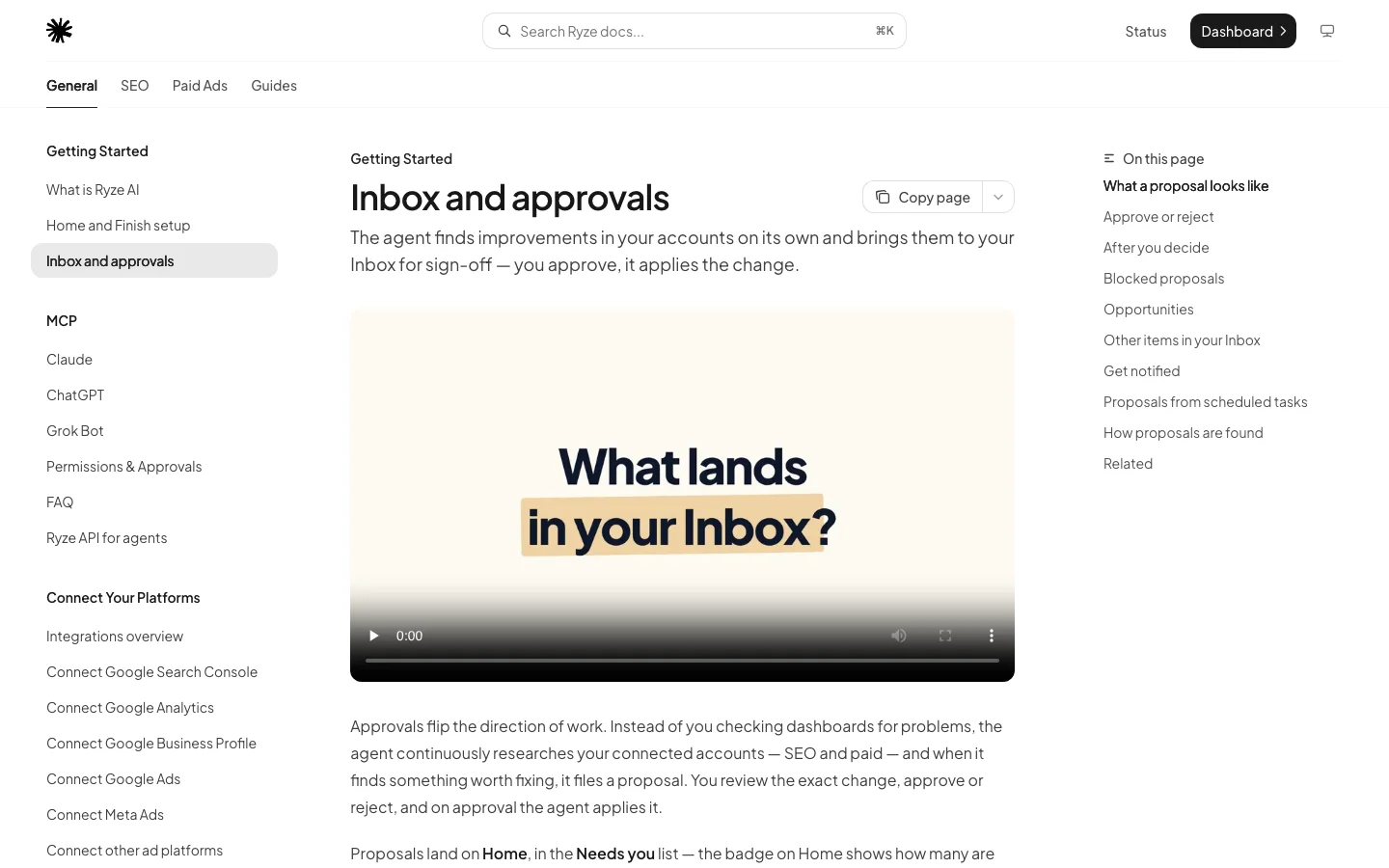
Ryze AI help center page Inbox and approvals on November 12, 2026, explaining that the agent files proposals you approve before it applies them
Ryze AI's approvals guide, captured November 12, 2026.

Pricing

$89/mo flat, 7-day free trial; Agency $279/mo

Trigger

Background research and your scheduled tasks

Approval

Every change, with optional notes

Pros:

  • ✓Covers bids, budgets, negatives, pauses and creative
  • ✓Approve with a note to adjust a change before it runs
  • ✓Same account available in Claude or ChatGPT through the [Google Ads MCP](/google-ads-mcp)

Cons:

  • −Paid after the trial, while Google's native automation is free
  • −Applying approved fixes uses plan credits
  • −Changes wait for you, so a slow reviewer means slow fixes
2

Smart Bidding, AI Max and PMax

Google's native automation for bids, matching and placement

9.0/10

★★★★★

Editorial score

Smart Bidding sets a bid for every auction toward a CPA or ROAS target. AI Max for Search expands matching beyond your keywords and tailors headlines and landing pages to the query. Performance Max automates placement across Google's inventory from one budget. You set the goal, budget and assets; Google automates the rest, continuously and at no cost.

Pricing

Free

Trigger

Every auction

Approval

None per change; you set targets

Pros:

  • ✓Uses auction signals no outside tool sees
  • ✓No setup beyond the campaign settings
  • ✓AI Max adds search term matching and text customization

Cons:

  • −Only as good as the conversions you track
  • −No negatives, budget moves or pauses
  • −Less visibility into why a query matched
3

Automated rules and auto-apply

Google's scheduled changes: rules you write, recommendations Google applies

8.5/10

★★★★★

Editorial score

Automated rules change ad status, budgets and bids when conditions you define are met, on a schedule you choose, and manager accounts can run rules on client accounts. Auto-apply recommendations go further: once switched on at account level, Google applies the recommendation types you selected, from bid strategy and target changes to broad match keywords and audience additions, with a daily queue and a History tab to review.

Pricing

Free

Trigger

Your schedule, or Google's daily queue

Approval

None per change; review the queue

Pros:

  • ✓Free and built in
  • ✓Rules can run from a manager account
  • ✓Auto-apply queue shows what will run that day

Cons:

  • −Auto-apply can add broad match and change bid strategies
  • −Rules cannot read context beyond simple conditions
  • −Easy to forget what is switched on
5

OptyAds

Rule Engine and agency workflows for many accounts

8.2/10

★★★★★

Editorial score

OptyAds's Rule Engine is its automation core: conditions and actions you define, run across accounts, covering bids, budgets, keywords and account hygiene. Around it sit a Negative Keyword Finder, budget monitoring with Slack alerts and PPC Investigator. The homepage says no change is made without your approval. Google, Microsoft and Amazon Ads are the deepest integrations.

Pricing

From $209/mo by ad spend (checked November 12, 2026)

Trigger

Rules you schedule

Approval

Required, per the vendor

Pros:

  • ✓Mature rule builder for agencies
  • ✓Budget alerts in Slack
  • ✓Google, Microsoft and Amazon in one place

Cons:

  • −Costs more as ad spend grows
  • −You design and maintain the rules
  • −No AI agent that plans changes on its own
6

Opteo

Improvements queue: review the change, push it with one click

8.0/10

★★★★★

Editorial score

Opteo automates the finding and the preparing: it scans accounts and builds a queue of Improvements, such as negative n-grams, new keywords and placement exclusions, each ready to push with one click. Issues tracks problems across accounts, some resolved automatically, and its Agent drafts fixes you approve. Plans are priced by the ad spend they cover.

Pricing

$129, $249 or $499/mo (checked November 12, 2026)

Trigger

Continuous scans, Slack alerts

Approval

One click per change

Pros:

  • ✓Clear review-then-push workflow
  • ✓Placement exclusions can run automatically
  • ✓Connects Google, Microsoft, Meta, LinkedIn and TikTok for context

Cons:

  • −Basic plan covers up to $25,000 ad spend a month
  • −You still click each improvement
  • −Fewer scheduled custom rules than a rule engine
7

Birch

Rule builder for Google, Meta, TikTok and Snapchat (formerly RevealAds)

7.8/10

★★★★★

Editorial score

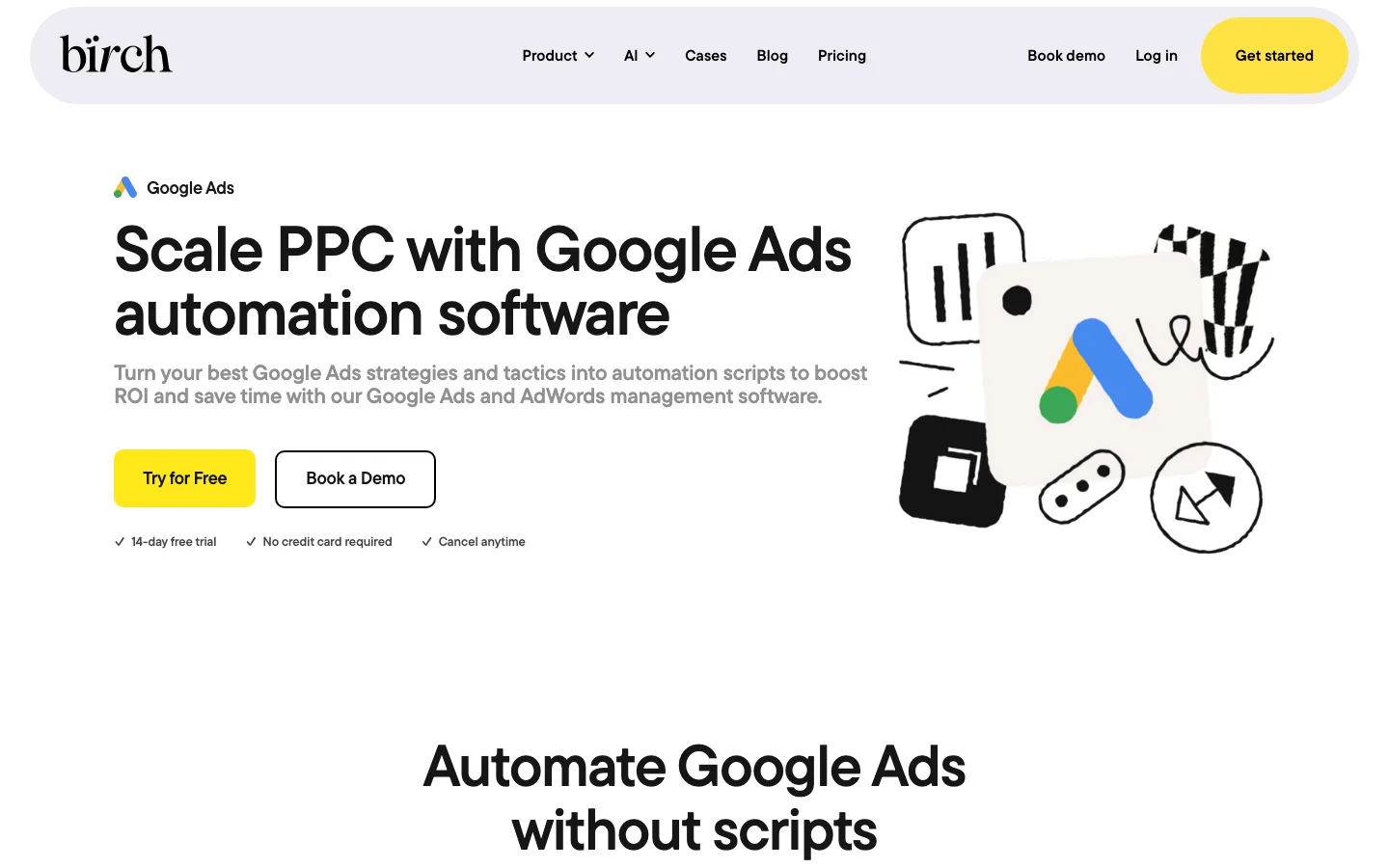
Birch replaces Google Ads Scripts with a visual rule builder: conditions on campaigns, ad groups, ads and keywords across Search, Display, Shopping and multi-channel campaigns, checked as often as every 15 minutes, with reports to Slack and email. Automated rules are part of the Pro plan; the Birch MCP lets Claude or ChatGPT read rule setups and execution logs.

Birch Google Ads automation page on November 12, 2026, with the headline Scale PPC with Google Ads automation software and a 14-day free trial
Birch's Google Ads automation page, captured November 12, 2026.

Pricing

Pro 99/mo up to 10K spend, 14-day trial

Trigger

Every 15 minutes or custom

Approval

None per change

Pros:

  • ✓No code, one builder across ad platforms
  • ✓Fast check frequency
  • ✓Execution logs readable from Claude via MCP

Cons:

  • −Rules need the Pro plan
  • −Actions run without a per-change approval
  • −Price is set by ad spend and billing country
8

AdTurbo

AI Google Ads manager that applies changes daily on its own

7.5/10

★★★★★

Editorial score

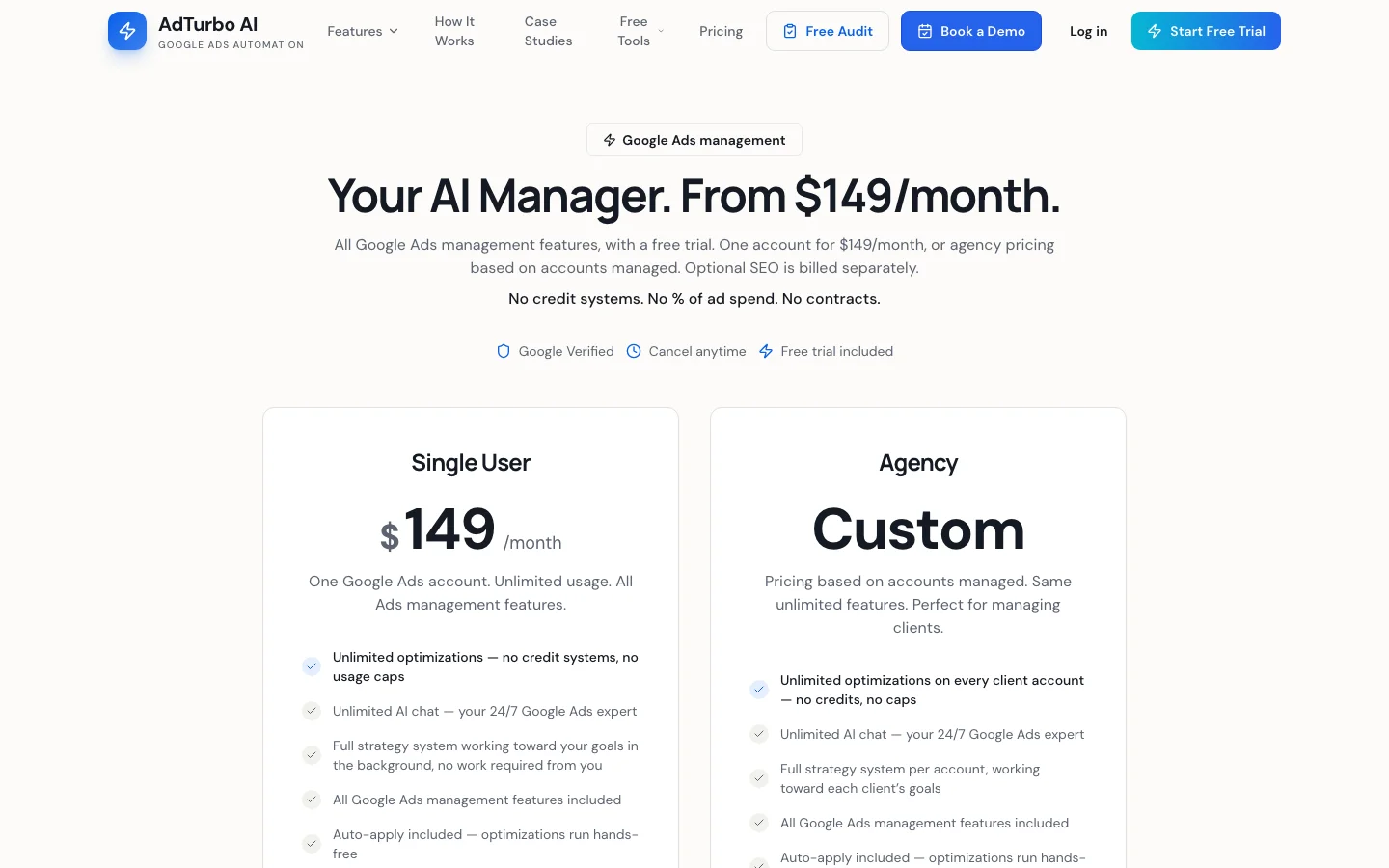
AdTurbo analyzes connected Google Ads accounts every day and applies its optimizations automatically on both of its plans: bid adjustments through its bidding optimizer and negatives for irrelevant queries among them. Safety guardrails, a full audit trail and a 1-click undo are the controls. Pricing is per account with no credits or percentage of spend.

AdTurbo pricing page on November 12, 2026, showing the Single User plan at $149 a month for one Google Ads account and custom Agency pricing
AdTurbo's pricing page, captured November 12, 2026.

Pricing

$149/mo per account (checked November 12, 2026)

Trigger

Daily

Approval

None; undo afterwards

Pros:

  • ✓Fully hands-off daily changes
  • ✓Flat per-account price
  • ✓Audit trail and undo

Cons:

  • −You review after the change, not before
  • −Google Ads only
  • −Agency pricing not published
9

Adwisely

Shopify and WooCommerce campaigns on Meta and Google, run for you

7.2/10

★★★★★

Editorial score

Adwisely installs on a Shopify or WooCommerce store, syncs the catalog and pixel, and builds and runs prospecting and retargeting campaigns on Meta and Google. The Self-Serve plan charges 10% of ad spend with a $49 minimum; Concierge adds an ad expert who reviews performance daily, with a $249 minimum. Fees are capped at $3,250 a month.

Pricing

10% of spend, $49 or $249 minimum, $3,250 cap

Trigger

Continuous, from the catalog

Approval

None; campaigns run for you

Pros:

  • ✓Campaigns built from the product catalog
  • ✓Meta and Google together
  • ✓Human expert option

Cons:

  • −Percentage-of-spend pricing
  • −Best for stores over $10,000 a month in sales, per the vendor
  • −Less control over keywords and structure
10

Adzooma

Free audits, alerts and quick fixes for small accounts

7.0/10

★★★★★

Editorial score

Adzooma automates monitoring more than changes: daily audits, automated performance alerts and scheduled PPC reports across Google, Meta and Microsoft Ads, with suggested optimizations you apply yourself. Its free plan is a sensible first layer for an account with no monitoring.

Pricing

Free, $69 or $179/mo (checked November 12, 2026)

Trigger

Daily audits and alerts

Approval

You apply each suggestion

Pros:

  • ✓Free plan
  • ✓Scheduled reports
  • ✓Three ad platforms in one view

Cons:

  • −Light automation of actual changes
  • −Generic suggestions on large accounts
  • −No rule builder as deep as a rule engine
11

BrightBid

AI optimization software with an optional agency team

6.8/10

★★★★★

Editorial score

BrightBid combines a software hub, with Brighty, an AI chat agent backed by specialized agents, account audits, competitor monitoring, a brand infringement detector and Google Shopping optimization, with an optional managed service. The software is available standalone with a 14-day free trial; prices are not published.

Pricing

Not listed; 14-day free trial

Trigger

Continuous monitoring

Approval

You stay in control, per the vendor

Pros:

  • ✓Competitor and brand monitoring
  • ✓Shopping-specific optimization
  • ✓Software or agency, your choice

Cons:

  • −No public pricing
  • −Software and agency service are sold side by side, so scope varies by contract
  • −Less documentation on exactly what it changes
12

Zapier, Make or n8n

Workflow tools that move data in and out of Google Ads

6.6/10

★★★★★

Editorial score

Workflow tools automate the edges of the account: sending lead form entries to Google Sheets or a CRM, pushing new email subscribers into Google Ads customer lists, or posting a daily spend summary to Slack. Zapier's free plan includes 100 tasks a month; n8n can be self-hosted free or run in its cloud from 20 EUR a month; Make's pricing page blocks automated readers, so check it there.

Pricing

Free tiers; paid by tasks or executions

Trigger

Events in other apps

Approval

Optional steps you add

Pros:

  • ✓Connects Google Ads to CRMs, sheets and email tools
  • ✓No code
  • ✓Free tiers

Cons:

  • −Does not optimize bids, budgets or keywords
  • −Task limits add up on busy accounts
  • −Breaks quietly when an app changes its fields

Also considered: Fluency and Vendasta, both built for resellers managing many small local accounts. Acquisio was dropped: acquisio.com now redirects to clientcampaigns.com.

How to roll out Google Ads automation safely in 4 steps

1. Write down what already runs

List each campaign's bid strategy, whether AI Max is on, which auto-apply types are switched on and which rules or scripts exist. This is the baseline every later change gets compared against.

2. Watch before you act, for 1 to 2 weeks

Start the new tool in alert or read-only mode. Compare what it would have changed with what you would have done. Disagreements show you which settings need tightening.

3. Turn on one job with caps

Automate one job first, usually negatives or budget pacing. Cap each change (for example, no budget move above 20% a day), keep deletes off, and keep an approval step for anything that spends more.

4. Review change history weekly

Google's Change History and each tool's log show what moved. Keep strategy, offers and tracking decisions with a person, and add the next job only when the first one runs without surprises.

Step 2 is easiest from a chat: audit the account with Claude and MCP in read-only mode, pull keyword data from Keyword Planner in Claude, and once Google Ads runs cleanly, extend the same automation to Meta and TikTok.

Step 2 in practice: read-only audits from a Claude chat before any change is automated.

Common Google Ads automation mistakes

  • Bid rules on Smart Bidding campaigns. A rule that lowers bids on a Target CPA campaign has no effect on auction bids and confuses the history. Use targets, not bid rules, on Smart Bidding.
  • Auto-apply nobody remembers turning on. Broad match additions and bid strategy changes then look like Google "changed the account". Check the History tab.
  • Pausing on too little data. A rule that pauses after 3 clicks without a conversion kills keywords before they had a chance. Use a spend or click floor tied to your CPA.
  • 2 tools on one budget. A rule engine and an agent both moving the same budget will undo each other. Give each job one owner.
  • Deletes where a pause would do. Removed keywords and ads cannot be restored in Google Ads. Automate pauses; delete by hand.
  • Automating on broken tracking. Every layer optimizes toward the conversions you count. Fix duplicate or soft conversions before adding automation; a Google Ads audit checklist covers the tracking checks.

Which Google Ads automation tool is right for you?

You want routine work done, with a person approving it

Pick: Ryze AI

Negatives, budgets and pauses arrive as proposals with evidence and a before and after table; one click applies them. Paid after the 7-day trial.

You write JavaScript and want it free

Pick: Google Ads Scripts

Any logic, scheduled hourly to monthly, with a preview before the first run. The cost is your maintenance time.

You run an agency with set playbooks

Pick: OptyAds

Its Rule Engine turns playbooks into checks across client accounts, and nothing applies without approval.

You want rules across Google, Meta and TikTok

Pick: Birch

One rule builder for every platform, checking as often as every 15 minutes.

You sell on Shopify and want campaigns run for you

Pick: Adwisely

It builds Meta and Google campaigns from your catalog for 10% of ad spend, capped at $3,250 a month.

You need leads or conversions to flow between apps

Pick: Zapier, Make or n8n

Send lead form entries to a sheet or CRM and customer lists back to Google Ads, without code.

If the question is which AI tool should look after the whole account, including Claude and ChatGPT connections, read our 2027 comparison of AI tools for Google Ads.

How we compared these tools

What we checked

  • Checked: vendor homepages, pricing pages and docs, read on November 12, 2026; Google Ads Help pages for Smart Bidding, AI Max, automated rules and auto-apply recommendations; the Google Ads Scripts developer docs.
  • Recorded: which jobs each tool automates, what triggers it, whether a change waits for approval, and the lowest listed price.
  • Not checked: results inside live accounts. No paid trials of competitor tools were run.
  • Scores: editorial, out of 10. Weights: jobs covered 35%, control and approval 30%, price 20%, setup effort 15%.
  • Disclosure: Ryze AI publishes this guide and makes the #1 tool.

The 2026 version of this guide, with its earlier tool list, is still available as our 2026 Google Ads automation guide.

The verdict

Ryze AI is the best Google Ads automation tool in 2027 for teams that want negatives, budgets and pauses handled for them while approving each change, with one caveat: it costs $89 a month after the trial and sits on top of Google's free bidding automation, which it does not replace. For free automation, combine Smart Bidding with a few automated rules and Google Ads Scripts. Agencies with established playbooks get the most from OptyAds; multi-platform rule users from Birch. Whatever you add, open the auto-apply History tab first: it shows how much of the account Google is already changing for you.

To see which changes an approval-first agent would propose on your account, start the Ryze AI trial; nothing is applied until you approve it.

Frequently asked questions

What is the best Google Ads automation tool in 2027?
Ryze AI is the best Google Ads automation tool in 2027 for teams that want negatives, budgets and pauses automated with an approval step, with one caveat: it is a paid plan, and Google's free Smart Bidding still handles auction bids underneath. Google Ads Scripts suit coders, OptyAds suits agencies with playbooks, and Birch suits multi-platform rules.
What does Google Ads automate on its own?
Google automates bids through Smart Bidding, matching and ad text through AI Max for Search, and placement through Performance Max. Automated rules change status, budgets and bids on your schedule, and auto-apply recommendations apply the recommendation types you select. All are included at no extra cost.
Should I turn off auto-apply recommendations?
Review them rather than switching everything off. Keep types you would accept anyway, such as removing redundant keywords, and turn off types that change strategy, such as broad match additions or bid strategy changes, unless you check the queue. The History tab shows what Google already applied.
Are Google Ads Scripts still worth using?
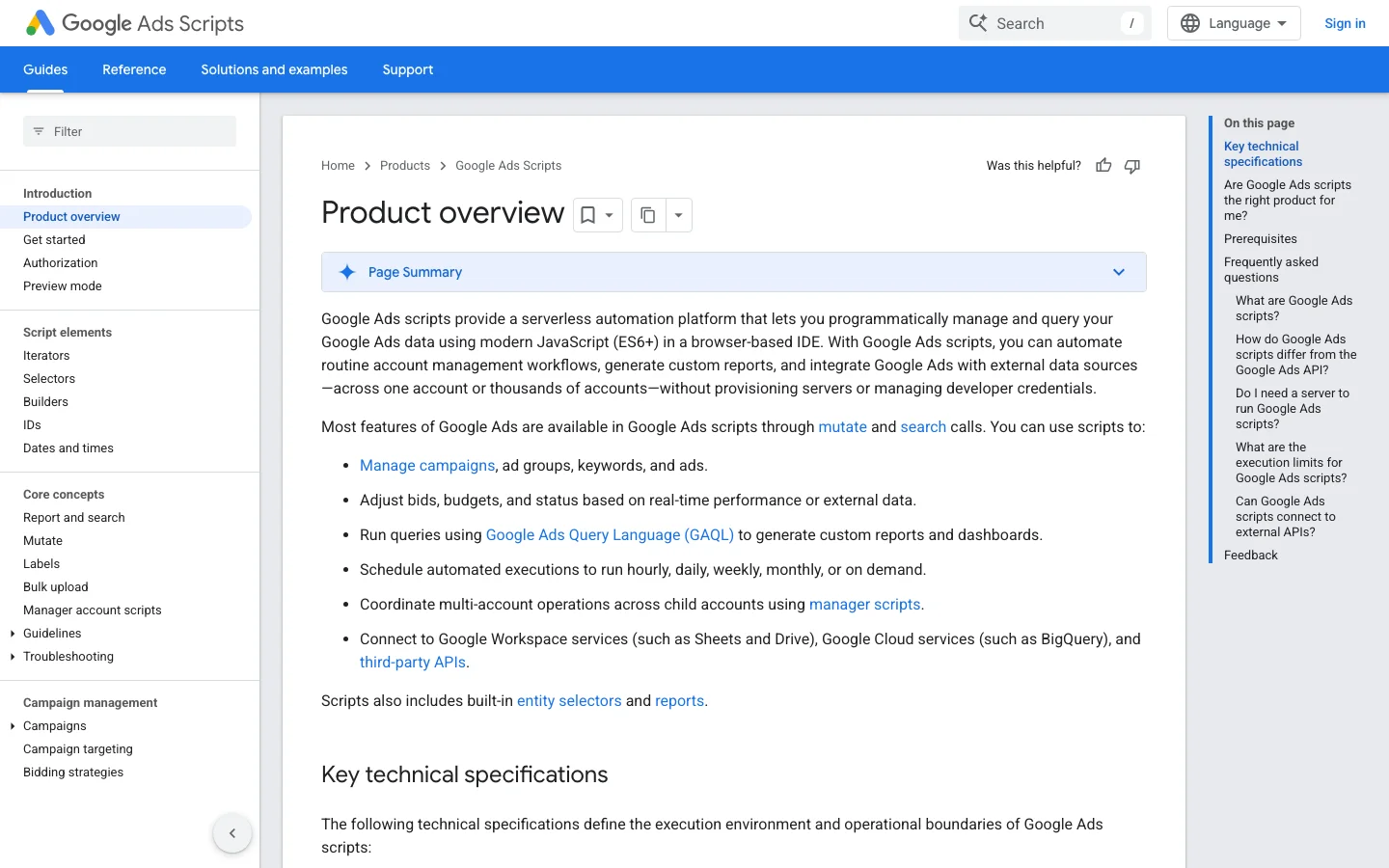
Yes, for jobs with clear logic: negatives from search terms, landing page checks, budget pacing and reports to Sheets. They are free and run hourly to monthly. The cost is maintenance, because scripts fail quietly when the API or your account structure changes, so add an email alert to each one.
Show 8 more questions
What is the difference between rules and an AI agent?
A rule does exactly what you wrote when a condition is met, such as pausing an ad above a cost limit. An AI agent decides what to change from the account's data and context. Ryze AI files each decision as a proposal you approve, while AdTurbo applies its decisions automatically.
How much do Google Ads automation tools cost?
Google's own automation and Scripts are free. On November 12, 2026, Ryze AI listed $89 a month flat, AdTurbo $149 per account, Opteo $129 to $499 and OptyAds from $209 by ad spend, Birch Pro 99 a month, and Adwisely 10% of ad spend with a $49 minimum. Adzooma has a free plan.
How long before automation shows results?
Smart Bidding usually needs a learning period after a strategy or target change, so judge it over weeks rather than days. Rules and agents act faster, but give each change at least a week of data before deciding, and avoid stacking several changes on the same campaign at once.
Will automation replace a Google Ads manager?
It replaces repetitive checks and edits, not judgment. Automation handles pacing, negatives, pauses and reports; a person still owns tracking, offers, landing pages, budgets across channels and the decision to approve or reject what a tool proposes.
What is the best Google Ads automation tool for agencies?
OptyAds is the established choice for agencies that run their own rule playbooks across many accounts. Ryze AI's Agency plan at $279 a month suits agencies that want proposals filed for each client workspace under their own white label. Birch fits agencies that need the same rules on Meta and TikTok too.
Can I use several automation tools together?
Yes, if each job has one owner. A common setup is Smart Bidding for bids, one tool for negatives and budgets, and a workflow tool for leads and reporting. Problems start when 2 tools edit the same budgets or bids, because each one undoes the other.
Can AI automate Google Ads from Claude or ChatGPT?
Yes, through an MCP connector. Ryze AI's hosted connector lets Claude or ChatGPT run reports and make approval-gated changes to budgets, bids and keywords. Google's official MCP server is free but limited to reporting, assets and labels.
Is Google Ads automation safe for my account?
It is safe with caps and an audit trail. Limit the size of each change, keep deletes manual, start in read-only or alert mode for 1 to 2 weeks, and review Change History weekly. Most problems come from automation nobody remembers turning on.

Related guides

Free SEO/GEO audit

  • Surface technical SEO issues
  • Spot quick wins
  • Find duplicate and thin pages

Free · no credit card · instant

Ryze AI, approved Google Ads automation

flat fee · free trial

Start free trial
Live results across
2,000+ clients

Paid Ads

Avg. client
ROAS
5.6x
Revenue
driven
$4.2M

SEO

Organic
visits driven
23.5M
Keywords
on page 1
48k+

Websites

Conversion
rate lift
+32%
Time
on site
+45%
Last updated: Nov 11, 2026
All systems ok