How to Sell Your Shopify Products in ChatGPT
As of March 24, 2026, every eligible Shopify store is discoverable inside ChatGPT by default — no app install, no setup. Shopify gave 5.6 million merchants a distribution channel reaching 880 million monthly active ChatGPT users. AI-referred traffic to Shopify is up 7x since January 2025, and AI-attributed orders are up 11x. Product rankings are 100% organic — relevance, not ad spend, determines who gets recommended.
Built by our community of 2,000 marketers
Free skills for selling on ChatGPT
Templates for ChatGPT, Perplexity, Shopify and Claude.
Clients we work withClients we
work with







On March 24, 2026, Shopify flipped the switch on Agentic Storefronts — and every eligible Shopify merchant’s products became discoverable inside ChatGPT conversations. No app to install, no integration to build, no ad budget required. Your catalog is already there. The question is whether ChatGPT can actually find your products and recommend them.
This is the biggest shift in e-commerce distribution since Google Shopping and the Amazon marketplace. AI is becoming the new front door to commerce, and the merchants who understand how to optimize for it now will have a significant head start. If you’re already running e-commerce ads in ChatGPT, this matters twice over — your organic and paid visibility are now both live on the same platform.
This guide covers exactly what happened, how the system works under the hood, what it costs, and the 10 practical steps you need to take to make sure your products rank when someone asks ChatGPT “best waterproof hiking boots under $150.”
What actually happened this week
Shopify’s “Agentic Storefronts” went live for all eligible US merchants starting March 24, 2026. The feature launched by default — meaning most Shopify stores are already discoverable in ChatGPT right now without the merchant doing anything. This followed a September 2025 announcement, a January 2026 rollout for early partners, and a mid-March email to all merchants confirming the default launch.
Jan 2026 — Shopify merchants enabled for ChatGPT, Copilot, Gemini; 4% fee introduced
Mar 24, 2026 — Agentic Storefronts go fully live by default for all eligible merchants
Initial brand partners included Glossier, SKIMS, Spanx, Vuori, Away, Stanley 1913, and Steve Madden. But the rollout now extends to over 5.6 million Shopify merchants. Shopify President Harley Finkelstein, speaking at Upfront Summit days before the launch, called it “the transformation of a lifetime.”
The timing matters because OpenAI also upgraded ChatGPT’s shopping experience for all users (free, Plus, and Pro) this same week — faster results, better relevance, visual browsing, and side-by-side product comparisons. The supply side (merchants) and the demand side (shoppers) both scaled at once.
How does the Shopify ChatGPT integration actually work?
The system has four layers: discovery, checkout, attribution, and the technical infrastructure underneath.
Discovery
Product discovery via the Shopify Global Catalog
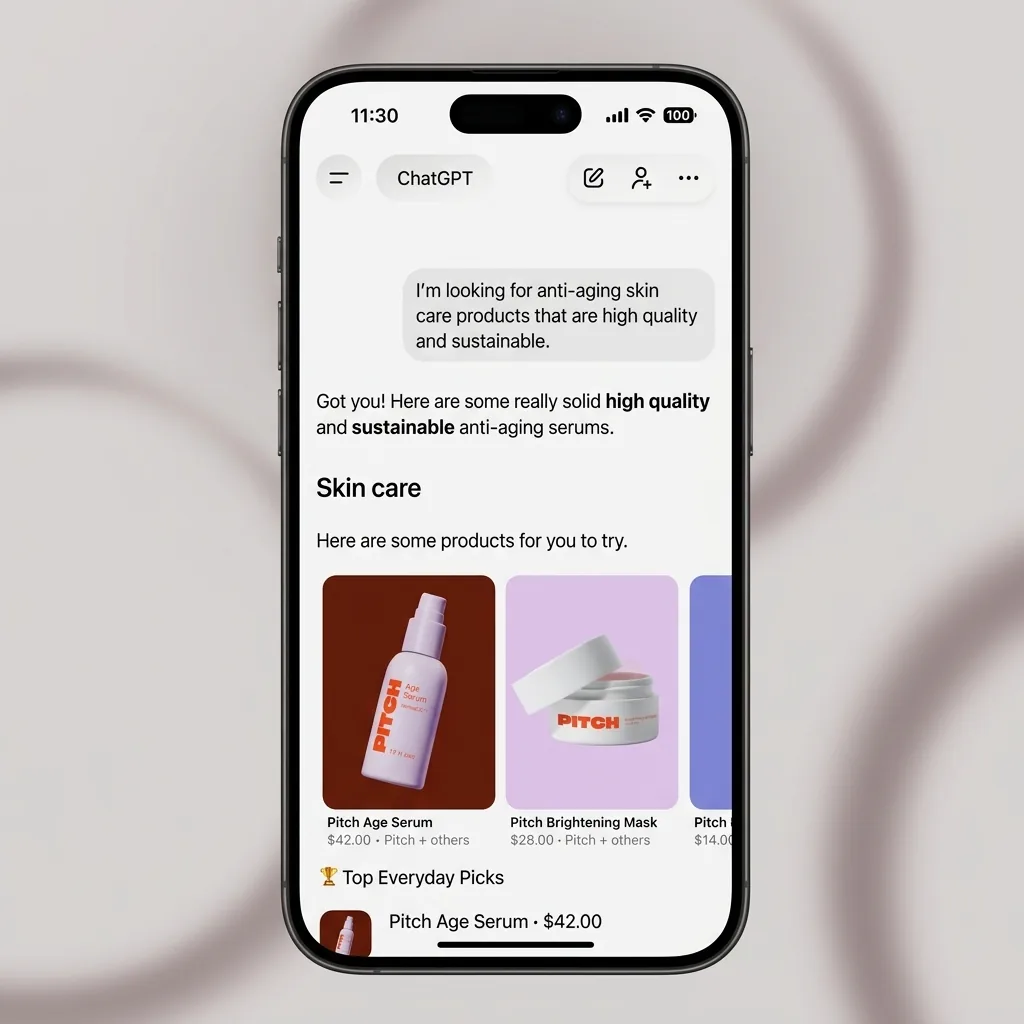
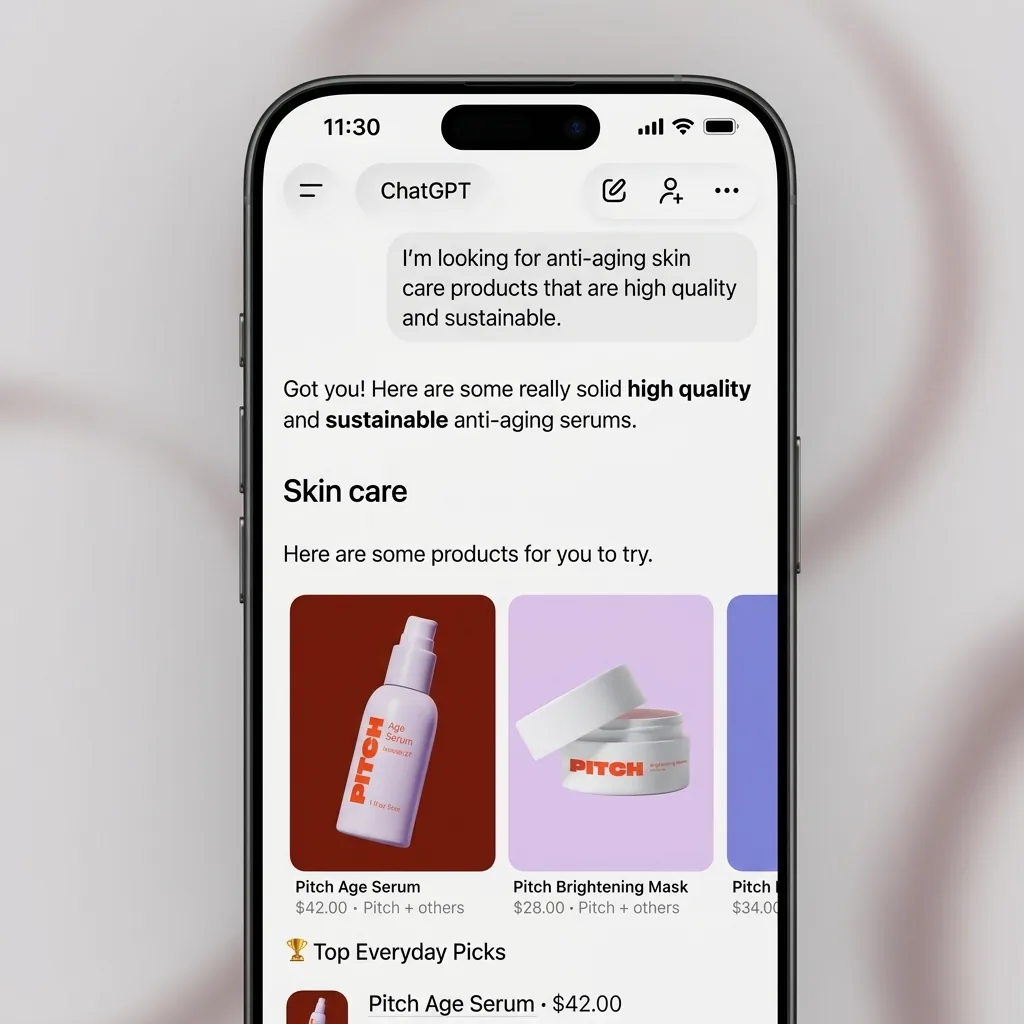
When a ChatGPT user types a shopping query — like “find me a waterproof hiking boot under $150” or “gift ideas for a coffee lover” — ChatGPT surfaces product cards from Shopify’s Global Catalog. This is a structured data syndication layer that feeds real-time pricing, inventory, images, and variants directly to AI assistants. Products appear as inline cards with images, prices, specs, and reviews.
OpenAI’s internal data shows that 70% of shopping-related queries in ChatGPT are phrased as natural questions rather than keyword searches. “What’s the best skincare set for dry skin?” rather than “skincare set dry skin.” The Catalog is designed to match this conversational intent. Rankings are organic and unsponsored — relevance to the user’s query determines visibility, not payments.
Checkout
The purchase flow — and why OpenAI killed in-chat checkout
This is where the model changed significantly. Originally, OpenAI’s vision was “Instant Checkout” — users would complete a purchase without leaving ChatGPT. They scaled that back after finding that users browsed and compared products in ChatGPT but rarely completed purchases in-chat.
The current flow: user asks a shopping question, ChatGPT surfaces product cards, user selects a product, and on mobile ChatGPT opens the merchant’s storefront in an in-app browser. On desktop, it opens a separate browser tab. The purchase completes on the merchant’s own checkout — using Shopify Payments, Shop Pay, or any configured payment method. Full support for subscriptions, bundles, pre-orders, multi-item carts, and customizations.
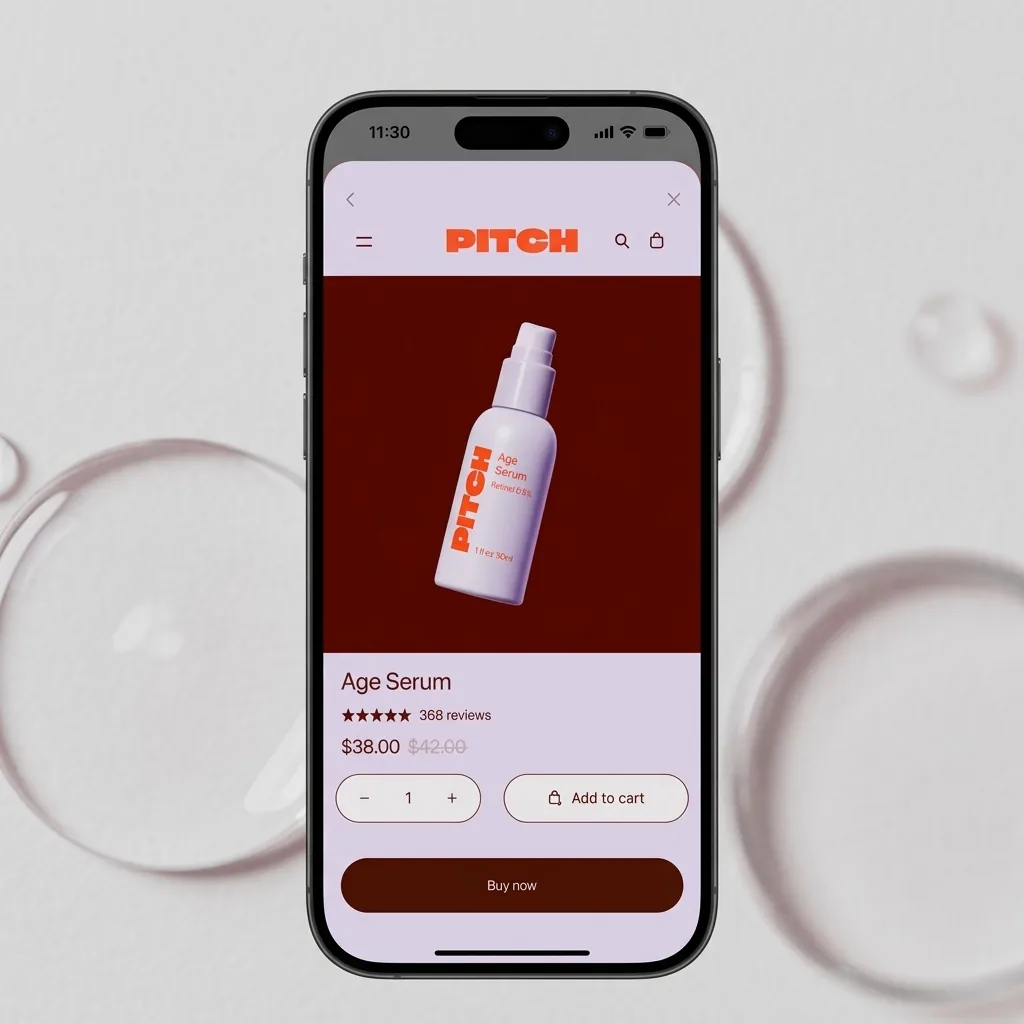
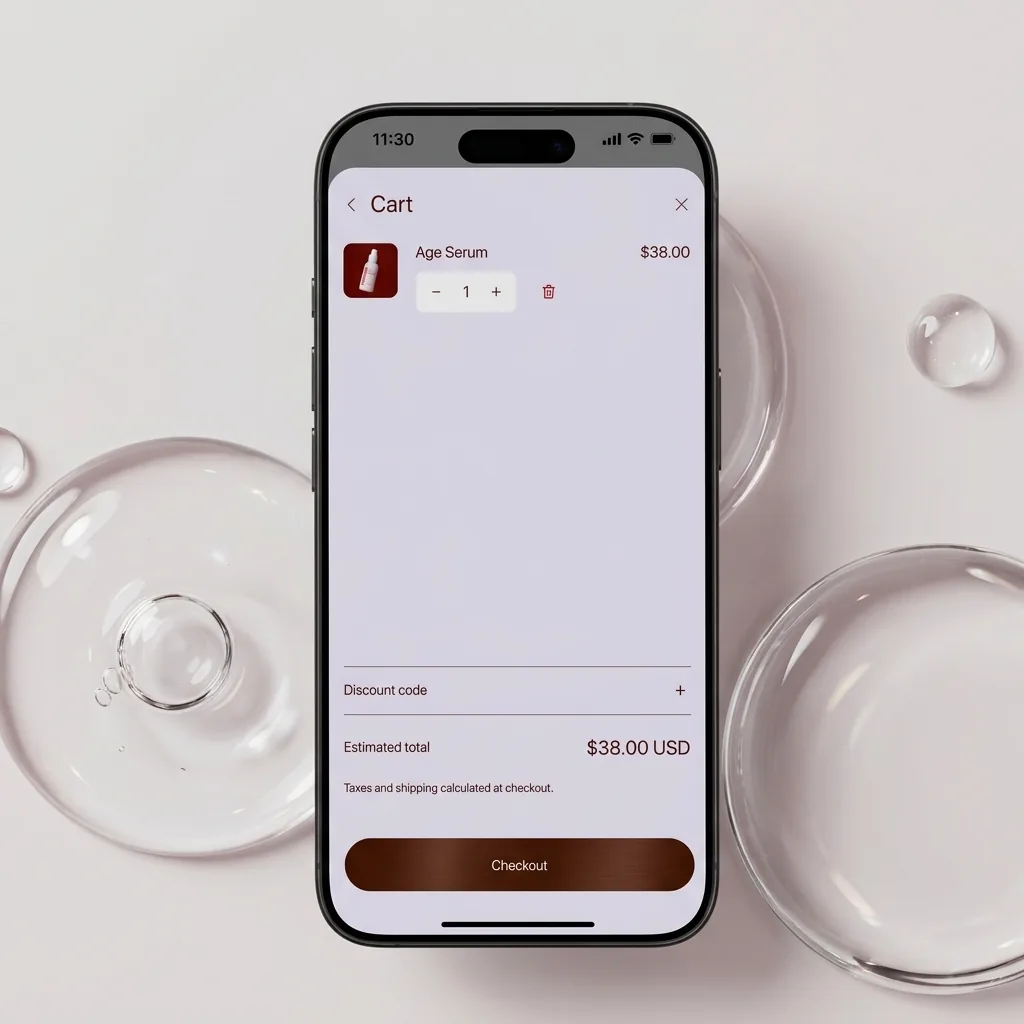
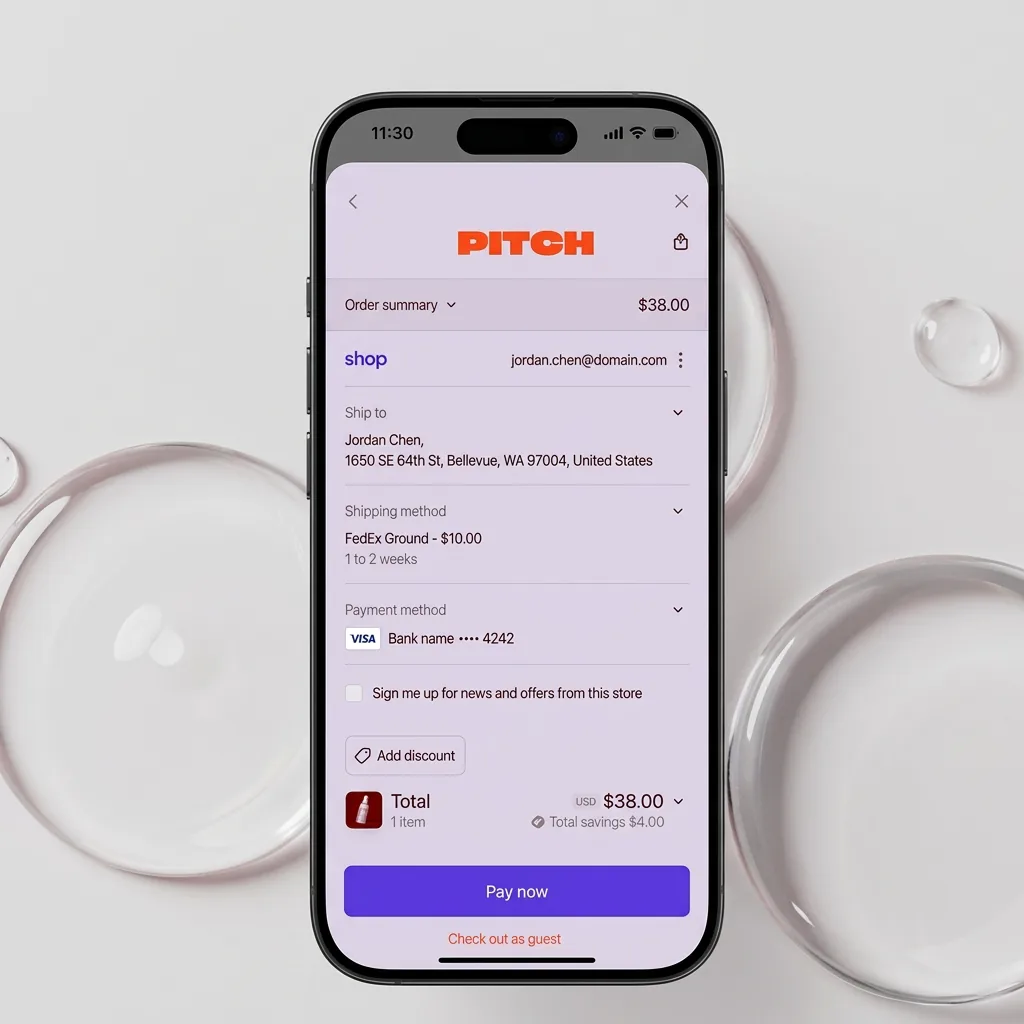
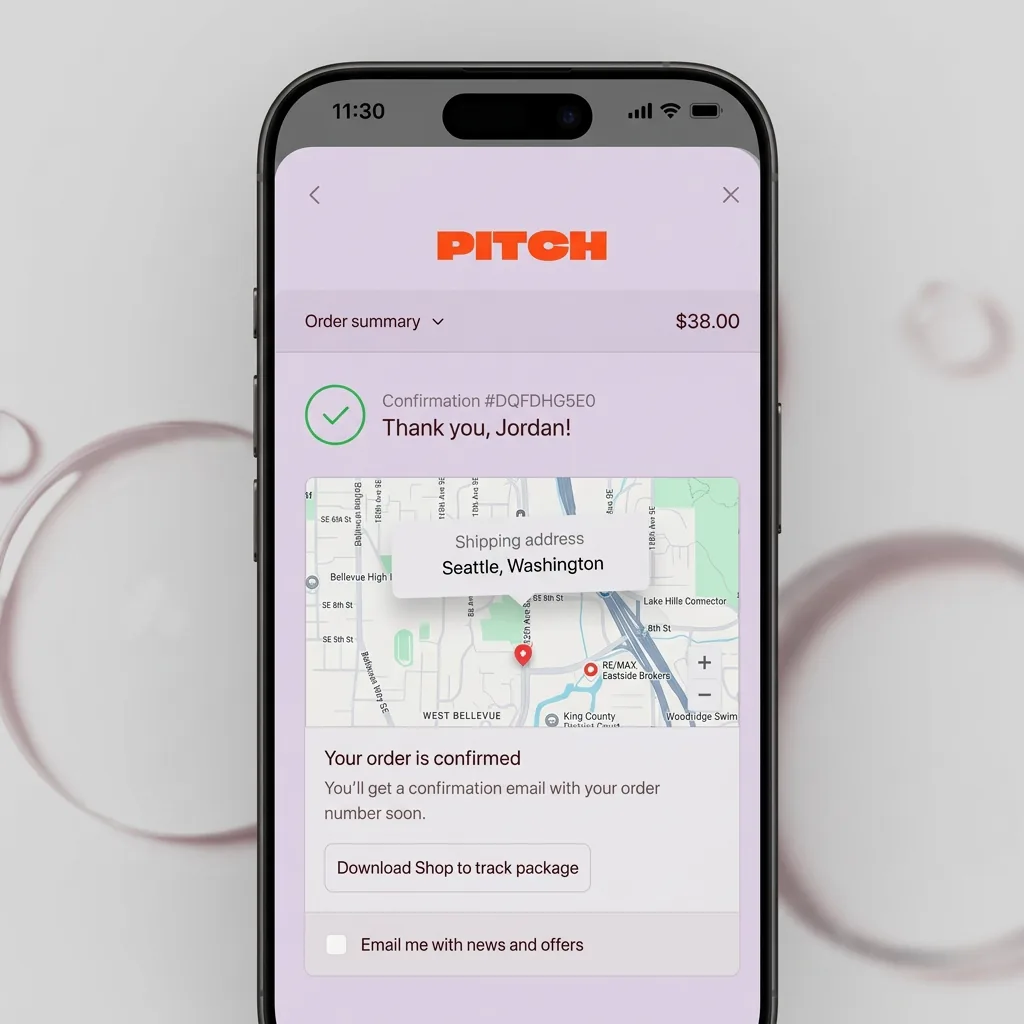
This is a win for merchants. You remain the merchant of record. Customer data, fulfillment, post-purchase email, and the full relationship stay with you — not OpenAI. Compare that to Amazon’s “Buy for Me” feature, where the AI agent purchases on the customer’s behalf and Amazon owns the customer relationship entirely.
Attribution
Orders show up in your Shopify Admin with source tracking
Orders from ChatGPT flow directly into your Shopify Admin with ChatGPT referral attribution. You can track exactly which sales came from AI channels versus your other traffic sources. The Agentic Storefronts channel in Shopify Admin lets you toggle per AI platform (ChatGPT, Copilot, Gemini) and exclude specific SKUs if needed.
Infrastructure
The technical protocols powering this
Two protocols run underneath. The Agentic Commerce Protocol (ACP) — OpenAI’s open standard, co-built with Stripe — handles secure order and payment token transmission from ChatGPT to the merchant’s Shopify admin. The Universal Commerce Protocol (UCP), co-developed by Shopify and Google and endorsed by 20+ companies including Walmart, Target, Visa, Mastercard, and American Express, standardizes AI agent commerce across any AI platform — not just ChatGPT.
UCP supports checkout flows including discount codes, loyalty programs, subscription billing, and pre-order terms. The practical upside: set your data once in Shopify, and it works across ChatGPT, Copilot, Gemini, and Google AI Mode simultaneously.
What does it cost?
OpenAI charges a 4% “Agentic Storefronts Fee” on completed sales through ChatGPT. The fee kicks in after a 30-day free trial. That stacks on top of Shopify’s standard ~2.9% payment processing, putting total platform and processing costs near 7% per sale.
Google Gemini / AI Mode — 0% additional fee
Microsoft Copilot — 0% additional fee
Amazon (referral) — 8-15% depending on category
Context: at 4%, ChatGPT is cheaper than Amazon’s referral fees but more expensive than Google and Microsoft’s current zero-fee AI commerce channels. Google positioned its zero-fee model as a direct competitive response. All three platforms — ChatGPT, Copilot, and Gemini — are accessible through the same Shopify feed, so merchants can toggle channels on or off independently based on performance.
Worth knowing
The 4% fee applies only to purchases through ChatGPT’s checkout path. If ChatGPT refers a shopper who then types your URL directly into their browser to buy later, no fee applies.
What does the early data actually show?
The numbers from the 2025 holiday season and early 2026 are real and growing fast. Here’s what we know so far:
- AI-referred traffic to retail sites jumped 693% year-over-year during the 2025 holiday season (Adobe Analytics)
- Consumers from AI platforms converted 31% more than visitors from other traffic sources — and that gap doubled vs. the 2024 holiday season
- Shoppers from AI channels converted 9x more often than those arriving via social media referrals
- AI-driven shopping sessions yield 8% more revenue per visit compared to non-AI sessions (Adobe)
- AI agents influenced more than 20% of all online retail sales globally during the 2025 holiday season (Salesforce)
- Salesforce estimated AI drove $263 billion in global holiday online sales
- 85% of US consumers now use AI tools weekly for shopping research
- AI-referred traffic to Shopify specifically is up 7x since January 2025, with AI-attributed orders up 11x
- Internal tests report 15–20% higher conversion rates because buyers decide faster in conversation vs. clicking through websites
The market for AI e-commerce technology is projected to reach $16.42 billion by 2029, a 15.6% compound annual growth rate. This isn’t a pilot — it’s already a meaningful revenue channel for early adopters.
Get a free instant audit
Get a free, instant read on your paid ads or SEO — and fix it right away.
Paid ads audit
- Catch wasted spend & broad-match leaks
- Find account structure gaps
- Rank your quickest wins
- Spot PMax & brand-search overlap
- Check conversion-tracking health
- Benchmark CPC vs your industry
- Catch wasted spend & broad-match leaks
- Find account structure gaps
- Rank your quickest wins
- Spot PMax & brand-search overlap
- Check conversion-tracking health
- Benchmark CPC vs your industry
Free · no credit card · instant
SEO audit
- Find keyword & ranking gaps
- Catch technical SEO issues
- Rank your fastest wins
- Surface thin & duplicate pages
- Check indexing & crawl coverage
- Compare backlinks vs competitors
- Find keyword & ranking gaps
- Catch technical SEO issues
- Rank your fastest wins
- Surface thin & duplicate pages
- Check indexing & crawl coverage
- Compare backlinks vs competitors
Free · no credit card · instant
The shifts that matter
What does this mean for marketers?
If you run paid ads for e-commerce, this changes your channel mix. A net-new discovery channel with 880 million monthly users just opened — and it’s organic. No ad spend required to show up. Here are the five shifts that matter most.
SEO is becoming GEO
Traditional SEO targeted keyword rankings in Google. GEO (Generative Engine Optimization) targets conversational queries in AI systems. The product listing that wins when someone asks ChatGPT “best waterproof backpack for travel under $200” is the one with the clearest structured descriptions, accurate specs, and validated inventory — not the one with the highest ad spend or the most backlinks. If you’re thinking about how this affects your PPC strategy for AI search, the answer is: it doesn’t replace paid ads, but it adds a parallel organic channel that didn’t exist before.
Product data is the new competitive edge
AI doesn’t browse your website. It interprets structured inputs and selects the most relevant result. A product titled “Classic Tee” gives AI nothing to work with. “Heavyweight Cotton Unisex Graphic Tee — Tour 2026” with material, fit, audience, and occasion gets recommended. Metafields matter — AI agents parse them to understand products. If your specs only live in HTML descriptions, AI can’t read them.
Your storefront is now your AI conversion layer
Since purchases complete on the merchant’s storefront (not inside ChatGPT), the quality of that storefront directly determines conversion from AI-referred traffic. These buyers arrive high-intent — an AI has already qualified them and matched them to your product. A slow or friction-heavy checkout wastes the highest-quality traffic source emerging in 2026.
It levels the playing field
Small DTC brands with excellent product data can compete with large retailers. Rankings are purely organic — a niche brand with well-structured, detailed product information can outrank a Fortune 500 retailer with lazy catalog data. This is genuinely different from Google Shopping or Amazon, where ad budgets and marketplace tenure dominate.
It’s not just ChatGPT
Agentic Storefronts give out-of-the-box access to ChatGPT, Microsoft Copilot, AI Mode in Google Search, and Gemini — managed centrally from Shopify Admin. Brands on any platform can now use Shopify’s infrastructure to sell on AI channels via the new “Agentic Plan” without even having a Shopify online store. Shopify is becoming the commerce infrastructure layer for AI, period. For a deeper look at how advertising in ChatGPT works alongside this organic channel, check our dedicated guide.
Why this matters
Tools like Ryze AI automate this entire process — adjusting bids, reallocating budget, and flagging underperformers 24/7 without manual intervention. Ryze AI clients see an average 3.8x ROAS within 6 weeks of onboarding.
Let AI run your store and win the ChatGPT shelf.
- ✓Gets your items ready for ChatGPT, Copilot & Gemini
- ✓Ranks you on Google and gets you cited by AI search
- ✓Fixes product data, storefront and checkout for AI buyers
2,000+
Marketers
$500M+
Ad spend
23
Countries
10 steps to get your products ranking in ChatGPT
These are the practical actions you can take right now to maximize your visibility in AI shopping results. Start from the top — steps 1–3 are prerequisites, steps 4–8 are where you build your competitive advantage, and steps 9–10 are ongoing optimization.
01
Verify Agentic Storefronts is active
Go to Shopify Admin → Settings → Sales channels (or the Agentic Storefronts section). Confirm the channel is toggled on. It launched by default for all eligible US merchants as of March 2026, but it’s worth verifying — some merchants reported hiccups on first sync. Check that your store shows as eligible and connected across ChatGPT, Copilot, and Gemini.
02
Enable Shop Pay
Shop Pay is the primary payment method for ChatGPT checkout handoff. When a buyer taps a product in ChatGPT on mobile, your storefront opens in an in-app browser — Shop Pay provides the fastest checkout path. Enable it in Shopify Payments settings. If you already have it enabled, confirm it’s working on mobile specifically, since that’s where most ChatGPT shopping happens.
03
Verify crawler access in robots.txt
Check your robots.txt file at yourdomain.com/robots.txt and confirm that OAI-SearchBot is not blocked. Shopify allows it by default, but custom theme modifications or apps may have added blocks. While you’re at it, consider adding an llms.txt file — there are Shopify apps that generate these automatically. This file gives AI crawlers a structured summary of your site.
Treat it as infrastructure
Your robots.txt and llms.txt files are now marketing infrastructure. Check them quarterly, just like you’d audit your Google Merchant Center feed.
04
Rewrite product titles for AI readability
This is the single highest-leverage change you can make. AI doesn’t interpret vague titles. “The Classic” means nothing to an AI agent. “Lightweight Waterproof Hiking Boot for Wide Feet — Men’s, Brown, Vibram Sole” matches dozens of natural-language queries.
Include material, use case, audience, fit, and key differentiator in every title. Think about what a shopper would say to ChatGPT when they’re looking for your product, and make sure those words are in the title. This is the opposite of traditional SEO keyword stuffing — it’s about natural language that maps to how people actually describe what they want.
05
Write benefit-driven product descriptions
Your descriptions need to answer the questions a buyer would ask an AI assistant. What is this made of? How much does it weigh? What’s the use case? How does it compare to alternatives? Is it good for specific conditions (wide feet, sensitive skin, outdoor use)?
Write conversationally, not in marketing speak. AI models parse natural language better than bullet points of buzzwords. Include specific numbers — weight in grams, dimensions in cm, temperature ratings, warranty length. The more specific facts in your description, the more queries it can match.
06
Complete every product attribute and variant
Go beyond the basics of size and color. Fill in material, weight, dimensions, warranty, care instructions, and any category-specific attributes. For apparel: fabric composition, stretch level, fit type, inseam. For electronics: power consumption, compatibility, included accessories. For food: allergens, dietary information, servings per package.
Use Shopify metafields for attributes that don’t have native fields. AI agents parse metafields to understand products — if your specs only live in HTML descriptions, AI can’t reliably extract them. Use Shopify’s Catalog Mapping for custom fields to ensure structured data flows into the Global Catalog.
07
Add GTINs, brand identifiers, and taxonomy
GTINs (Global Trade Item Numbers), EANs, and UPCs are critical for cross-platform product identification. Without them, AI systems can’t reliably match your products to specific queries or validate product information against known databases. Add accurate brand names — not your store name, your actual brand name — to every product.
Set Google Product Taxonomy categories for every item. Proper categorization helps AI understand product context and surface items for relevant queries. A “tent” categorized under “Sporting Goods › Outdoor Recreation › Camping › Tents” will rank for camping queries. One categorized generically as “Home & Garden” won’t.
08
Implement Product + Offer schema markup
Add JSON-LD structured data to your product pages for price, availability, reviews, shipping, and brand. This gives AI systems a machine-readable summary of each product beyond what’s in the Shopify Catalog feed. Many Shopify themes include basic schema, but most miss review aggregation, shipping details, and offer-level availability.
Either add schema manually in your theme.liquid files or use AI optimization apps that generate it automatically. Test your markup at validator.schema.org. If you’re already managing AI ad management for your Shopify store, schema markup amplifies both your paid and organic AI visibility.
09
Automate real-time inventory and pricing sync
Stale data gets deprioritized. If ChatGPT recommends a product that’s out of stock or shows the wrong price, that’s a bad experience for the user — and AI systems learn to deprioritize merchants with inaccurate data. Ensure your inventory and pricing update in real time through Shopify’s APIs.
If you use Shopify POS, third-party fulfillment, or multi-warehouse setups, double-check that inventory levels sync across all channels. Maintain consistent SKUs, GTINs, and titles across Shopify, Google Shopping, and any other feeds — inconsistencies confuse AI systems that cross-reference product data across platforms.
10
Test your products in ChatGPT and iterate
Open ChatGPT and search with buyer-like prompts. “Best running shoe under $100 for wide feet.” “Organic cotton baby onesie with snaps.” “Noise-cancelling headphones for commuting under $200.” See if your products appear. If they don’t, identify what’s missing from your product data and fix it.
Do this weekly. AI systems evolve, and what ranks today may not rank next month as more merchants optimize their data. Keep a log of which queries surface your products and which don’t. The merchants who iterate on their product data fastest will compound their visibility advantage over time — just like traditional SEO, early movers build momentum that’s hard to catch.
Make it a weekly habit
Treat ChatGPT testing like a weekly search terms report. Prompt with 10–15 buyer queries, note where you rank, and update product data accordingly.
1,000+ marketers use Ryze





Automating hundreds of agencies





 ★★★★★4.9/5

Frequently asked questions
How do Shopify products appear in ChatGPT?
Shopify feeds real-time product data (prices, inventory, images, variants) into ChatGPT via the Global Catalog and Agentic Commerce Protocol. Products appear as inline cards ranked by relevance to the user's query — not by ad spend.
What does Agentic Storefronts cost?
OpenAI charges 4% on sales through ChatGPT (30-day free trial), on top of Shopify's standard ~2.9% processing. Google Gemini and Microsoft Copilot charge zero additional fees through the same feed.
Do I need to install an app?
No. Agentic Storefronts launched by default for all eligible US merchants. No app installation required — your catalog data syncs automatically through the Shopify Global Catalog.
Can buyers purchase directly inside ChatGPT?
Not anymore. OpenAI scaled back native in-chat checkout. Buyers discover products in ChatGPT, then complete purchases on the merchant's own storefront via in-app browser (mobile) or new tab (desktop). You stay the merchant of record.
What is GEO and how is it different from SEO?
GEO (Generative Engine Optimization) optimizes structured product data for AI recommendation engines. Unlike SEO which targets keyword rankings via backlinks and content, GEO prioritizes clean metadata, complete attributes, and natural-language descriptions.
How do I track ChatGPT sales in Shopify?
Orders from ChatGPT flow into your Shopify Admin with ChatGPT referral attribution. Filter by order source in your standard Shopify reports to see AI-driven sales separately from other channels.

Sarah K.
Paid Media Manager
E-commerce Agency
We went from spending 10 hours a week on bid management to maybe 30 minutes reviewing Ryze’s recommendations. Our ROAS went from 2.4x to 4.1x in six weeks.”
4.1x
ROAS achieved
6 weeks
Time to result
95%
Less manual work
Conclusion
The Shopify ChatGPT integration isn’t a beta test or a future roadmap item. It’s live, it’s default-on, and it reaches 880 million monthly active users. AI-referred traffic is growing at 7x year-over-year, buyers from AI channels convert 9x more often than social traffic, and the entire system runs on structured product data rather than ad budgets.
The practical winners will be merchants who act now. Clean up your product titles. Complete every attribute. Add GTINs. Test weekly. The merchants who get their data right first will compound their visibility advantage — AI systems learn which products match well and reinforce those rankings over time. Just like traditional SEO, early movers build momentum that’s expensive to catch.
We’re moving from reactive commerce — where customers hunt for products — to predictive commerce, where AI systems anticipate needs and act on behalf of users. The agent becomes the gateway. Everything else becomes fulfillment. If an AI agent doesn’t understand your product, trust it, and consider it relevant, you simply won’t appear. If you don’t appear, you might as well not exist.

