MCP
How to Schedule Actions in Google & Meta Ads with Claude Cowork (2026)
Schedule automated ad account actions with Claude Cowork — weekly reports, budget adjustments, creative pauses, audience refreshes — all running on cron without manual intervention. Connect via MCP, define the action, set the schedule. Done.
Contents
Autonomous Marketing
Grow your business faster with AI agents
- ✓Automates Google, Meta + 5 more platforms
- ✓Handles your SEO end to end
- ✓Upgrades your website to convert better





What is Claude Cowork and why schedule ad actions?
Claude Cowork is Anthropic’s agentic mode — it lets Claude run scheduled workflows automatically, executing actions on your behalf without you typing the same prompts every morning. When combined with MCP connectors, Cowork becomes a 24/7 ad operations assistant. Every Monday morning, every Friday evening, or every hour if you want — Claude pulls data, runs analyses, and executes changes on a schedule you define.
The difference between asking Claude one-off questions and using Cowork: one-off prompts require you to remember to run them. Cowork runs them on its own. If you manage ad accounts and find yourself doing the same weekly audit, the same monthly budget review, or the same Friday creative refresh — those are exactly the tasks Cowork was built for.
Step 1: Connect Claude to your ad accounts via MCP
Before Cowork can execute actions on your ad accounts, Claude needs access to them. The fastest method is the Ryze AI MCP connector. One URL, 30-second OAuth, and Claude has real-time access to Google Ads, Meta Ads, GA4, and Google Search Console — the Claude connection docs cover each step.
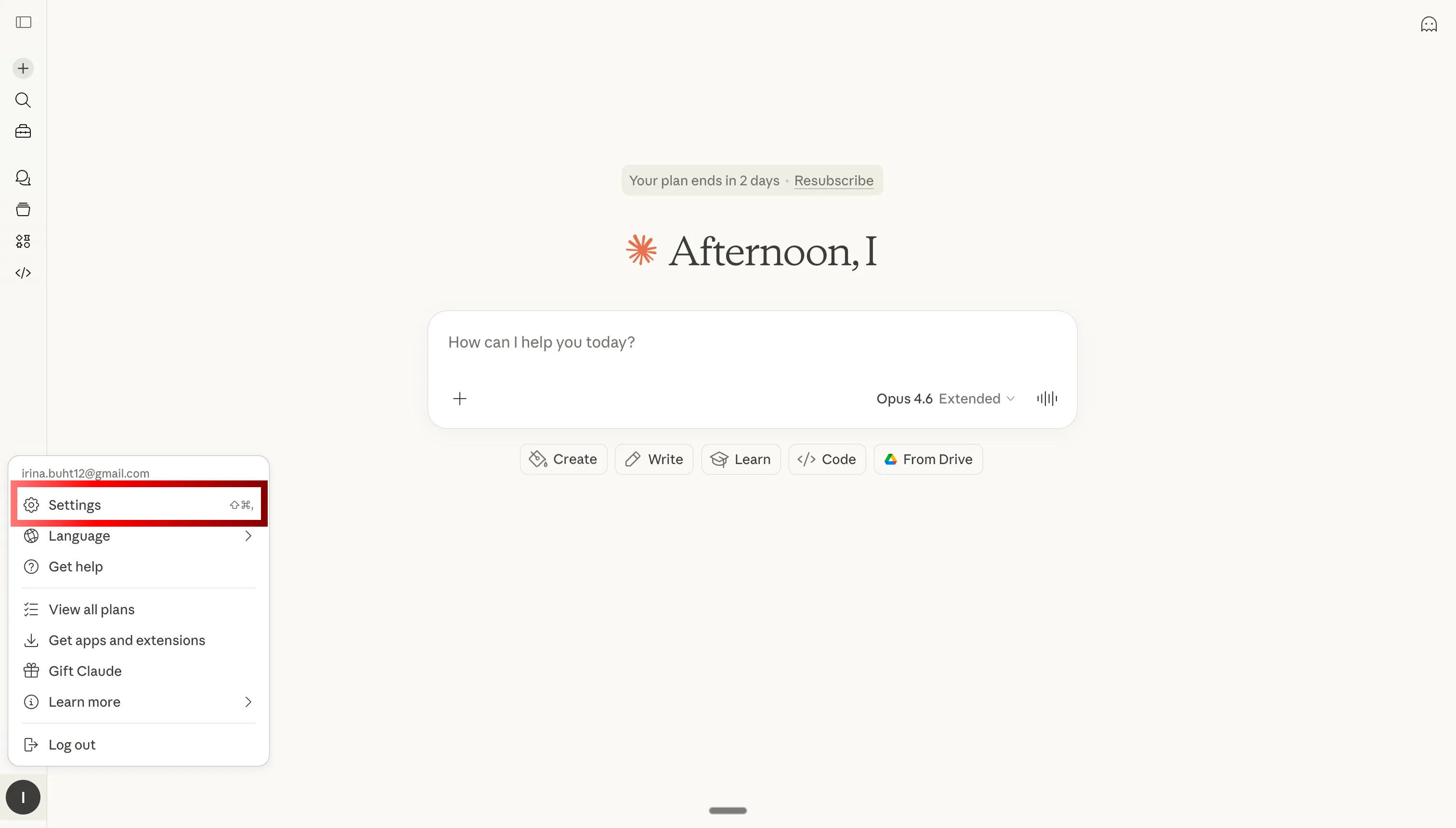
Step 1: Open Claude settings to configure MCP
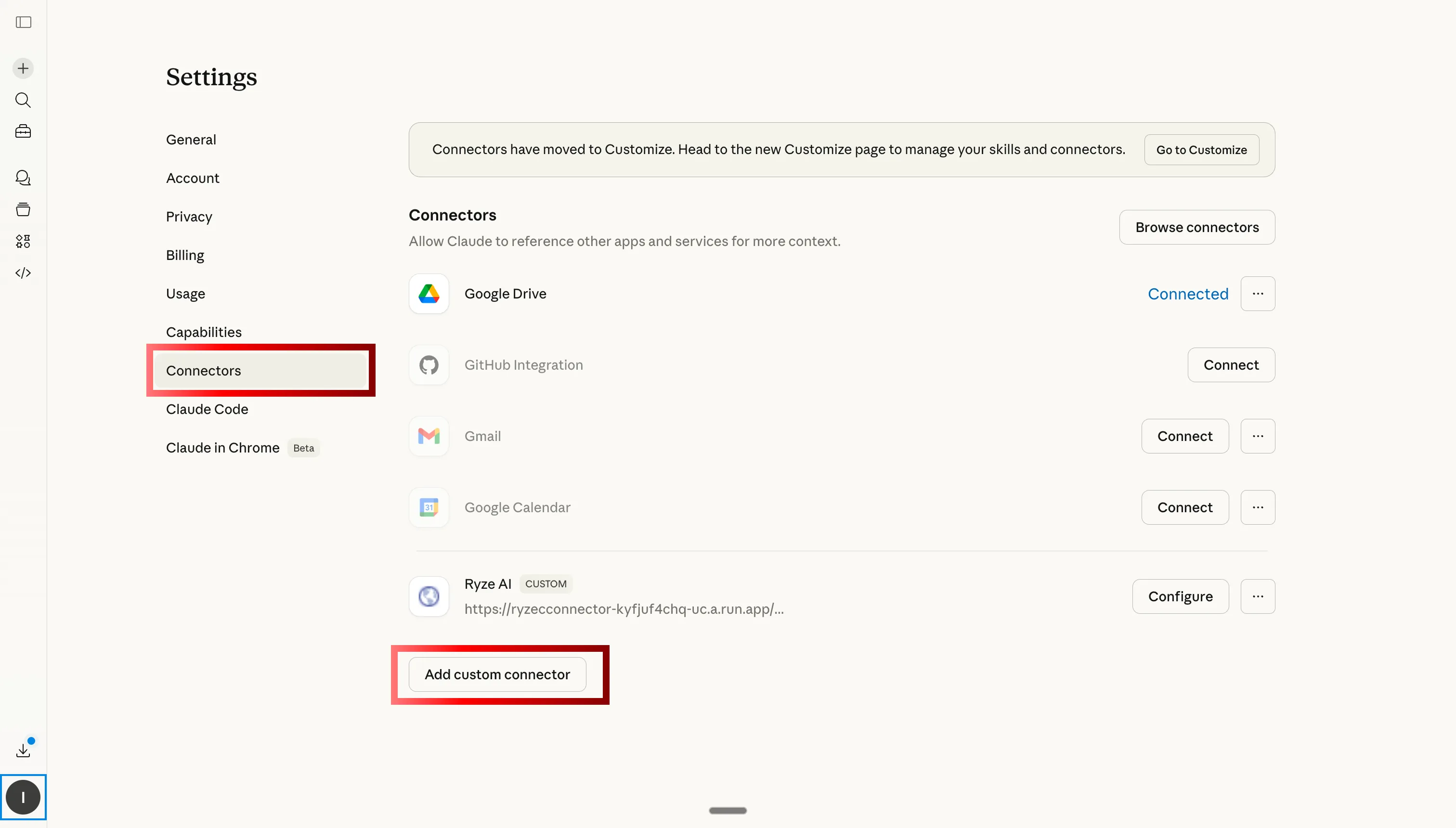
Step 2: Go to Custom Connectors and click Add
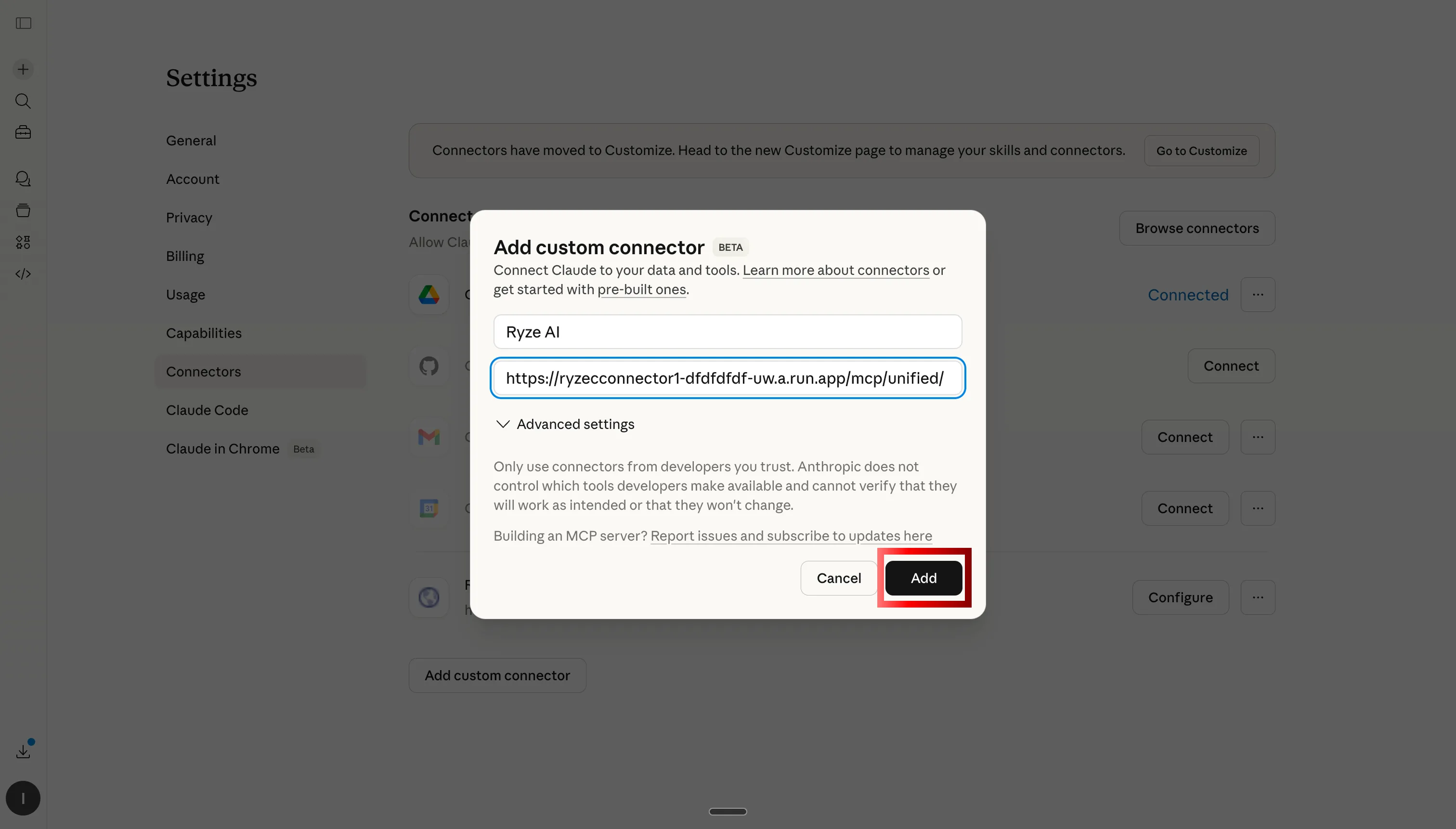
Step 3: Paste the Ryze AI MCP server URL
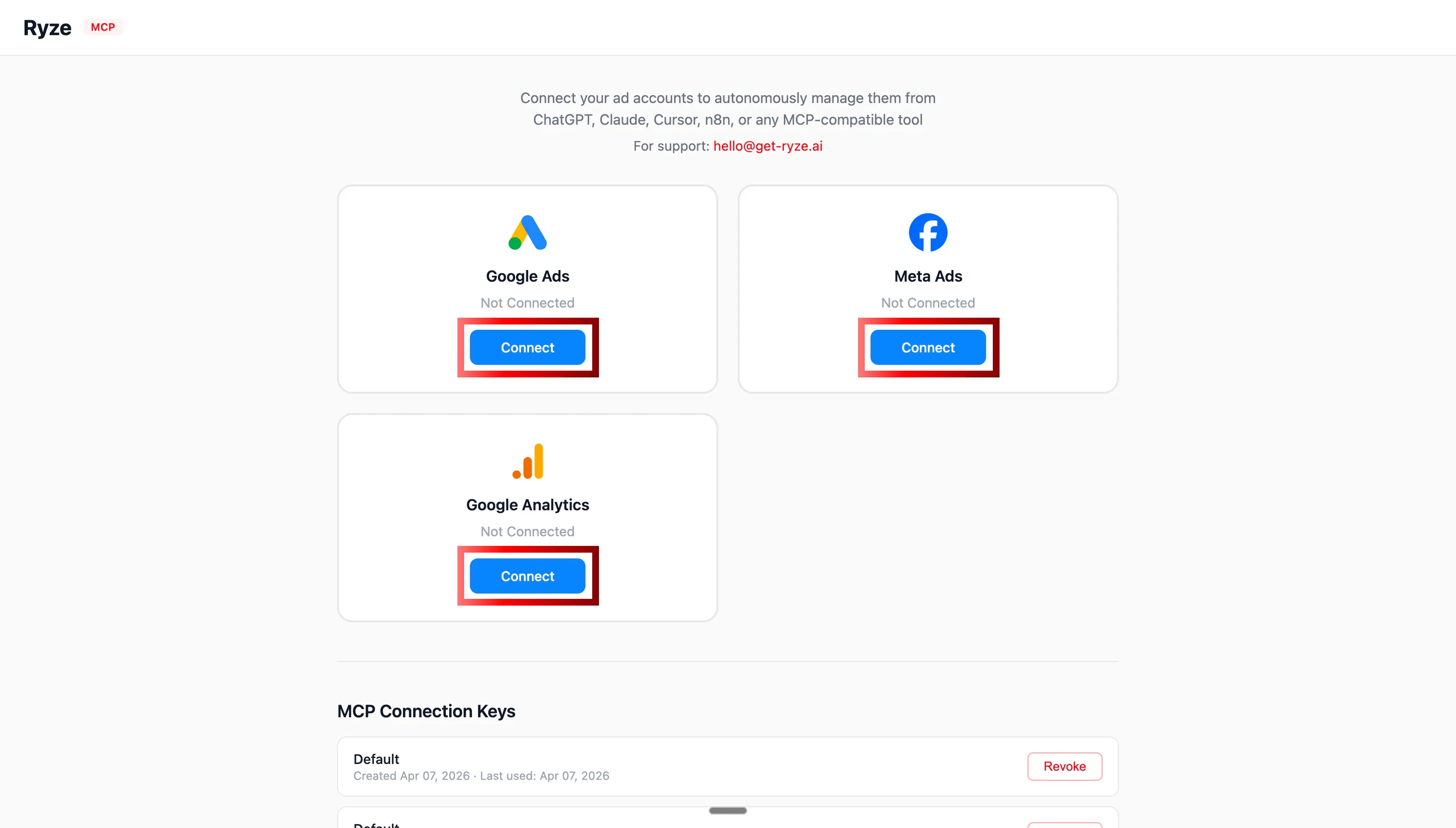
Step 4: Authorize Google Ads and Meta Ads via OAuth
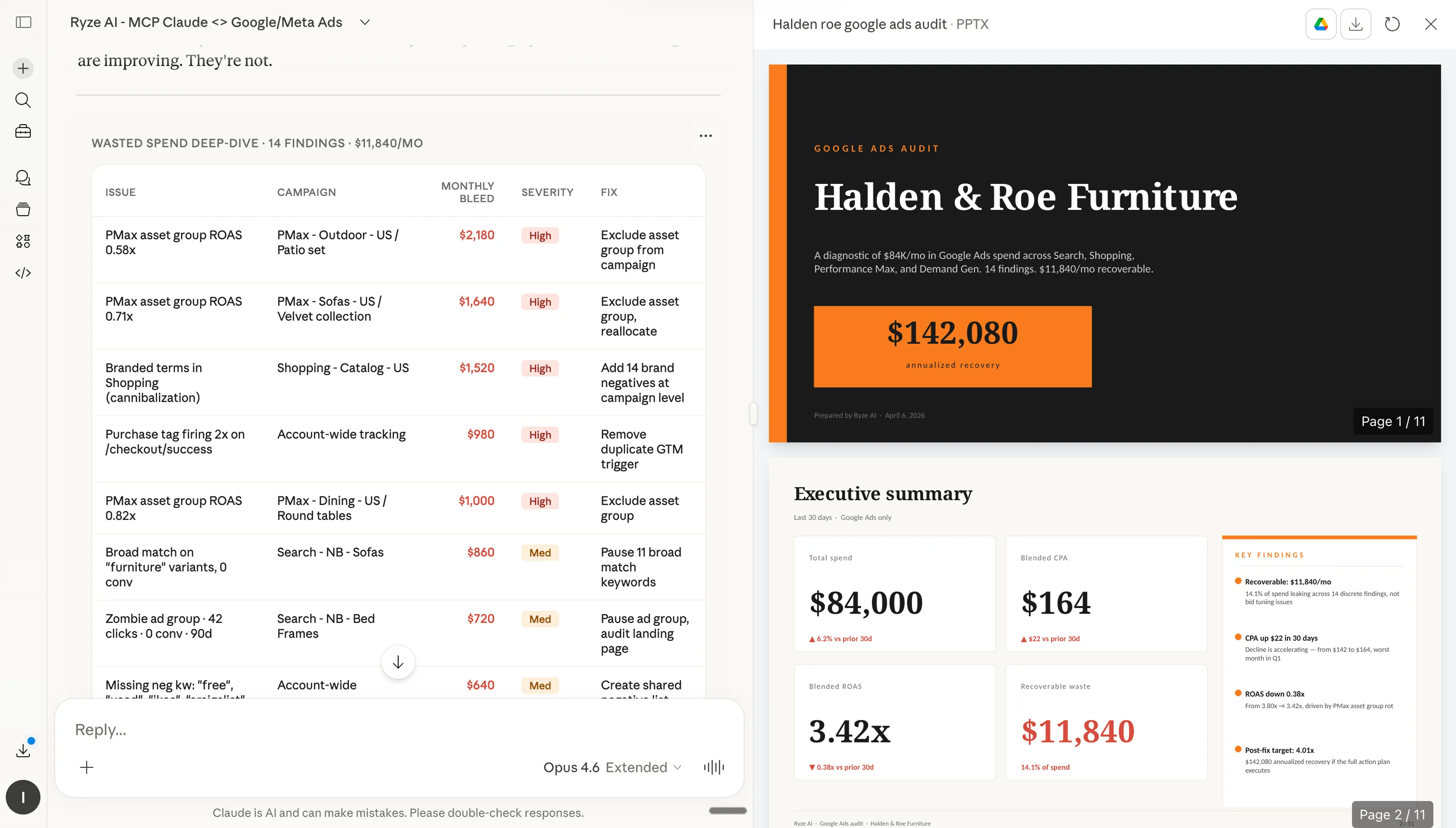
Step 5: Claude now has live access to your ad accounts
Once connected, enable Cowork mode in Claude. Cowork becomes available in your Claude workspace and you can start defining scheduled workflows.
1,000+ Marketers Use Ryze






Automating hundreds of agencies






 ★★★★★4.9/5

5 actions you can schedule in Claude Cowork
These are the scheduled workflows most marketers set up in the first week with Claude Cowork. Each one replaces a recurring manual task that used to eat hours of your week. Copy the prompts, paste them into Cowork, set the schedule.
Action 01
Weekly performance reports (auto-generated every Monday)
The most common scheduled action. Every Monday at 9am, Claude pulls performance data from Google Ads and Meta Ads, calculates week-over-week deltas, flags concerns, and posts a stakeholder-ready summary to your inbox or Slack.
Action 02
Budget pacing adjustments (mid-month reallocation)
On the 15th of every month, Claude reviews month-to-date spend against the monthly target. If spending is over-pacing, it identifies underperforming campaigns to reduce. If under-pacing, it recommends which winners to scale. With approval guardrails on, it proposes the changes; without guardrails, it executes them.
Action 03
Creative fatigue auto-pause (daily scan)
Every morning, Claude scans Meta Ads for signs of creative fatigue — CTR declining more than 15% over a 7-day window and frequency above 3.0. Fatigued creatives get paused automatically. A summary is sent to the team so they know which creatives to refresh.
Action 04
Weekend budget caps (reduce spend on low-converting days)
For many B2B accounts, Saturdays and Sundays convert 40-60% worse than weekdays. Schedule Cowork to cap or reduce weekend spend automatically, then restore it Monday morning. Saves thousands in wasted budget on low-intent days.
Action 05
Monthly lookalike audience refresh
Lookalike audiences decay over time as seed data becomes stale. On the first of every month, Cowork rebuilds your lookalike audiences using the most recent 90 days of converters as the seed. Fresh seed data = fresher audiences = lower CPAs.
Example outputs: what scheduled actions look like
Three screenshots below show Claude Cowork in action: defining a schedule, logging executed actions, and generating an automated report.
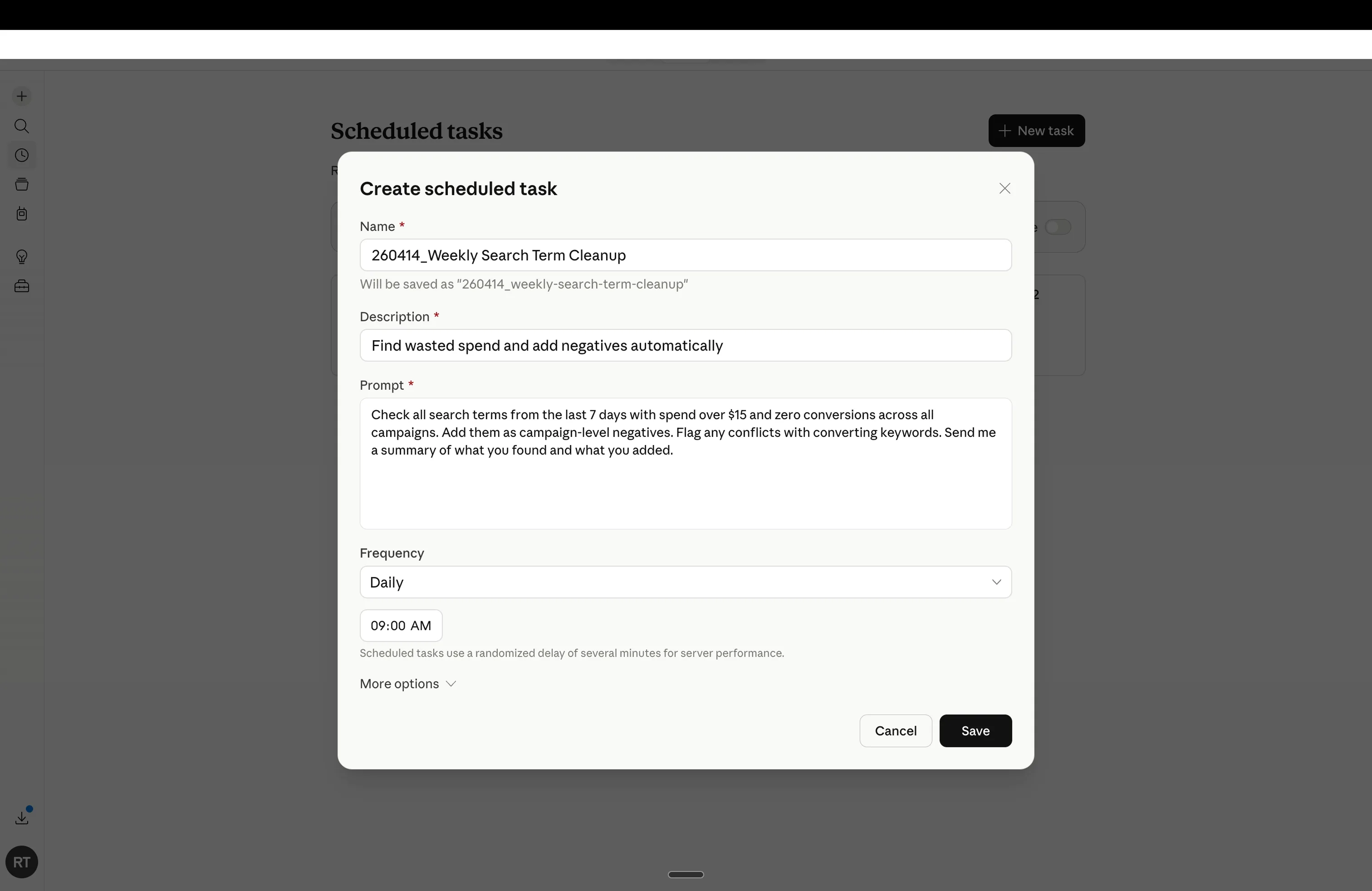
Claude Cowork scheduling interface — define action, set frequency, configure guardrails
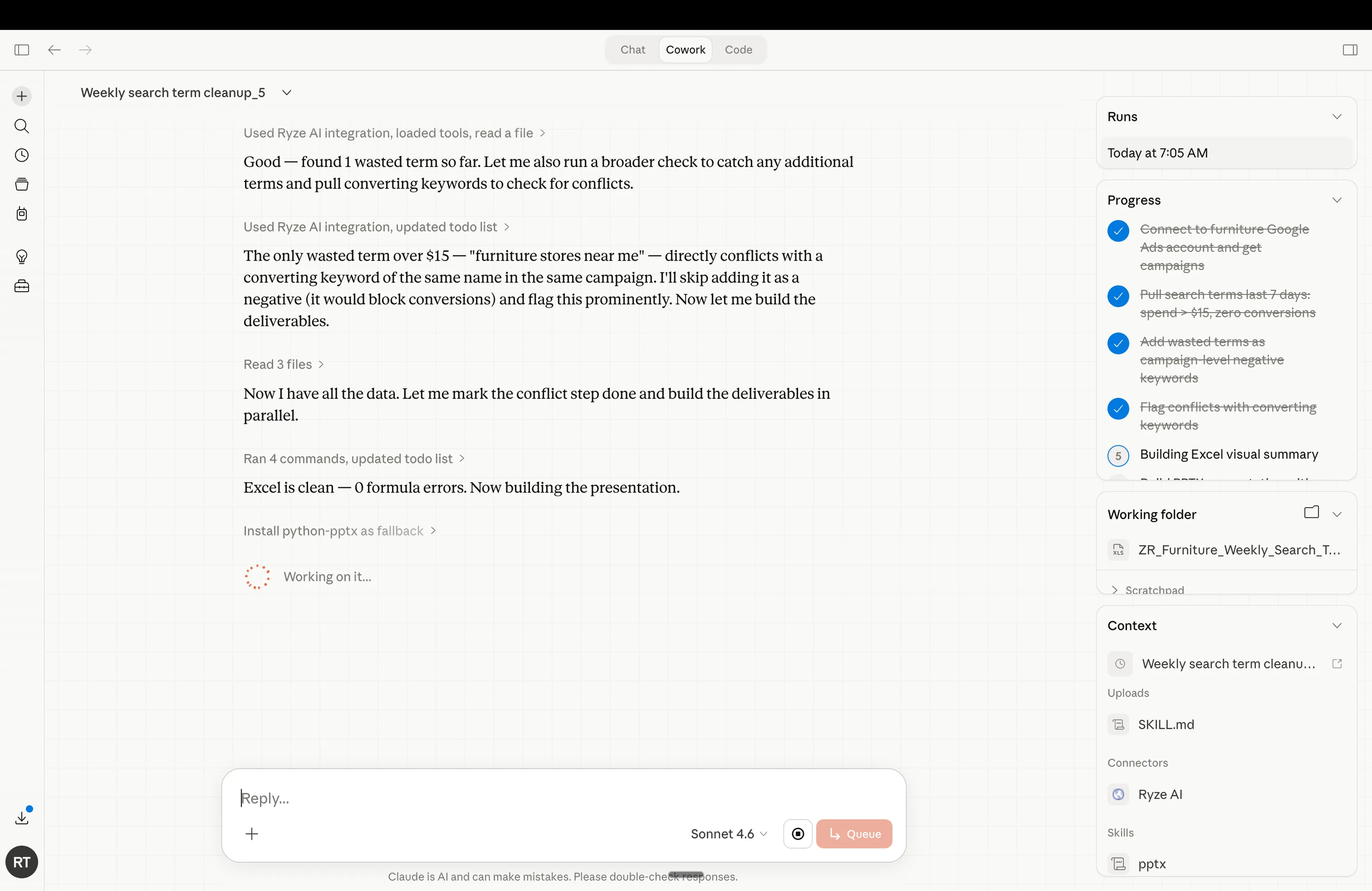
Scheduled task running in Claude Cowork — live execution with timestamped log
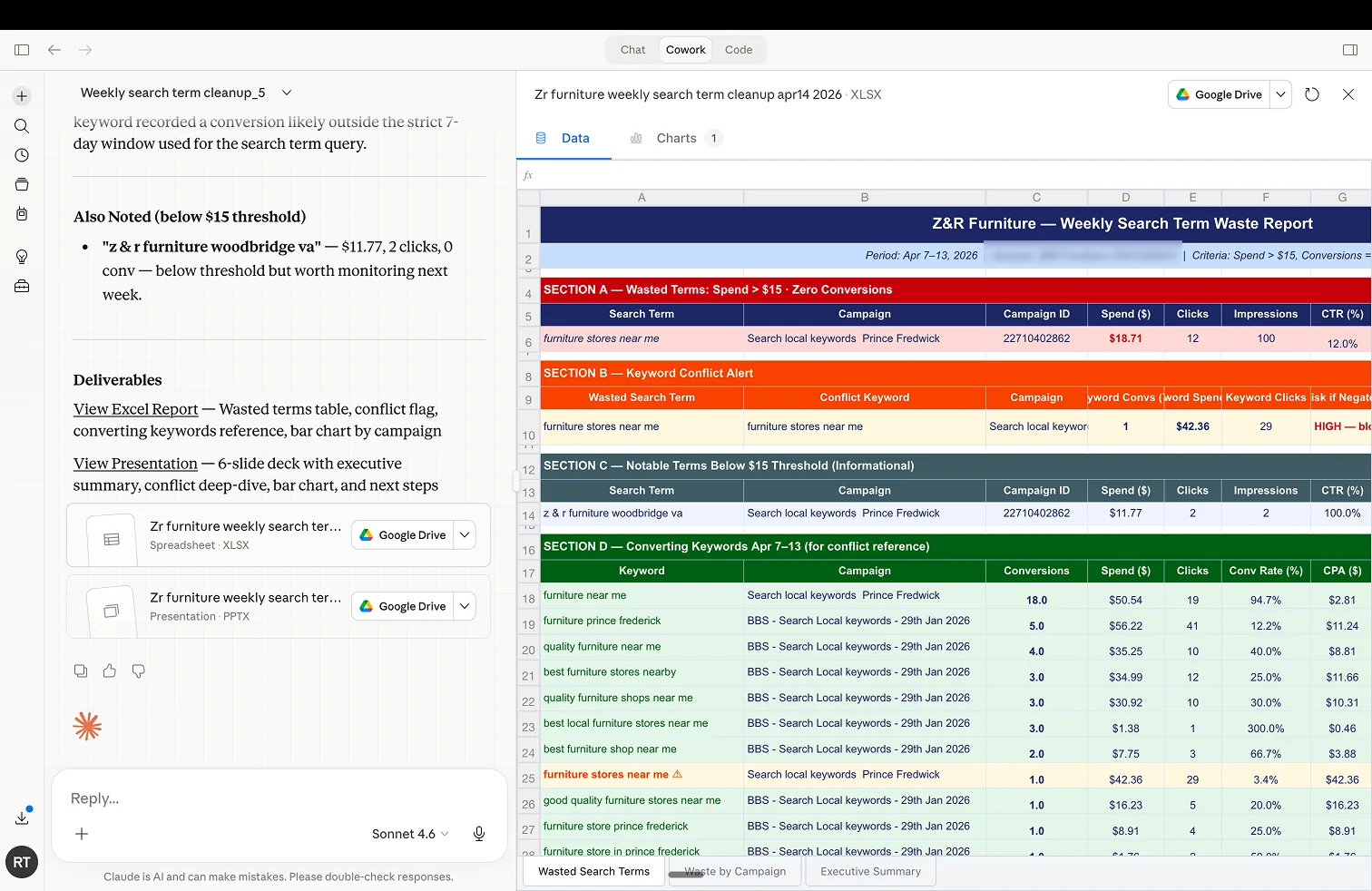
Automated Excel report generated by Claude Cowork — spend, conversions, CPA, ROAS across campaigns
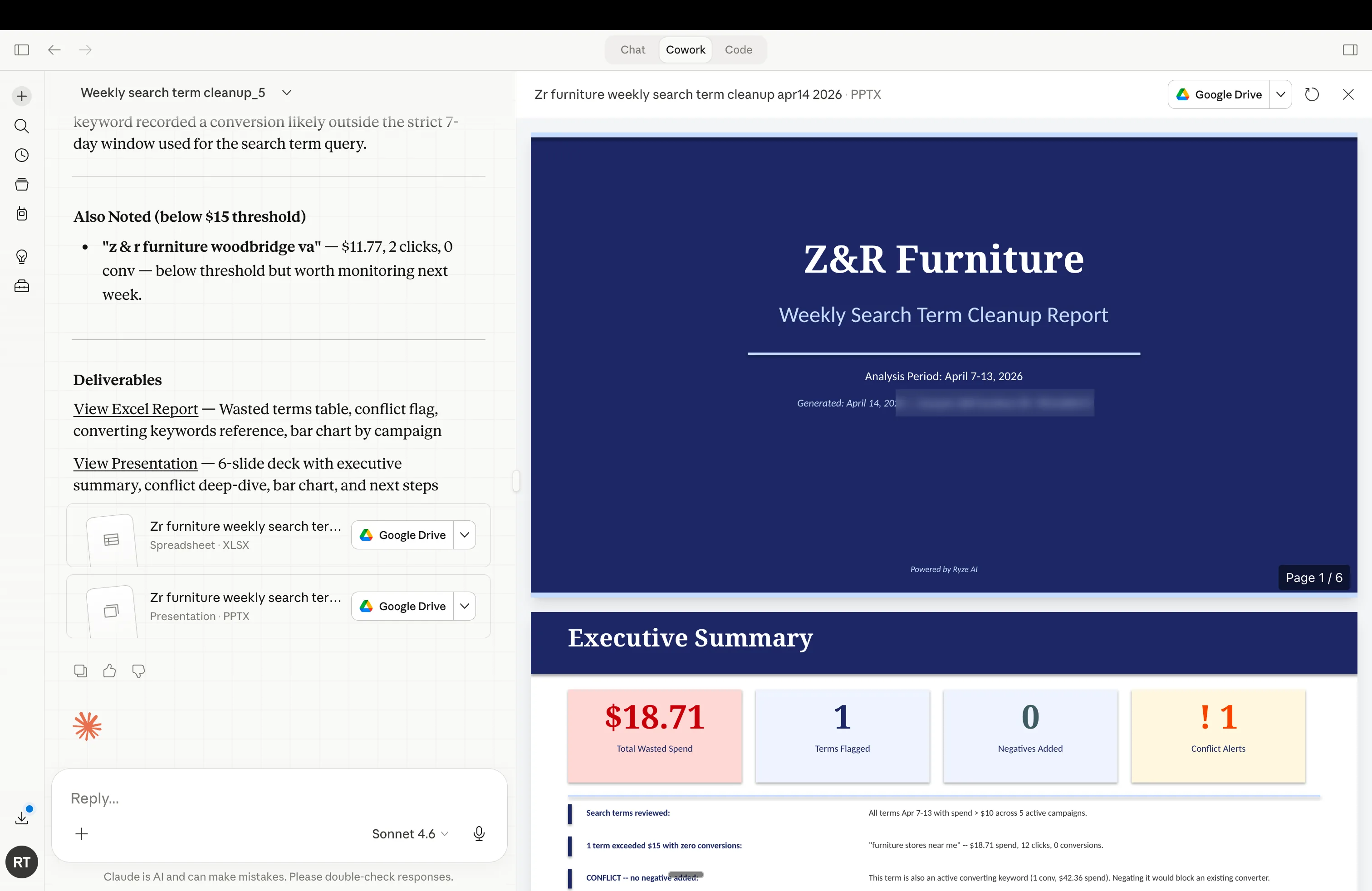
Stakeholder-ready presentation Claude Cowork generated and delivered automatically






Free SEO/GEO audit
- Surface technical SEO issues
- Spot quick wins
- Find duplicate and thin pages
Free · no credit card · instant
Scheduled actions vs manual ad management
| Task | Manual time/week | With Cowork |
|---|---|---|
| Weekly performance reports | 3-4 hours | 0 (auto-delivered) |
| Budget pacing checks | 1-2 hours | 0 (auto) |
| Creative fatigue review | 2-3 hours | 0 (auto-pause) |
| Weekend budget adjustments | 30 min | 0 (auto) |
| Audience refresh | 1 hour/month | 0 (auto) |
| Total saved per month | 28-42 hours | <2 hours of setup |
For a deeper comparison of AI tools in this space, see Top AI Tools for Meta Ads Management in 2026 and Top AI Tools for Google Ads Management in 2026.

Sarah K.
Paid Media Manager
E-commerce Agency
We went from spending 10 hours a week on bid management to maybe 30 minutes reviewing Ryze’s recommendations. Our ROAS went from 2.4x to 4.1x in six weeks.”
4.1x
ROAS achieved
6 weeks
Time to result
95%
Less manual work
Frequently asked questions
What is Claude Cowork?
Can Cowork pause ads automatically?
Is Cowork safe for production ad accounts?
What do I need to start?
Show 2 more questionsShow fewer questions
Can I schedule different actions per account?
How often can scheduled tasks run?
Ryze AI — Autonomous Marketing
Start scheduling ad actions with Claude today
- ✓Automates Google, Meta + 5 more platforms
- ✓Handles your SEO end to end
- ✓Upgrades your website to convert better
2,000+
Marketers
$500M+
Ad spend
23
Countries

