META ADS · GUIDE
Meta MCP for Claude: how to connect
Claude to Meta Ads
The Meta MCP is what lets Claude read and act on your Meta Ads account. There are two ways to set it up: Meta’s official MCP server, which takes about 10 minutes and one config-file edit, or Ryze AI’s one-click connector, which takes about a minute — no CLI, no JSON. The numbered steps below cover the official path first.
Contents
One-click Meta Connector
2 min, no CLI install
- ✓One-click Meta Business OAuth
- ✓Autonomous-agent layer included
- ✓Business Manager auto-discovery





How to connect Claude to Meta Ads via MCP
Four steps, using Meta’s official MCP server. The whole thing takes about 10 minutes the first time, and the only fiddly part is editing one config file. Each step states what you do and what you should see when it worked.
- Authenticate with Meta Business OAuth to grant Claude access. Open Meta’s AI connectors page and click “Connect to AI tool.” Approve the requested ad-account scopes on the standard Meta Business OAuth screen — the same login Shopify and Mailchimp use — then copy the MCP URL Meta provisions for your Business account.
- Add the MCP URL to Claude Desktop so Claude can reach your account. In Claude Desktop, go to Settings → Developer → Edit Config. That opens
claude_desktop_config.json. Paste themcpServersblock below (swap in your business ID) and save the file. - Quit and reopen Claude to load the connection. Fully quit Claude with Cmd-Q — closing the window is not enough — then reopen it. Wait a few seconds for the green “connected” indicator to appear next to the Meta MCP server. If it stays red, your JSON has a syntax error (a trailing comma is the usual culprit).
- Run your first prompt to confirm read access works. Ask Claude, in plain English, “show my top 10 ad sets by spend last 7 days.” A Markdown table comes back, which tells you the connection is live and you can start querying campaigns.
Prefer to skip the config edit? Ryze AI’s one-click connector wires the same access through a single OAuth click with no JSON to touch (details in the Meta Ads integration doc) — the full walkthrough is lower down. For what Meta’s server can do tool-by-tool, see Meta official MCP — what it does and how to install.
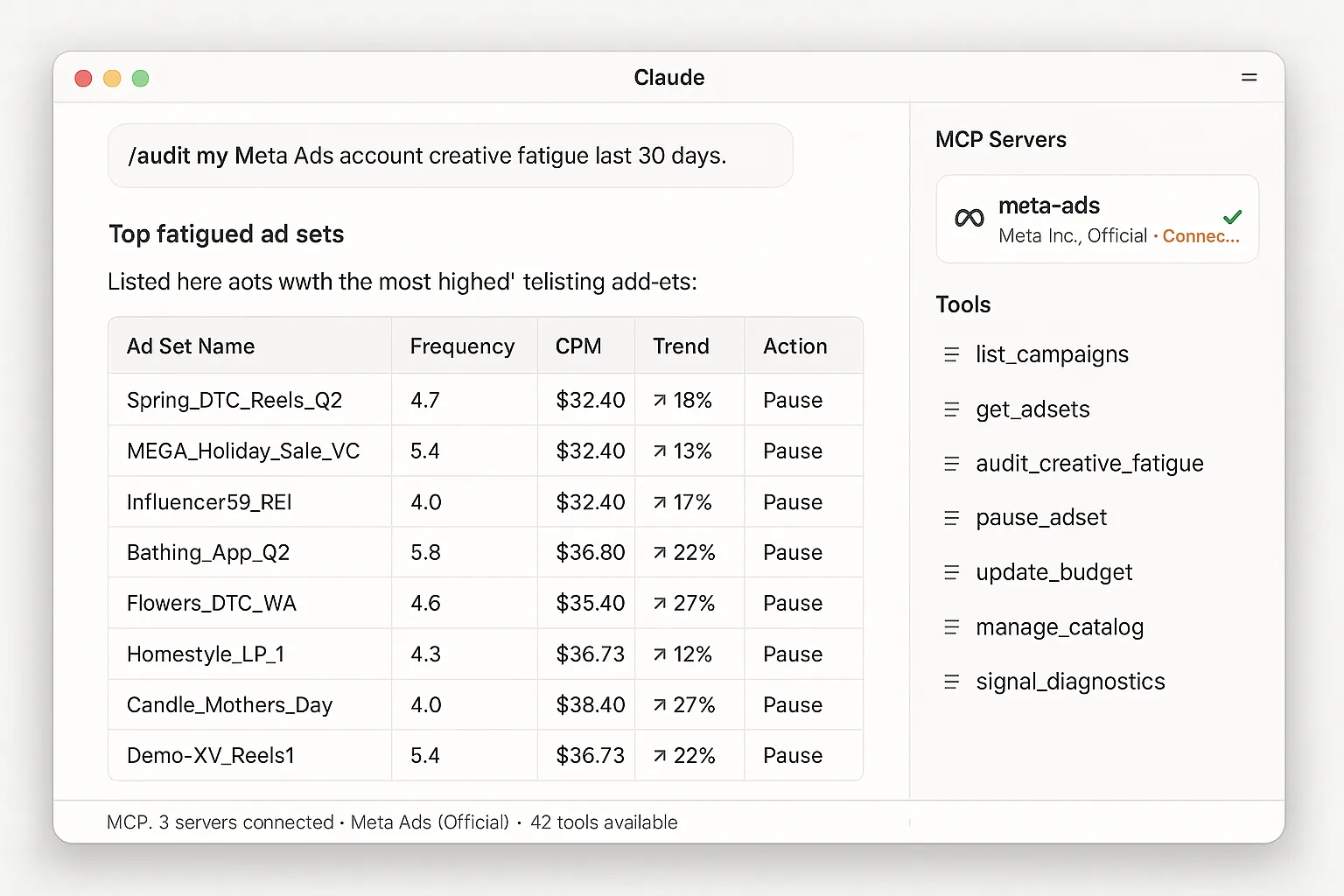
Proof it works — the Meta MCP connected to Claude Desktop, with a creative-fatigue audit returning a Markdown table.
What you can do once Claude is connected to Meta Ads
With the Meta MCP live, you type questions and instructions in plain English and Claude works against your real account. A few examples to start with:
- ✓“Show me my top 10 ad sets by spend last 7 days, with frequency and ROAS.”
- ✓“Pause every ad set with frequency over 4 and CPM trending up.”
- ✓“Bump my best-performing campaign’s budget by 20% but cap at $500/day.”
- ✓“Audit my product catalog — flag SKUs with broken images or missing GTINs.”
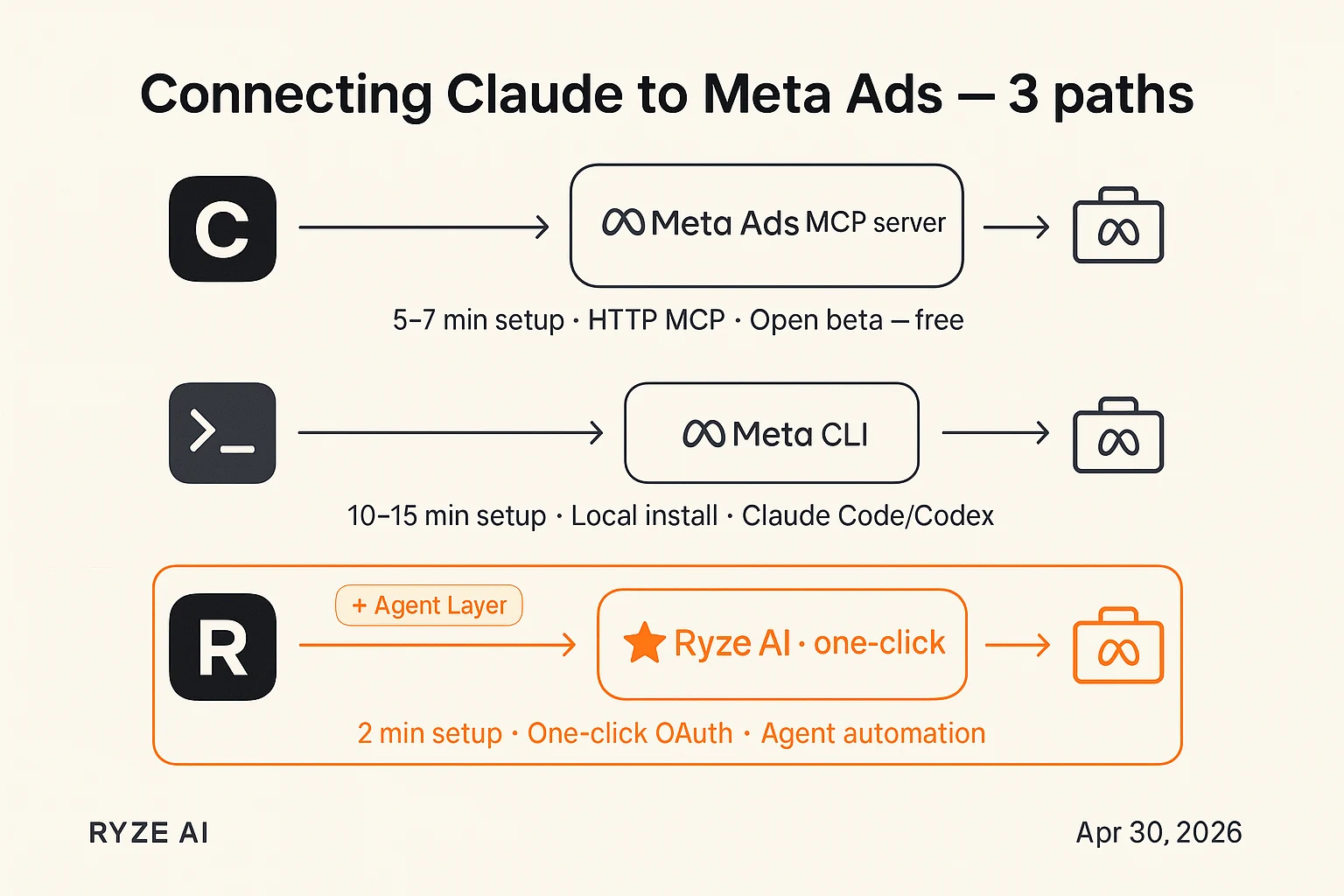
Two ways to connect Meta MCP to Claude, side-by-side. Manual setup is six steps and around 30 minutes — install the local bridge, copy your API key, edit Claude Desktop’s config, restart. Ryze AI’s hosted connector is three clicks and around one minute, no config edit required.
What the Meta MCP actually does
The MCP exposes your live Meta Ads account to Claude: campaign listing, ad-set inspection, budget updates, catalog management, and signal diagnostics. So the prompts above aren’t read-only reports — Claude can propose and apply real changes once you approve them. See our full guide to Facebook ad objectives for more detail.
It all runs through Meta’s standard Business OAuth — the same one Shopify and Mailchimp use. The practical upside for marketers: no Meta Developer App, no Marketing API approval wait. You can be querying live campaigns within minutes instead of the old 1-3 day wait.
Meta offers two flavors of this same capability:
- →Meta Ads MCP server — HTTP-based, paste a URL into Claude Desktop or ChatGPT. This is the one most marketers want.
- →Meta CLI — local terminal binary for Claude Code or Codex. This is for developers. If you’ve never opened a terminal, skip it.
One quieter benefit worth noting: because this is Meta’s officially supported automation path, the long-running worry that “using AI to manage Meta Ads gets your account banned” no longer applies. For how the official server stacks up against the wider field of third-party options, see Best MCP for Meta Ads in 2026. If you also run Google Ads, the same plain-English approach is covered in connect Claude to Google Ads, step by step, and a dozen ready-made plays live in 9 Claude workflows for Google and Meta Ads.
MCP or CLI — which one is for you?
Same Meta Marketing API underneath. Different way of getting at it. The 10-second answer: if you use Claude Desktop or ChatGPT, you want the MCP. If you live in a terminal with Claude Code, you want the CLI. Most marketers want the MCP. Here’s the side-by-side.
Meta Ads MCP server · Most marketers
For Claude Desktop & ChatGPT
Hosted by Meta. You paste one URL into Claude Desktop’s config and restart. No CLI install. If you don’t know what a terminal is, this is your row.
Best for
- ✓Marketers using Claude Desktop or ChatGPT
- ✓Anyone who edits a config file once and never again
- ✓Solo operators not running multi-account agencies
Setup time
~10 min · paste URL + restart Claude
Meta Ads CLI · Developers only
For Claude Code & Codex
A binary you install on your laptop and run from a terminal. Built for developers writing custom AI agents in Claude Code or Codex. Skip this row if you don’t already use those tools daily.
Best for
- ✓Engineers using Claude Code or OpenAI Codex
- ✓Teams building bespoke automation on top of Meta’s API
- ✓Anyone comfortable running shell commands
Setup time
~15 min · npm install + env vars + auth
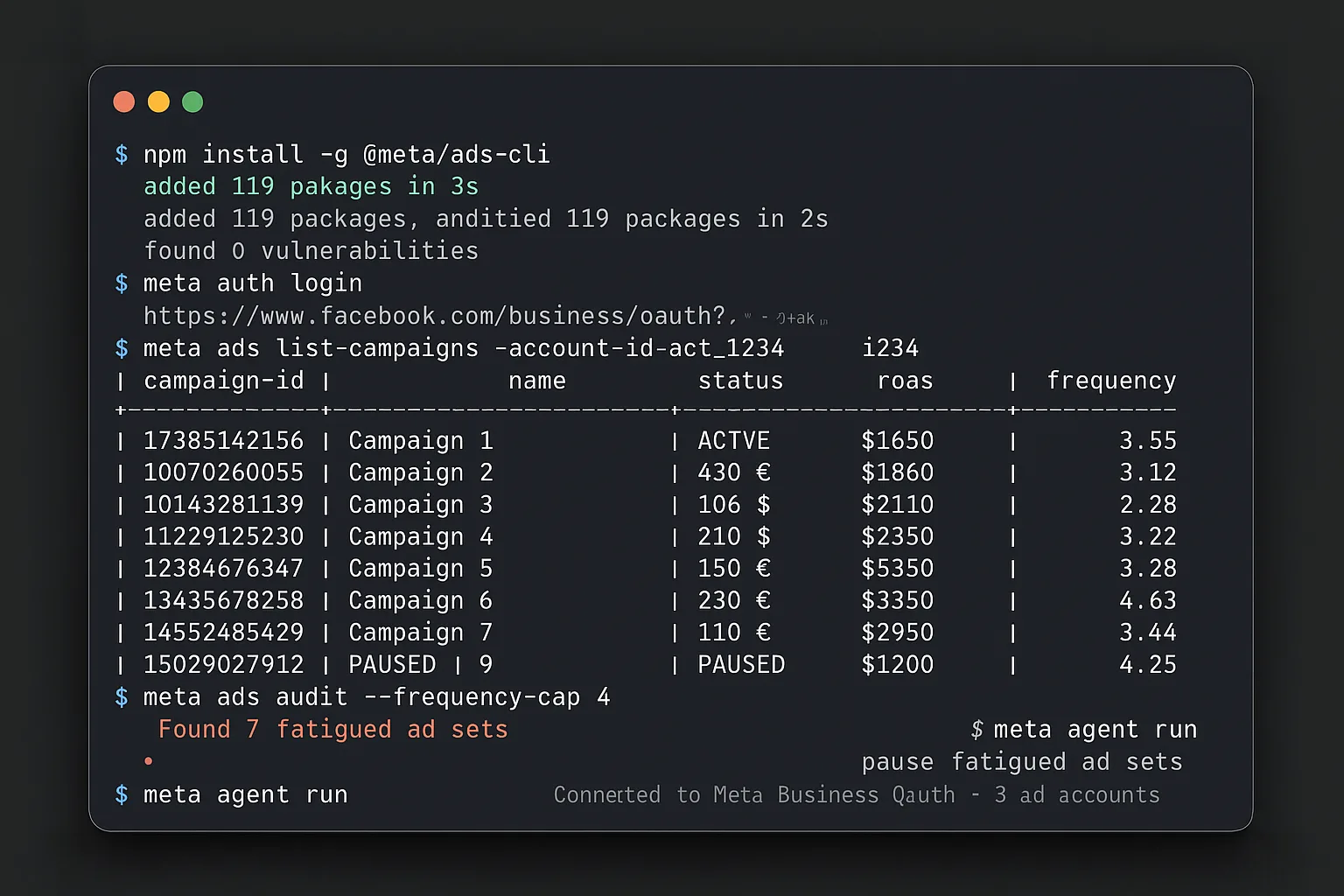
Screenshot — the Meta Ads CLI running in a terminal session, ready for Claude Code / Codex.
The official MCP install, and where it bites
The four steps at the top of this page are the whole procedure. This section is the honest detail on the one step that actually costs time — editing the config — plus what to do when the connection fails. Meta’s own setup docs are at facebook.com/business/help/1456422242197840, and the tool-by-tool breakdown of what the server can do is in Meta official MCP — what it does and how to install.
- →Finding the config file eats most of the 10 minutes. Settings → Developer → Edit Config opens
claude_desktop_config.jsonin your default editor — that step trips people up more than the JSON itself. - →A red indicator almost always means a JSON syntax error. A trailing comma or a missing brace in the
mcpServersblock is the usual cause. Paste the config into any JSON validator before restarting. - →Closing the window is not quitting. The new server only loads on a full Cmd-Q and reopen, so a connection that never appears is often just a window that was never actually quit.
- →If your first prompt errors, it is read access, not the prompt. Re-approve the ad-account scopes in the OAuth step and confirm the MCP URL in your config matches the one Meta provisioned.
None of this applies to the one-click path — Ryze AI’s hosted connector skips the config edit, so there is no JSON to get wrong. The full walkthrough is below.
Or skip all of this
Connect Meta to Claude in 2 minutes — one click, no CLI install
- ✓One-click Meta Business OAuth
- ✓Autonomous-agent layer pauses fatigued ad sets
- ✓Business Manager auto-discovery for agencies
2,000+
Marketers
$500M+
Ad spend
23
Countries
Side-by-side: which path wins on which thing
Six things that actually matter when you’re running real ad budgets. Setup time, whether you have to touch a CLI or config file, multi-account handling for agencies, and what you get done while you sleep. The orange row is the marketer/agency pick.
| Path | Setup time | No CLI / config edit | Agent layer | Multi-account | White-label | Pricing |
|---|---|---|---|---|---|---|
| Ryze AI (one-click) | ~2 min | Yes — pure browser | Yes (24/7) | BM auto-discovery | Built-in | Free trial → spend-based |
| Meta Official MCP | ~10 min | No — JSON config edit | No | Manual switch | DIY | Free (open beta) |
| Meta Official CLI | ~15 min | No — CLI install + auth | No | Manual switch | DIY | Free (open beta) |
| Pivix mads-mcp (legacy) | 25-45 min + Meta App | No — self-host + config | No | Per-account config | DIY | Free + dev time |
Comparison reflects Meta’s official MCP and CLI in open beta, current as of June 2026. Setup times are wall-clock estimates from a fresh laptop — including hunting for Claude Desktop’s config path on first install.
Which one is for you?
Two clean personas cover ~95% of readers. If you’re in a third bucket (scientist, hobbyist, edge case), the side-by-side above has what you need.
✓ Where Meta’s official wins
- ✓Free during open beta — zero subscription
- ✓Officially supported by Meta — no rate-limit or ban risk
- ✓Deepest raw Marketing API surface (it’s Meta’s own)
- ✓No Developer App approval wait
× Where Meta’s official falls short
- ×You edit a JSON config file or install a CLI — no browser-only path
- ×No autonomous agent — tells you ad sets are fatigued, doesn’t pause them
- ×No multi-account auto-discovery — agencies switch by hand
- ×No per-client token isolation — a hard fail for regulated agency work
→ If you’re a developer — pick Meta’s official
- →You’re comfortable editing JSON and restarting Claude
- →You want raw Marketing API access for custom tooling or scripts
- →You’ll wire your own automation (cron jobs, alerts, pause logic)
- →You manage 1-2 accounts — multi-tenancy isn’t your problem
★ If you’re a marketer or agency — pick Ryze
- ★You want to be running queries inside Claude in 2 minutes, not 10
- ★You want fatigued ad sets paused overnight, not just flagged in a report
- ★You manage 5+ Meta accounts and need BM auto-discovery + token isolation
- ★You want white-label client portals to ship reports without engineering
The 2-minute path: Ryze AI’s one-click Meta connector
Three steps. Each one has a concrete outcome so you can tell when it worked. Genuinely one click on the OAuth screen. No Meta CLI install. No JSON config to edit beyond pasting one URL into Claude Desktop.
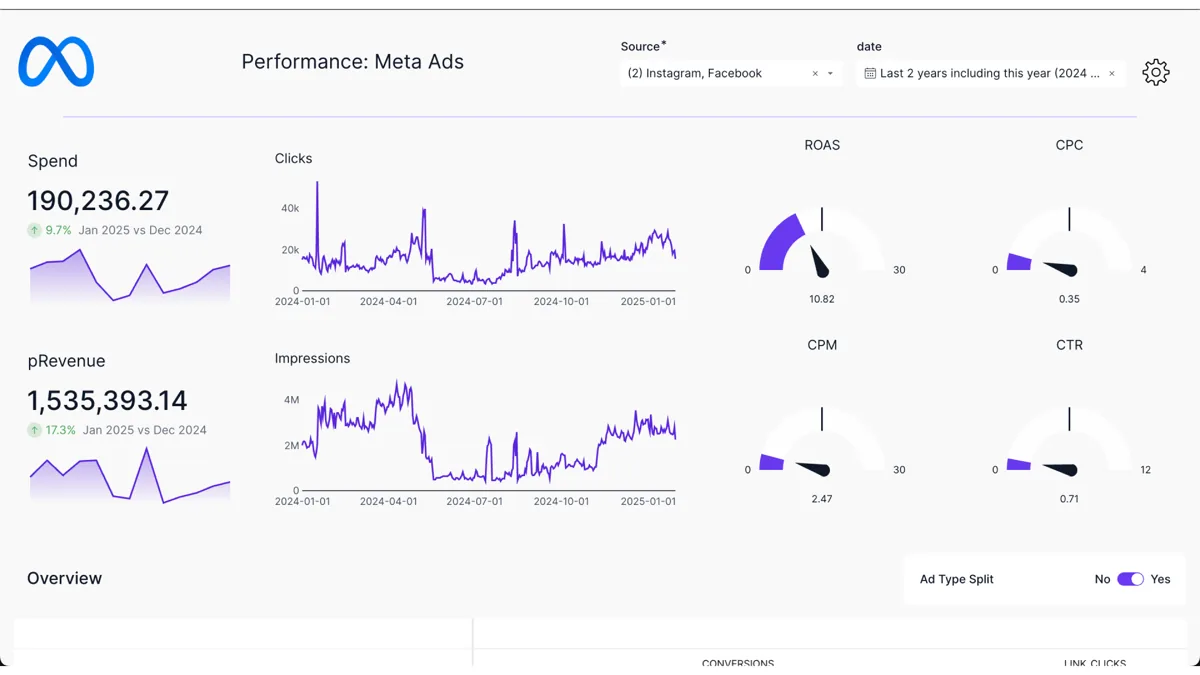
Screenshot — Ryze AI’s one-click Meta connector running creative-fatigue audit + agent pause inside Claude.
Step 01 · ~30 sec
Sign up + one-click Meta OAuth
Visit get-ryze.ai, click Start free trial (no card). Click Connect Meta Ads. Standard Meta Business OAuth screen pops up — the same one Shopify uses. One click on Continue. If you have multiple ad accounts under your Business Manager, Ryze auto-discovers them; pick the ones you want to wire up.
Outcome: you land on the Ryze dashboard with your ad accounts listed and a unique MCP URL ready to copy.
Step 02 · ~1 min
Paste MCP URL into Claude Desktop
In your Ryze dashboard, click Copy MCP URL. In Claude Desktop → Settings → Developer → Edit Config, add the block below under mcpServers. Save, fully quit Claude (cmd-Q), reopen. The Ryze tools register automatically — including those for Google Ads, GA4, and any other connectors you’ve enabled.
Outcome: Claude shows a green “ryze-meta-ads” indicator. You can now ask Claude anything about your Meta Ads in plain English.
Step 03 · ~30 sec
Try the agent layer Meta’s official doesn’t have
Type the prompt below into Claude. Ryze’s agent identifies fatigued ad sets across your accounts, drafts pause recommendations, and — with your approval — applies them within per-account guardrails. This is the active automation layer; Meta’s official MCP would just describe the problem in a table.
Outcome: a Markdown table of fatigued ad sets with proposed pauses, total spend impact, and an approval prompt. Click approve and Ryze executes the pauses on Meta. (You can also flip on schedule mode so this runs every night without you.)

Yael S.
Head of Performance
DTC apparel, $180K/mo Meta spend
I tested Meta’s official MCP and Ryze side by side within an hour. The official one works — props to Meta. But I went straight back to Ryze for two reasons: the one-click OAuth (their setup is six clicks and a config edit), and the agent that paused 11 fatigued ad sets overnight while I slept. Meta’s MCP would have just told me about them.”
2 min
Ryze setup
11
Ad sets paused overnight
$2,800
/mo wasted spend caught
Frequently asked questions
Q: How do I connect Claude to Meta Ads?
Connect Claude to Meta Ads through the Meta MCP. Authenticate with Meta Business OAuth and copy the MCP URL, then open Claude Desktop, go to Settings → Developer → Edit Config, and paste the MCP URL into the mcpServers block. Save, fully quit Claude (Cmd-Q) and reopen it, then run a prompt like “show my top 10 ad sets by spend last 7 days.” That is the full setup for Meta’s official MCP server. Ryze AI does the same thing with one OAuth click and no JSON edit. For a deeper dive, see our guide on AI-driven Meta Ads strategy for ecommerce.
Q: What is the Meta MCP for Claude?
The Meta MCP is a Model Context Protocol server that gives Claude live, authenticated access to your Meta Ads account. Once connected, Claude can list campaigns, inspect ad sets, read spend and ROAS, update budgets, and manage your product catalog — all from plain-English prompts. It runs over Meta Business OAuth, the same login Shopify and Mailchimp use, so there is no Meta Developer App or Marketing API approval wait.
Q: Is there an official Meta MCP server?
Yes. Meta ships an official, HTTP-based MCP server for Meta Ads (plus an official CLI for terminal agents like Claude Code and Codex). You authenticate with Meta Business OAuth, copy the MCP URL Meta provisions for your Business account, and paste it into Claude Desktop’s config. Setup runs about 10 minutes the first time, mostly spent finding Claude Desktop’s config file and editing JSON. Ryze AI is a hosted alternative that wraps the same access in a one-click connector.
Q: Can Claude manage Facebook ads?
Yes. Facebook and Instagram ads both run on Meta Ads, so once Claude is connected through the Meta MCP it can manage Facebook ad sets the same way: list campaigns, pause fatigued ad sets, raise or cap budgets, and audit your catalog. With Meta’s official MCP, Claude proposes the change and you apply it. With Ryze’s agent layer, Claude can apply approved changes — for example pausing ad sets with frequency over 4 and rising CPM — within per-account guardrails.
Q: Do I need to write code to connect Claude to Meta Ads?
No. With Meta’s official MCP server you paste one URL into a JSON config file and restart Claude — no programming, just one config edit. The official CLI is the developer path and does involve a terminal install, so skip it unless you live in Claude Code or Codex. If you want to avoid the config edit entirely, Ryze AI’s one-click connector is pure browser: click Connect Meta Ads, approve OAuth, and you are done.
Q: Is the Meta MCP free?
Yes, during open beta. The MCP and CLI install free; you still pay your normal Meta Ads spend. As of mid-2026, Meta hasn’t committed to long-term pricing — the “free” tag is open-beta-specific and may change.
Skip the CLI
Connect Meta to Claude in one click via Ryze AI
- ✓Skip the install — one-click OAuth
- ✓Agent pauses fatigued ad sets while you sleep
- ✓Business Manager auto-discovery for agencies
2,000+
Marketers
$500M+
Ad spend
23
Countries

